How to Optimize the Game Development Pipeline Using AI
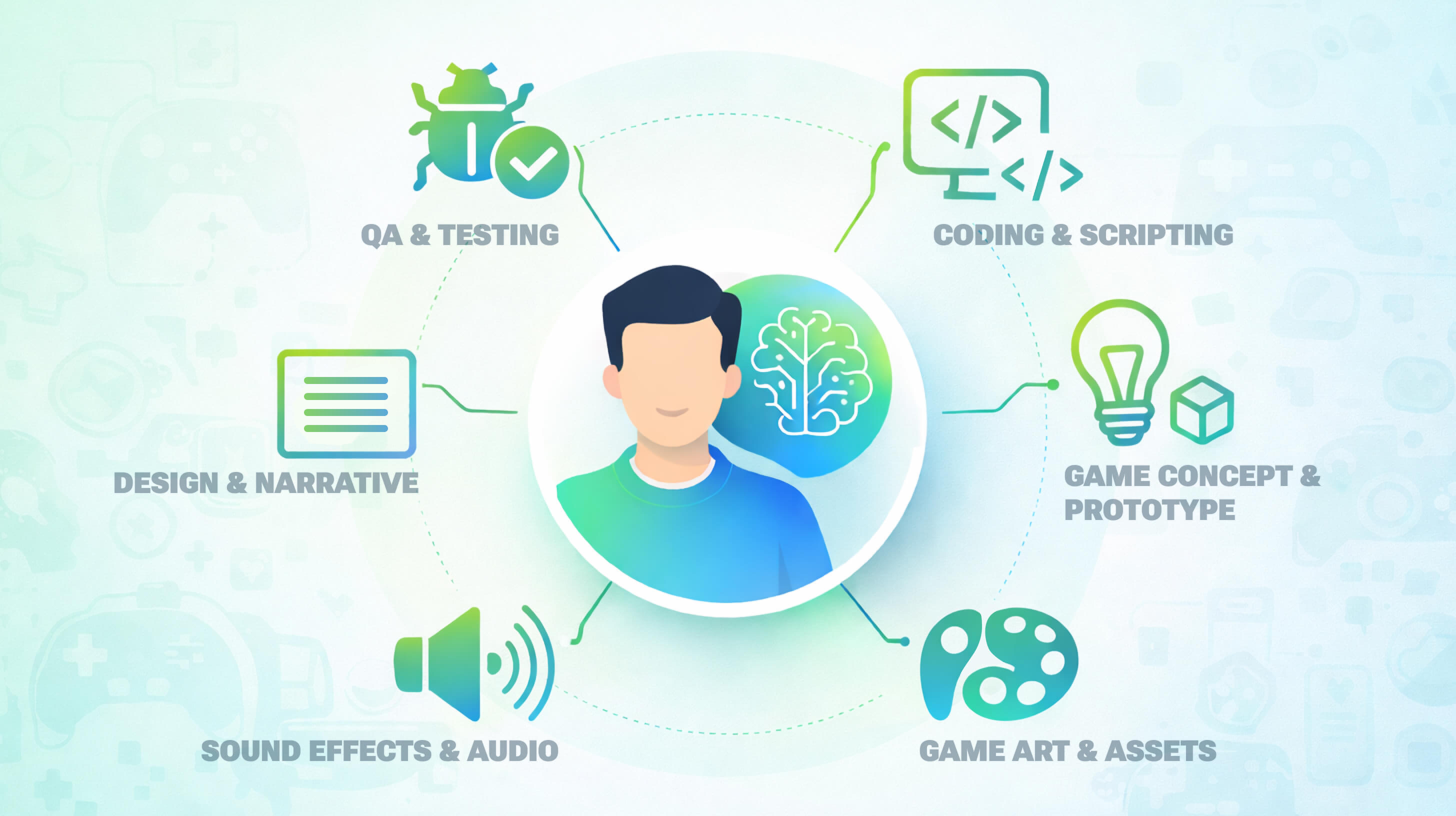
Not long ago, using AI in game development meant doing quite limited work that only slightly helped your final product. For example, tuning difficulty sliders. Today it means generating concept art in minutes, or debugging code with a chat prompt. AI has become a powerful thing that can optimize the game development pipeline and make it enormously faster.
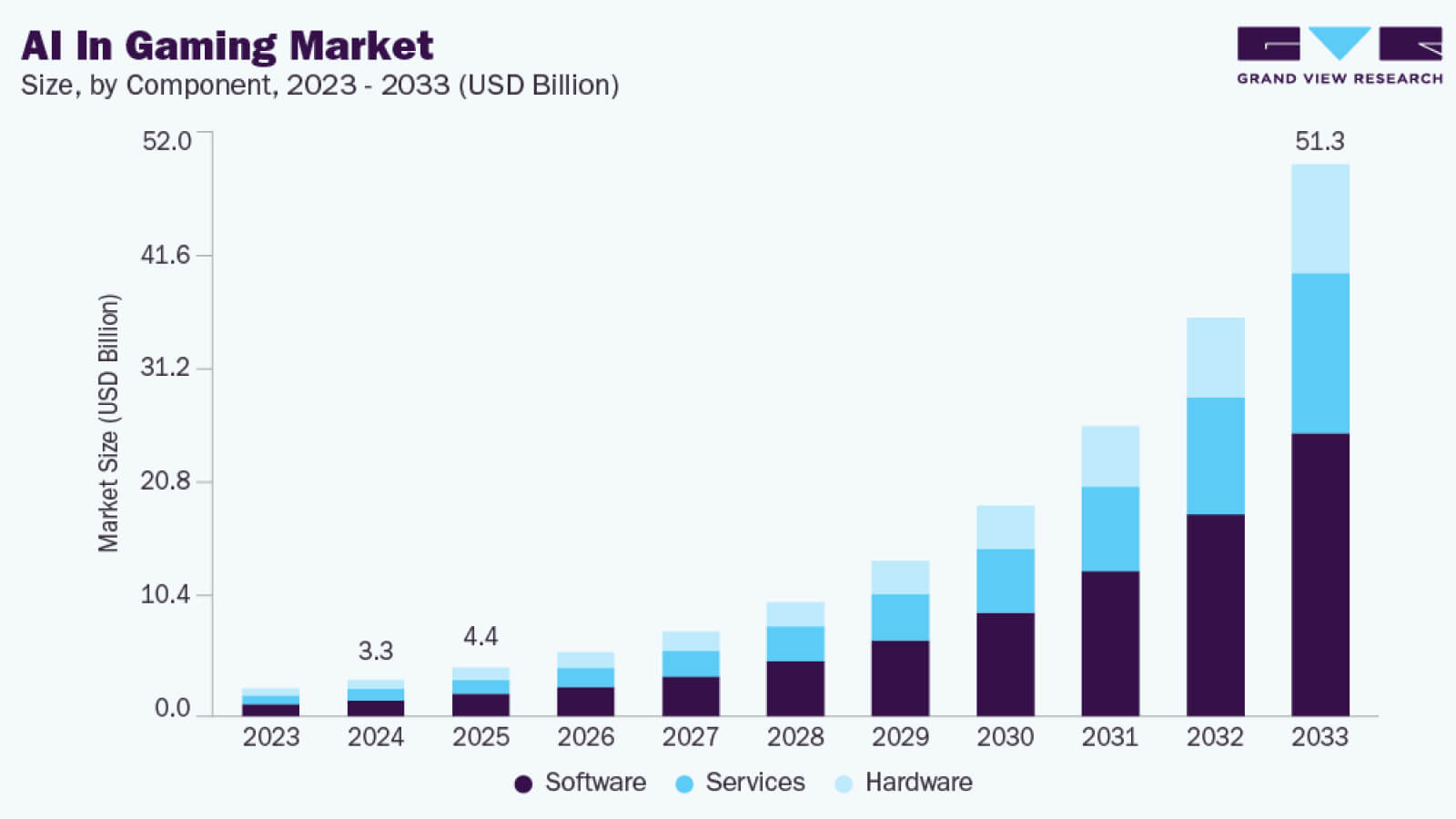
This global change of AI capabilities was fast. The global AI in gaming market was estimated at $3.28 billion in 2024 and is projected to reach $51.26 billion by 2033, growing at a CAGR of 36.1%. The technology is growing, and studios that are not integrating it are at risk to miss out a lot.
More than 50% of game studios now use generative AI and other AI for game development to accelerate various processes (design, testing, and content creation in some form). It is not hard to guess that this number will only increase as tooling matures and workflows become more standardized.
According to a 2025 Google Cloud survey of 615 game developers across the US, South Korea, Finland, Norway, and Sweden, 90% of developers are already using some form of AI in their game development workflows. The productivity grows fast with AI. Studios report 30–50% reductions in development time on specific tasks, making repetitive, non-creative part of development delegated to AI.
Key takeaways:
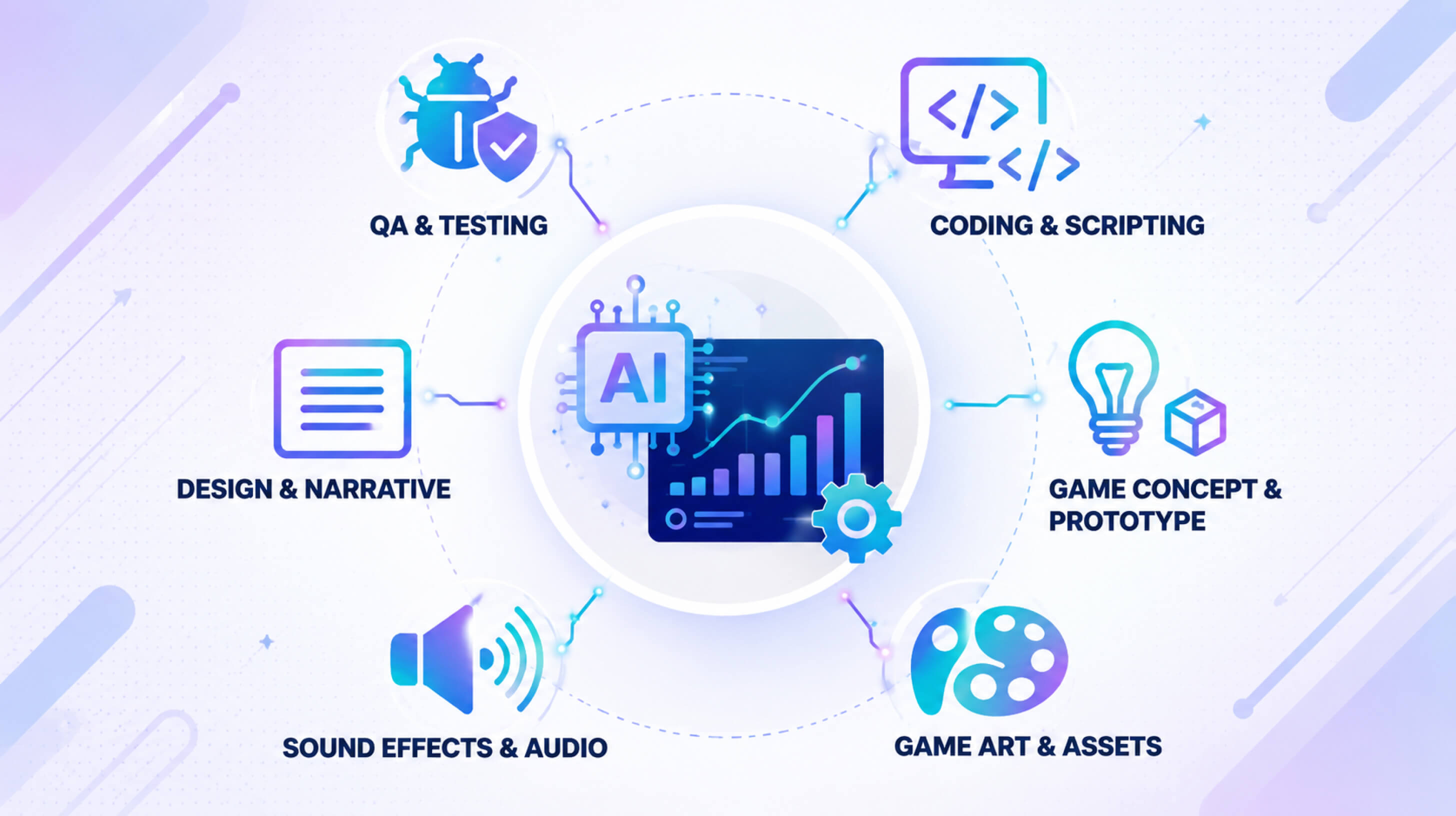
- AI is now embedded across the entire game development lifecycle.
- AI’s biggest value in early-stage development is reducing the cost of bad decisions.
- NPC behavior and dialogue are undergoing a change, and it is moving from scripted interactions.
- Game Assets Design and coding are among the highest-leverage applications.
- AI tools enable teams with fewer resources to produce work that previously required larger headcounts.
- AI does not replace human judgment, it actually sits beneath it.
AI for Research & Brainstorming
Let’s start with one of the most important, deciding parts of the development process. Research and brainstorming sets the tone for the rest of the work and everything you miss during it will affect the final product.
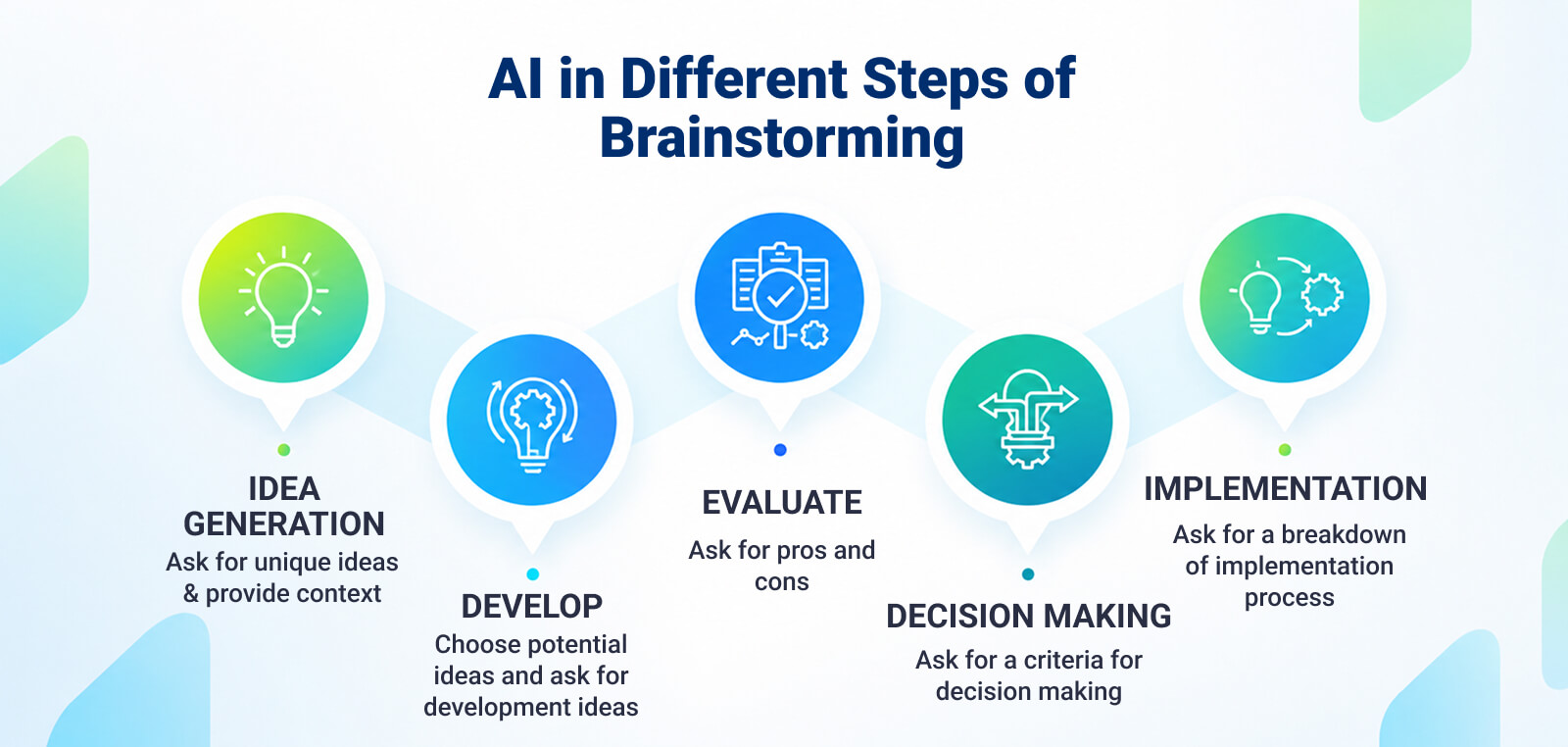
AI for game development enhances the earliest and most strategic stage of game creation which consists of research, validation, and ideation. That allows development teams to minimize the risk of choosing the wrong path or chasing poor ideas.
AI is not only a tool for development itself, but also a great decision-making accelerator. Here is how it can help:
Market research and competitive benchmarking. AI models can process hundreds of sources simultaneously (they can go through review aggregators, Steam page data, social listening feeds, press coverage, etc.) and return structured summaries in minutes. In the past, you would have to spend three days building a competitive landscape and studying sources. Now, you can get a first draft in an afternoon.
Early-stage decisions carry the highest leverage, so such a shift changes everything. A bad genre bet or an underestimated competitor is far cheaper to correct before production starts than six months in.
Genre trend analysis and idea validation. AI tools for game development can identify genre patterns that are only about to emerge. To do that, it can analyze player behavior data and wishlist trends, combined with streaming metrics on most popular platforms. Besides, they can show developers what mechanics are gaining traction.
Relevant Tip: When using AI for market research, consider the outputs as a first draft. Cross-check key claims against primary sources. Even though AI accelerates synthesis, your human judgment still validates it.
Idea validation. AI idea generation tools are having their moment now. Choosing the right idea means creating the game that will bring revenue in the future. However, validation used to be harder, simply checking the value of a certain idea might take too much time. AI reduces how much time you have to spend on that and adds efficiency.
AI Tools for Research
Perplexity Deep Research is the main tool for research and analysis.
The tools that developers can use for this stage of development are the most powerful language models:
- Perplexity: this tool proved to be one of the most powerful AI-powered research assistants. It provides sourced answers and structured summaries that are easy to use for market research and game genre analysis. An AI idea generation also might be easier with this tool.
- ChatGPT: The most famous AI tool used for summarizing player feedback and generating SWOT analyses. You can also compare game mechanics, and even draft research reports. Its usefulness for structured ideation is one of the best.
- Gemini: Also, one of the famous AI tools for game development. Strong at multimodal research (text + data). Can help analyze market data, and create trend reports tailored for developers.
AI is somewhat mistakenly seen as only an asset creating tool, while it is a layer that improves early-stage game development decisions.
Game Concept & Storytelling Creation with AI
This is potentially a very time-consuming part. Just imagine how much time would take writing a proper character that wouldn’t be flat and have a convincing background story. However, storytelling with AI can make a difference.
LLMs can be a big help here. Not only can they generate plot outlines from short prompts, but they also suggest character backstories and motivations with real psychological layers in them.
AI in video game development helps to draft dialogue variations based on tone or genre, and make narrative arcs more complex and interesting. Writers simply have more time to explore narrative directions and spend less time on it.
Dynamic narrative design. AI tools assistance in building branching dialogue trees and reactive narrative systems is undervalued. AI can suggest dialogue branches based on context, character traits, or player decisions. This helps teams prototype interactive storytelling and decide what fits the story better.
Ideation and world building. AI storytelling tools thrive when it comes to building worlds and rules of the universes. It is especially visible in the creation of lore documents, world histories and factions, not to mention cultural systems and mythologies. AI has been trained on the sets of information that contain these things, and with the right guidance, it can make the rather bulky and time-consuming process of coming up with world rules very efficient. It can also include environmental storytelling concepts. AI storytelling tools can help change a rough theme and make a working world framework out of it. Also, visual AI tools can produce concept art for mood exploration.
Characters and themes. You already know that AI is good for analysis. Add to this a simple fact that it already “knows” genre conventions. So identifying popular character archetypes is very easy for it. All you have to do is to sort that information. It can also suggest thematic contrasts, generating different dynamics in personality of characters. Interestingly, AI tools can propose character flaws, emotional arcs, and relationship tensions that writers can just work on. Essentially, AI helps expand creative range. However, remember that all this AI for game development requires human judgement.
AI Tools for Concept and Storytelling
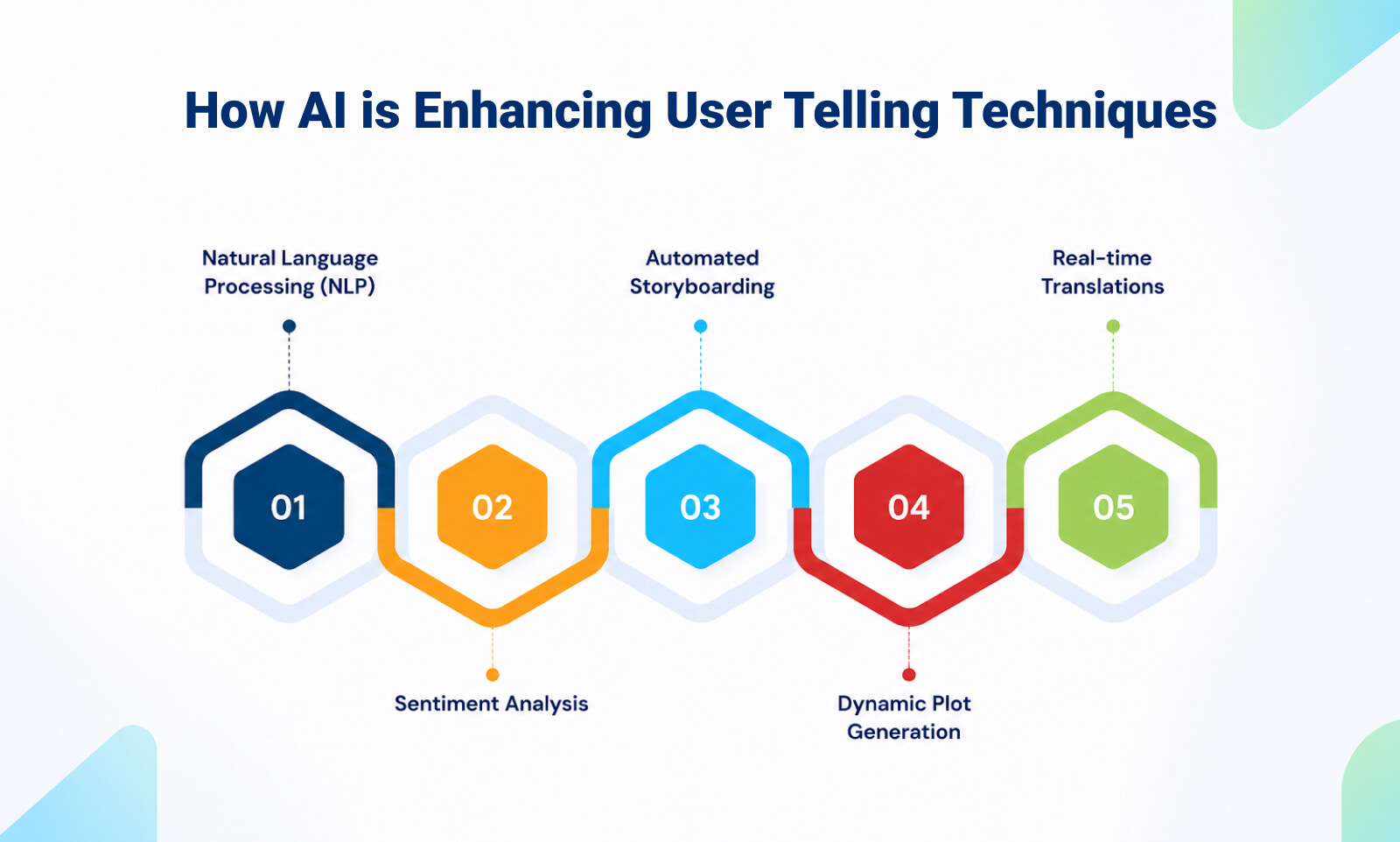
Now, let’s take a look at the game development AI tools that can help you to pull out everything we just mentioned:
- Google Mixboard: this is a visual ideation and mood exploration tool. You can apply it on the early-stage concept development, and when you need to tie your visual storytelling together. It is also a good tool for those who want to experiment with aesthetic directions and brainstorm with a tool to find an interesting visual identity for a future game. That’s not the most obvious, but definitely helpful way to enhance storytelling with AI.
- Perplexity: We have already mentioned this tool in a different context, but this AI research assistant is also helpful for: background research, cultural references, and historical inspirations. All the things that are highly important for the game world. Writers can use it to validate concepts and gather the depth for believable worlds. AI in game development has many ways to enhance the games even if the tools themselves are not fully tailored for game developers.
- Narrative Graph: This tool helps with structured interactive storytelling. By using it, you can map branching narratives and dialogue flows. It helps teams prototype story logic visually. Besides, this is a great tool for spotting inconsistencies or pacing gaps early in development.
Did You Know? Ubisoft built an internal AI tool called Ghostwriter specifically to handle one of the most time-consuming jobs in AAA narrative writing: NPC barks. Barks are the short ambient phrases NPCs say during combat, when players pass by, or when events trigger. They are central to player engagement, but require significant writer time that could otherwise go toward core story content.
Prototyping with AI
When it comes to another important part of the pipeline, prototyping, you get the same advantage immediately: saved time. But it’s not only making things faster. When you can build a prototype faster, you can test more ideas, and catch problems earlier. You can also spend more energy on the parts that actually matter. Let’s take a close look at how exactly it manifests.
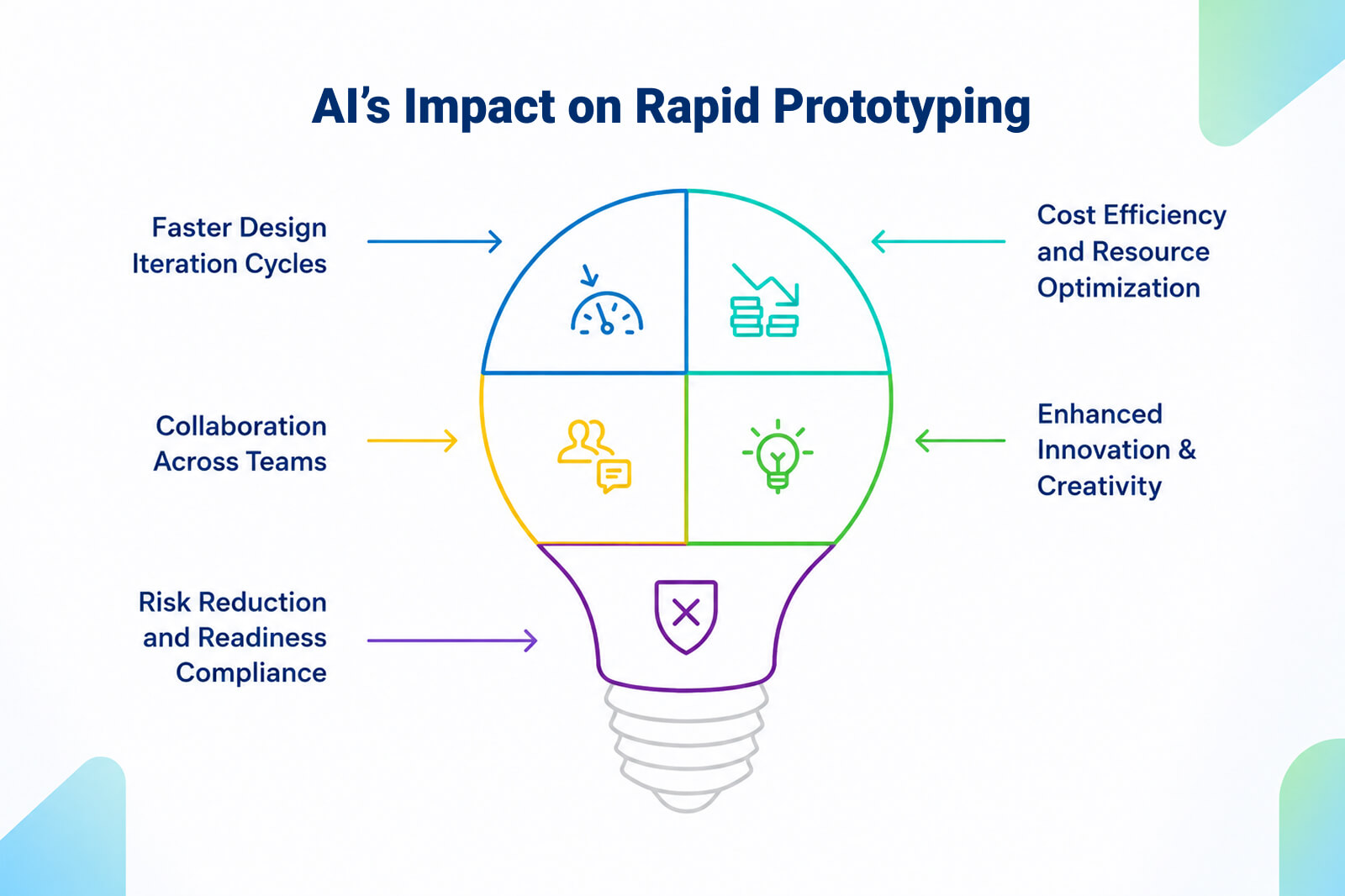
Rapid prototyping with AI. If you want to have playable prototypes, all you need is a few prompts. When you are prototyping with AI, you are essentially taking a game from concept (maybe not even fully developed) using natural language. Moreover, you can work on user flow or develop mechanics. They can be refined later.
Interactive design tools. AI prototyping tools can automate a lot of things in early design. Entrepreneurs can work with more responsible, creative parts of player experience, while AI tools can work on basic art or layouts – anything repetitive really.
Data-driven iteration. One of the most powerful things AI can do is help you test your prototype before a real player touches it. In the past, it wasn’t possible, and you needed people to check it. You can use analysis to run first playtests. There’s also a good possibility to spot balance issues, and model how different types of players might experience your game. This means you catch problems much earlier and spend less time going back and forth between versions.
AI Tools for Project Prototype Creation
Prototyping has historically been one of the more resource-heavy phases to run properly. Building even a rough playable version of a concept requires pulling developers away from other work and committing time to systems that may get scrapped entirely. Now, let’s see what tools can actually allow you to do what we just described. Here are three most popular options:
- Rosebud AI: This is a perfect instrument for concept generation and rapid prototyping with AI. The platform is designed to make game creation as intuitive as play itself. Admit, it is not something that was normally achievable, because the game creation used to be the most difficult part. You can just use natural language prompts to build the foundations of games with. You don’t need traditional coding to generate art or add mechanics.
- Ludo AI: AI in game development is hard to imagine without this tool. It’s an ideation and research tool for game designers and developers, and it offers advanced text and image generation with AI-powered search. There are also trends tools. Essentially, you can generate concepts, create images, sprites, and 3D assets, not to mention playable prototypes.
- Lovable: One of the AI tools for game development that also works with prompts to create prototypes. But it is the most useful for early validation. You can also see its efficiency for UI flows, and gameplay concept testing without doing much engineering.
Game Asset Creation with AI
AI game asset creation is one of the parts of game development that affects the very essence of the game. Here, AI accelerates asset creation and increases iteration speed.
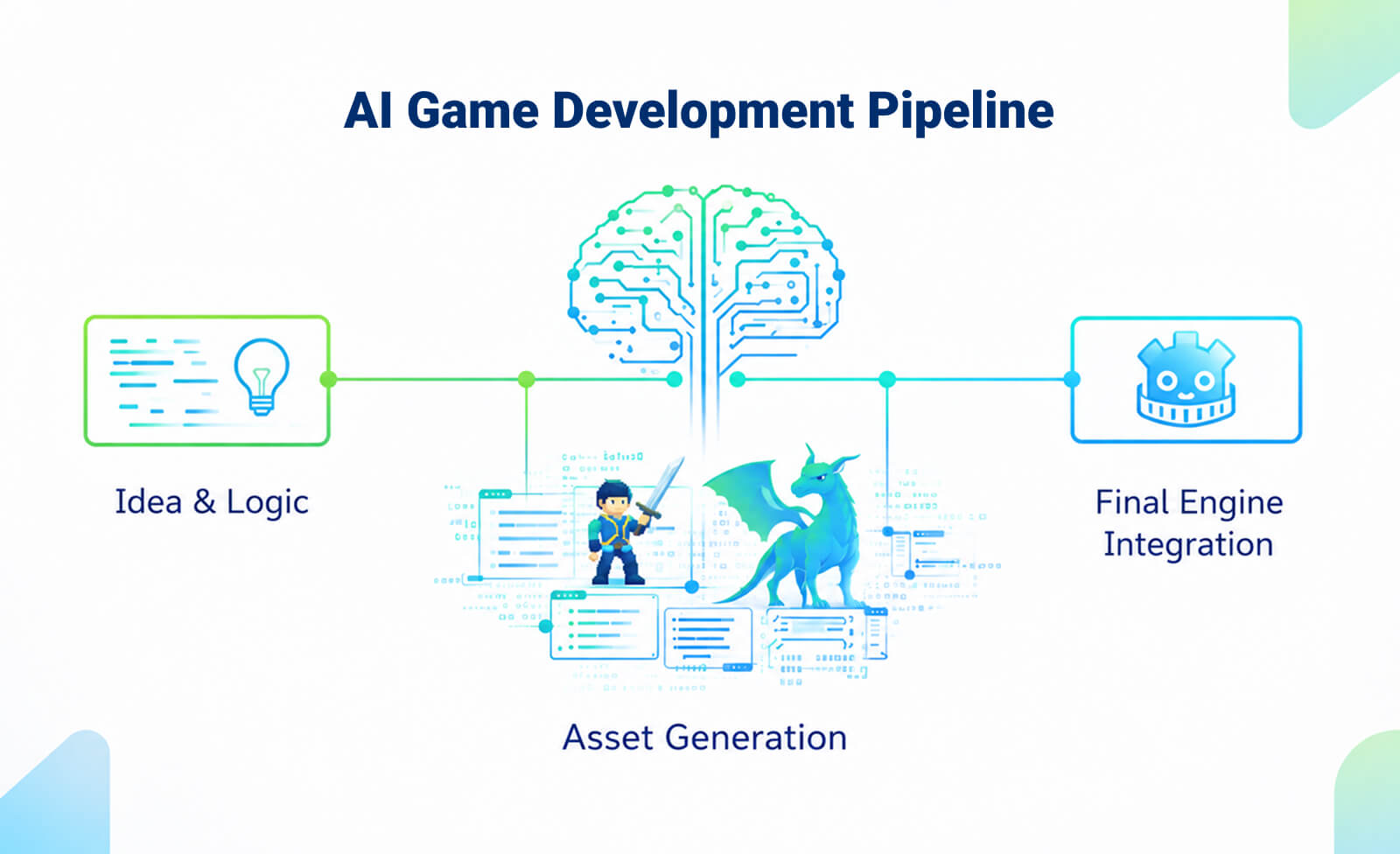
Concept Art Generation. This is another area where AI for game development thrives. However, extra usefulness here is the ability to create early character and environment concepts. You can also work on mood variations and lighting studies, and very quick visual experimentation. AI for concept asset generation is especially valuable during the pre-production stage, because this is when you can test multiple visual directions.
Texture Creation. One of the difficult parts of concept art creation were PBR-ready textures. It would take a lot of time for game development teams to simply upscale low-resolution assets. Another important moment, in the given context, is stylistically matching textures across the game. Here, AI in game design does its main thing: it speeds up the production. For example, you can get much quicker environments, props, and characters. Even though artists have to add a bit of work at the final polishing stage, still, manual workload is minimal.
AI game character design. Many people think about games in terms of characters. Character ideation (generating archetypes, personality traits, visual styles, and role concepts) is where AI has a huge advantage. Artists obviously familiar with the variety of types of characters can guide AI in game design tools to refine the ideas they have or generate something new and interesting. AI game character design is a big thing for visual exploration. That means you can get quickly multiple costume, armor, and facial variations, but also silhouettes. AI in game development enables teams to explore dozens of design directions quickly before committing to final modeling and rigging.
Environment drafts. Environment is not only the mood related thing in the gaming world, but also a highly important space where action is happening. AI tools for game design can do a lot here. They easily generate environment compositions, suggest world layout ideas, and create atmospheric lighting previews. Of course, they visualize terrain styles. But what’s even more important, AI in game design allows art and level design teams to sync much faster during early stages.
UI asset generation. This part makes designers’ work much, much easier. AI in game development supports everything that used to need manual effort like icon creation, HUD mockups, menu visual exploration, and typography experimentation.
AI Game Asset Creation Tools
Characters, environments, icons, sound effects, and everything else that makes a game feel alive falls under a category of assets. Traditionally, this is where production slows down. Creating high-quality assets takes lots of time, very good skills, and often a whole team of artists and designers working across multiple tools. As you guessed, AI takes a big part of that. Let’s see what tools can be helpful here:
- Midjourney: This is ChatGPT in the world of AI image making. It’s a great tool for those who want to explore concepts for characters or environments. It is also a perfect stylistic experimentation instrument that can be a great addition to your AI tools for game design.
- Leonardo AI: If you are looking for more consistent asset generation, this is your tool. Besides, it supports character and texture ideation. It is also good for high resolution textures and environments design. With control over the functions, it is good for indie developers, just as well as AAA studios.
- Scenario: With this tool you can train AI models on studio-specific art styles to maintain brand consistency. Importantly, human-on-the-loop is vital here as well. One of the highly important AI tools for game design.
Pro Tip: Don’t pass AI-generated concept art directly to 3D modelers without annotation. Mark what to keep, what’s decorative noise, and what needs solving.
Animation & Motion Design with AI
Animation is one of the areas (among many) where a huge chunk of the work is technical and repetitive. Well, luckily, that’s where AI in game development has started pulling its weight. The creative decisions still belong to the animator, though. But the grunt work of making movement look physically believable, or cycling through dozens of variations to find the right feel, is getting a lot faster.
Here’s what that looks like in practice.
Procedural character animation. It is one of the areas where AI is making a genuinely practical difference for animation teams. Traditional character animation is nothing but hard work. An animator has to set every physical detail which requires a lot of attention and precision.
AI systems trained on physics-based models can now generate that kind of movement as a baseline. They are capable of producing natural-looking motion that accounts for gravity, momentum, and surface interaction. Teams still go in and refine it, but they’re starting from something that already reads as physically believable.
Adaptive animation systems. It is solving a problem that’s been a part of game animation for a long time. Pre-baked animation clips have always been a bit of a blunt instrument: the character either does the thing or doesn’t. AI-driven systems can read what’s actually happening in the game at runtime and adjust the animation in response, in real time.
Motion capture refinement. Mocap isn’t going anywhere. For complex performances, nuanced facial animation, or hero sequences, it’s still the right tool. But the raw data always needs work. AI can take that data and push it toward a specific aesthetic, whatever suits the team and the project they work on.
Animation and Motion Design AI Tools
Animation has always been one of the most labor-intensive chapters in game development. Not to say that it was the hardest to scale. Getting movement to feel right requires a level of craft that takes years to develop. And hours, if not days to execute. AI tools are starting to change the economics of that. Let’s see how.
- Plask: Upload a video and get 3D animation data back. For indie teams who can’t justify a full mocap setup, this is a practical way to prototype character movement using nothing more than a camera. Exports to major engines and 3D software, so it is also extremely convenient and fast. Good addition to your motion design AI tools.
- RADiCAL: Similar premise, markerless capture from standard video, but focused on full-body animation pipelines. One of the AI animation tools that allows to cut out the dependency on mocap studios and makes iteration faster when you’re still figuring out how something should move.
- Cascadeur: Worth adding to your set of AI animation tools that help create physically realistic character motion. Especially useful for refining key frames and improving natural movement dynamics.
3D Modeling with Artificial Intelligence
3D asset creation is another time-intensive part of game production. A single character model can take days, but if you take an environment full of props your team will need weeks. And every time the design direction changes (which is normal), someone has to go back and rebuild.
AI compressing the slowest parts of the workflow 3D artists have here. The early stages especially: getting from a concept to something you can actually put in an engine and test.
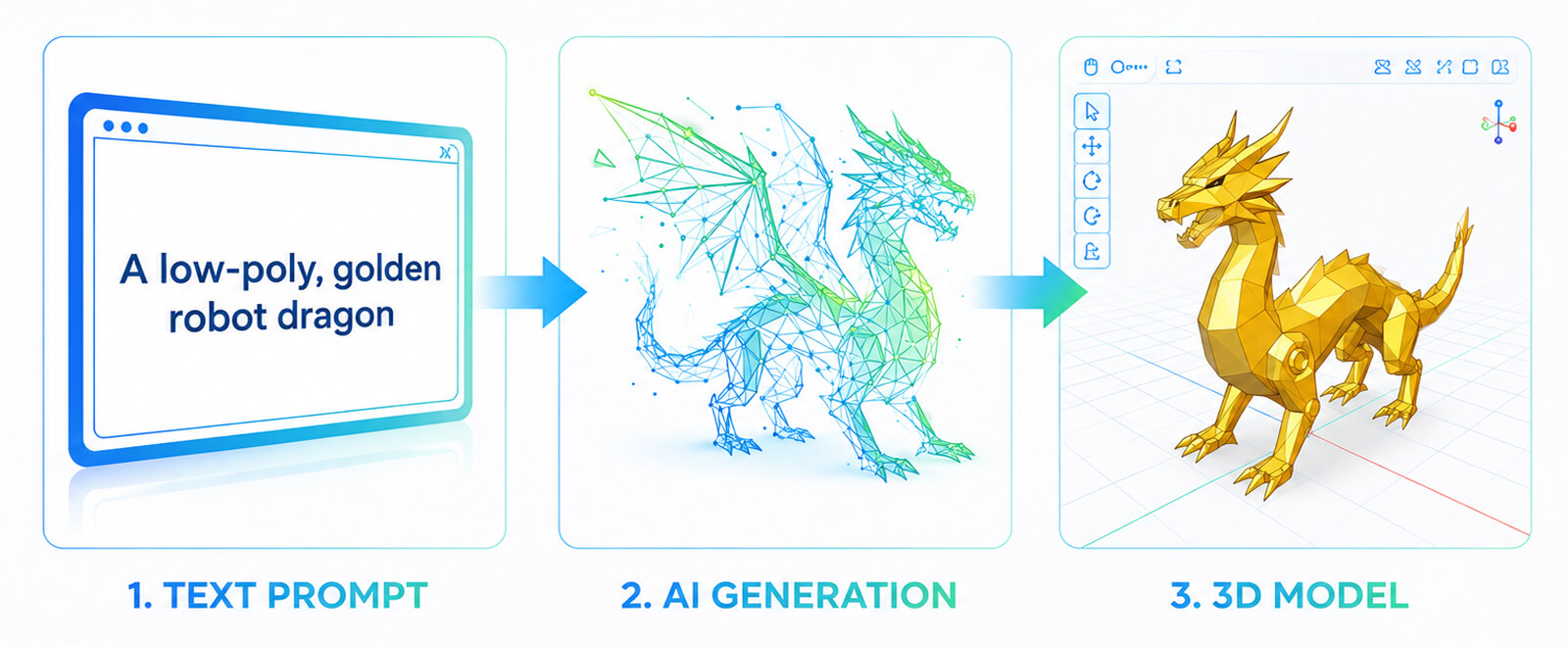
From text prompt to testable asset. Type a description, get a base mesh back. That’s the core promise of AI tools for 3D design, and it’s genuinely useful for early production. Now, a team can generate ten variations of a prop or environment piece in the time it would have taken to model one. None of these outputs are production-ready, of course. They need refinement, proper topology, and a lot of cleanups. But as a starting point for prototyping, they move things forward with the speed we could only dream about in the past.
Optimization without the manual grind. Once an asset exists, it still needs to perform. That means simplified meshes for lower-end hardware, LOD (Level of Detail) variants that reduce polygon count at distance, compressed textures, and collision geometry that doesn’t tank the framerate. With 3D modeling AI, and other AI in game development, it’s getting much shorter.
Getting assets into the engine. AI-generated geometry doesn’t automatically work in Unity or Unreal. It needs to come in through the right export format (FBX, OBJ, or GLTF depending on the pipeline), have physics and collision set up correctly, and meet the performance standards the project is built around. So you will need technical validation here from someone who understands how the engine works. Still, with these 3D modeling AI approaches it is easier to move through a pipeline.
AI Tools for 3D Modeling
Game development pipelines have started to absorb AI at the asset creation stage. And it is most visible in 3D modelling. Of course, none of the tools can replace a modeler, but they are definitely taking the blank-canvas model out of the way. Let’s take a look at the best ones:
- Luma AI: This is a 3D modeling software AI, that needs only prompts in order to generate not only 3D models themselves, but also scenes. Luma AI is a tool used for rapid environment prototyping but also allows concept visualization early in production. Part of a tool are creative agents and a variety of other functions related, among others, to video.
- Meshy AI: It is a text-to-3D generator that’s become a go-to for game developers who need to move fast at the concept stage. You type in a description (say, a rusted medieval sword) and it produces a 3D asset complete with textures. Of course, the output isn’t production-ready on its own. But it works well as a placeholder model you can take into Blender or Maya for refinement.
- Kaedin: Takes a different approach than previous tools. No text prompts here; it works from 2D images. Feed it a piece of concept art or an illustration, and it converts that into base 3D geometry. It means that you’ve already done the concept art pass, you have something that looks right visually, and you don’t want to start the modeling process from a blank canvas.
- Tripo: It is the most flexible of the four in terms of input. It accepts both text descriptions and images, which makes it useful at multiple points in the production process. If the team needs to compare three or four different design directions before locking in on one, Tripo lets you spin those variations up quickly. Like most tools in this category, the output is best treated as a starting point.
Video Content Creation with AI
When it comes to AI for video production, you can expect the biggest advantage: saved time. Editing time is reduced, there is less need in cutting scenes, not to mention marketing content production.
Of course AI video editing tools help with post-production acceleration greatly. But they can’t replace cinematic directors and their vision.
Automating cutscenes and cinematics. Before committing to full cinematic production it is just easier to use AI to rough out the sequence. You can do a lot with AI video creation software. For example, storyboard drafts, auto-edited gameplay footage cut to pacing, and basic transitions and timing. It’s enough to see whether a scene actually works and how the narrative coincides with it. AI in motion graphics also works well with the technical side: upscaling lower-resolution footage and applying color grading.
Trailer and marketing video creation. For indie studios especially, marketing is the bottleneck that never gets enough attention or resources. AI tools can pull highlight moments from gameplay footage automatically, cut them into promo clips sized for different platforms, add captions and effects, and drop in voice-overs. And yes, without needing an editor on staff. So if you have a limited budget, this is a real helper.
Procedural story clips. Nobody wants to see a fixed cutscene that is the same for every player. It is too old an approach. Now, AI video creation software can assemble video sequences based on different materials. For example, pulling from a player’s actual achievements, the events that happened in their specific run, or narrative triggers that fired differently based on their choices. In the end, everyone gets highly personalized content that might trigger a desire to play again, all thanks to AI in video editing.
AI Video Editing Tools and Video Generation
Video has become one of the most important ways game studios communicate. It can be a trailer or cinematic or even behind-the-scenes. But producing quality video traditionally meant cameras, editors, voice-over artists, and a lot of back-and-forth. Here are some tools that can be highly effective for game development teams:
- Runway: Covers a lot of ground in one platform: text-to-video generation, background removal, object tracking, and scene enhancement. This is a suitable AI in video editing tool, if you want to rough out cinematic concepts early in production, building marketing visuals, and prototyping content before committing to a full shoot or render.
- VideoGen: One of the best AI video editing tools. It is useful for teams that need to quickly create social clips, dev updates, or promotional content. And yes, you don’t need a dedicated editor.
- Synthesia: This instrument creates voiceover-driven video content using AI avatars. You don’t need filming here. Synthesia is useful for localized marketing materials and considered to be an excellent AI for video production.
Audio Content and Sound Effect Creation with AI
Another part of the gaming world that makes games pretty much what they are is audio. And the variety of sounds is actually great: there is music composition, voice synthesis, sound effects, and adaptive sound design. Thanks to AI in sound design, development teams now have more independent, better workflows.
With AI audio editing software sound production has become cost-effective. This is, once again, an advantage for indie teams and live-service games. Position AI audio tools as creative accelerators and scalability enablers, especially valuable.
Generating sound effects. AI in sound design can create custom sound effects from text prompts, and generate ambient sounds. You can also rely on it when creating environmental loops, producing UI feedback sounds and gameplay impact effects. Besides, AI audio editing software allows you to test multiple audio variations. In other words, you don’t need that many large sound libraries anymore.
Voice-overs and dialogues. The most immediate application is NPC dialogue. Just imagine booking studio time every time a line needs to change! Now, teams can generate synthetic voices, adjusting emotional tone, pacing, and delivery in the tool itself. Localization is the other big thing, because dubbing a game into multiple languages used to mean coordinating separate recording sessions in each target market. Text to speech AI can produce those variations much faster and cheaper.
Adaptive music scores. Static soundtracks have always been a compromise game development studios tend to get to. The music might be great on its own, but it can’t react to what’s actually happening on screen. It doesn’t know if the player is sneaking through a quiet corridor or in the middle of a chaotic boss fight. That disconnect has been a known limitation of game audio for decades. AI is changing that. Adaptive music systems can now generate or adjust music in real time based on gameplay events, player behavior, and emotional tone.
AI Tools for Working with Audio Content
AI is also changing how studios handle audio more broadly. It can change sound effects and voiceover as well as help with mixing and post-production. What used to require a dedicated sound team and expensive studio time can now be done faster, and, obviously, way cheaper.
- ElevenLabs: High-quality voice generation with a very good emotional range. Covers NPC dialogue, narration, and multilingual voiceovers, with enough tone control to make synthetic voices alive and emotional. It is very easy to edit, which makes it genuinely useful during production.
- Suno: Generates full songs and instrumental tracks from text prompts. Most studios use it for roughing out thematic motifs and background music on the early stages, before the project is ready for a composer or final orchestration pass.
- AIVA: Composition-focused platform that generates original, royalty-free music across genres. Well suited for adaptive soundtracks where you need multiple mood variations of the same theme: combat, exploration, menu, cutscene, without commissioning each one separately.
- SFX Engine: Generates custom sound effects: impacts, footsteps, ambient noise, UI interactions. Useful for filling out a sound library quickly with variations.
Coding and Programming with AI Assistant
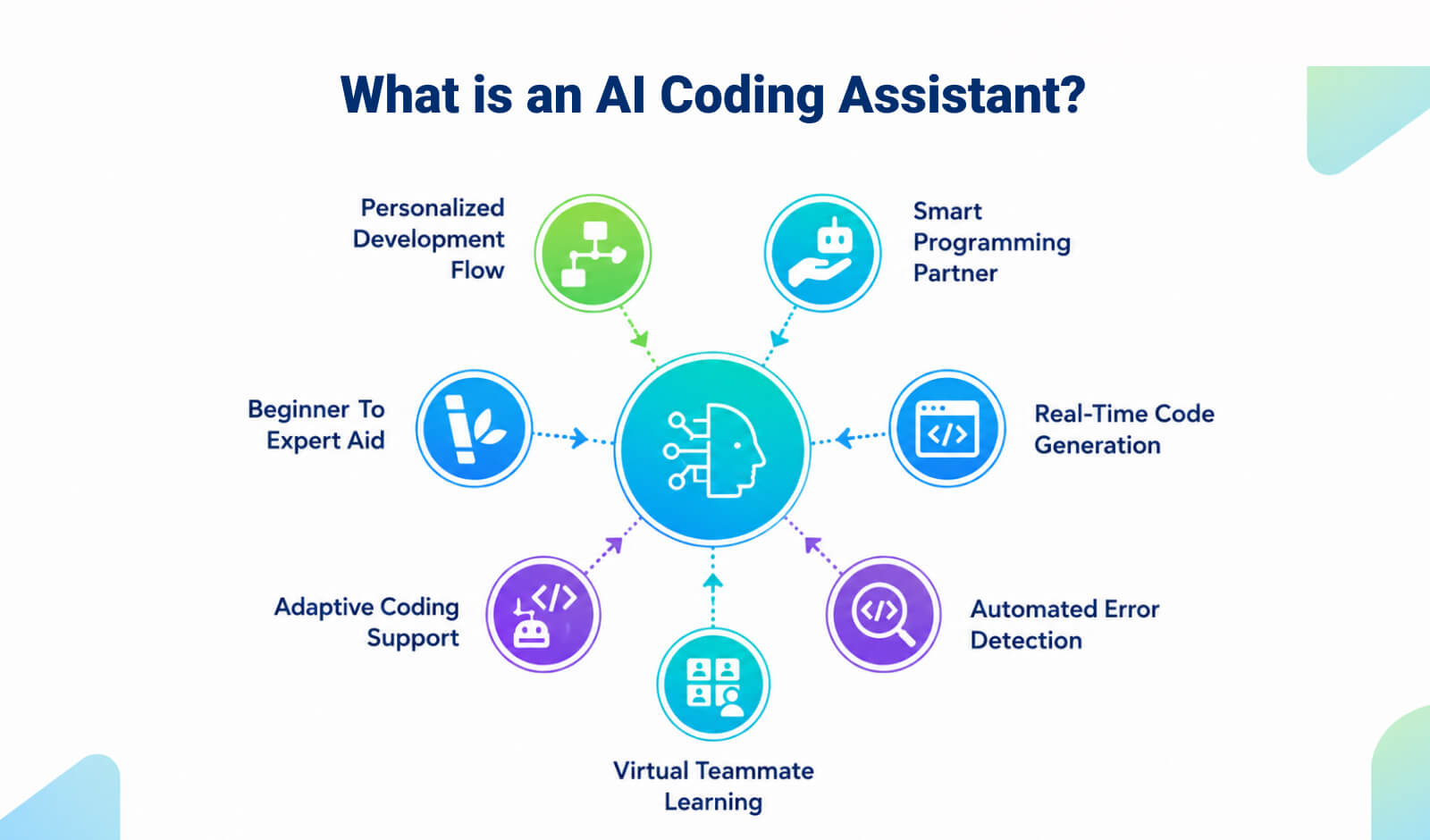
Ever since AI in game programming became a thing, it has made a number of processes easier. However, AI still functions as a developer assistant, not a system architect or replacement for engineering expertise. An AI programming assistant doesn’t fix the fundamental difficulty of writing good code, but it does give you something useful to think against. A second pair of eyes that’s available immediately and never gets tired of reading stack traces. As in other areas of game development, using AI for coding helps to lessen repetitive workload.
Code generation. AI tools for programming generate standard scripts (for example, character controllers, input handlers, state machines), and create API integrations. But they also can help with backend services, as well as produce configuration files. Developers don’t need any more repetitive foundational coding, and they can work on gameplay systems.
Debugging support. One of the best parts of using AI for coding is how quickly it allows you to work with mistakes. It suggests fixes for runtime bugs, identifies logic inconsistencies, reviewing code for potential edge cases. And yet, human validation is much needed.
Refactoring and code optimization. AI tools for programming can suggest cleaner logic structures and generally improve performance issues. Besides, if you need to do boring work like standardize naming conventions, or remove redundant code, just delegate it.
AI Tools for Code & Development
Writing code is at the heart of every game, but it is also where a lot of time is spent. Just think about it: debugging, writing repetitive logic, figuring out why something breaks three layers deep into a system. All that is extremely time-consuming. Let’s what tools can help you work with it:
- Claude Code: It is hard to imagine AI in game programming without Claude. Strong at reasoning through complex codebases and long-form logic. It can explain what a large system is actually doing, suggesting refactoring approaches, or working through a bug that requires understanding context.
- Cursor: This tool is built around the idea that an AI programming assistant should be inside the editor. Supports code generation, inline edits, and context-aware refactoring without making you switch to tools. A practical coding assistant AI for day-to-day development.
- Microsoft Copilot: Enterprise-oriented coding assistant AI that also broadly integrated across development environments and productivity tools. Useful for code generation, writing documentation, and automating repetitive tasks that eat into development time without adding much value.
- Unity AI: AI features built directly into Unity’s ecosystem. Covers scripting assistance, asset management, and workflow optimization inside the engine. It is one of the most useful AI tools for programming because it understands the Unity context.
Quality Assurance and Game Testing with AI
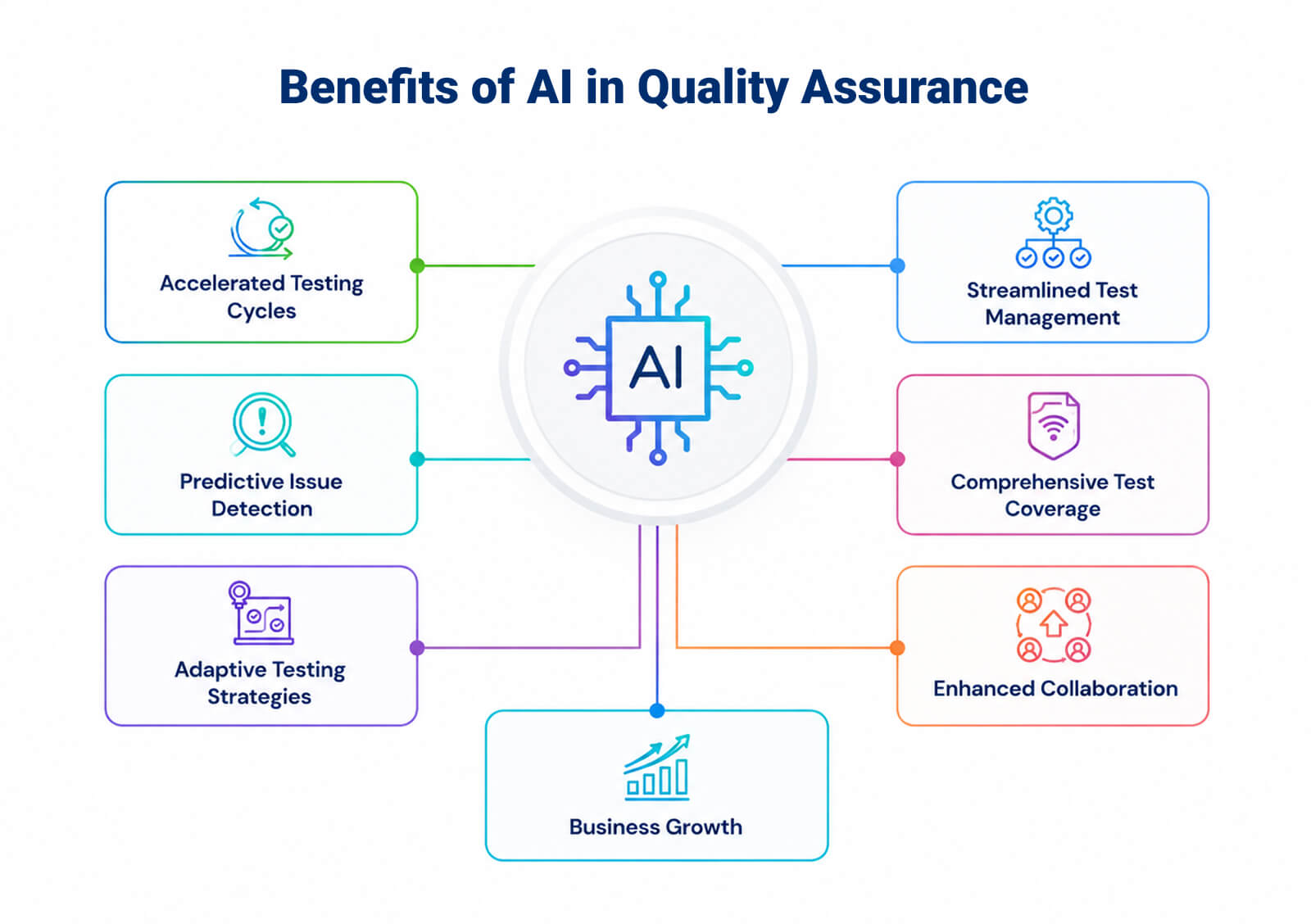
Here, AI game testing tools can do a lot. Not only can they simulate player behavior, but also spot the issues that you can’t see at the beginning of a production cycle. Game development AI tools enhance testing coverage and efficiency but do not replace human QA teams. However, it still allows us to enhance them.
Automated bug detection. Bugs are happening all the time, and having AI game testing tools helps to see runtime errors, identify performance bottlenecks, flag UI inconsistencies, monitor log anomalies. AI’s ability to spot patterns is very useful here.
Scenario simulation. Game development teams can make their creations better by checking thousands of gameplay scenarios, and seeing them with different player behaviors. It is also highly scalable: AI can simulate behavior combinations far beyond what human testers can manually do.
Regression testing automation. You can re-run test suites after updates, and see new bugs that might come with patches. Also, AI game testing tools allow you to track feature stability across versions.
AI Tools for QA and Testing
No matter how good your game is, bugs will find a way in. QA and testing has always been one of the most labor-intensive parts of game development. Also, the one that is easy to underestimate and run rather badly. AI is making it faster and more thorough, catching issues that would slip through traditional testing pipelines. Here are three tools that can help you on the stage of game development pipeline:
- Modl.ai: Built specifically for game testing, which makes a huge difference for development teams. It is not generic QA automation, because it simulates thousands of different player behaviors to surface bugs. It spots what human testers would take weeks to find, if they found them at all. It’s especially valuable in the lead-up to a major release, when coverage needs to be as wide as possible.
- Decipher AI: Runs through test scenarios and identifies issues automatically. Good for teams that need broader coverage. It’s a solid choice for teams that need strong overall coverage without building out a large dedicated QA team.
- Autosana: Lets you write end-to-end tests in plain language rather than code, and the tests update as the app changes. You describe what you want to test in plain language, and Autosana handles the rest. Even better, the tests update automatically as your app changes, so you’re not constantly rewriting them every time something shifts in the build.
AI for Pathfinding and Navigation
Modern games are impossible without a proper NPC movement. If you think about it, game development AI tools are perfect for making navigation systems, and adaptive behavior better. It leads to realism and responsiveness, and scalability of character movement and decision-making.
AI tools for game developers now create more intelligent and dynamic in-game agents. Especially so in open-world, strategy, and multiplayer environments.
Smarter movement system. If you think about traditional pathfinding, it relies on precomputed navigation meshes (or NavMesh), and A-star algorithms. Deterministic movement patterns also play a big role in that. AI-enhanced systems improve this. They allow reacting to obstacles, adapting to changing environments, and finally predicting player movement patterns. Interestingly, there are less repetitive or robotic behaviors with artificial intelligence.
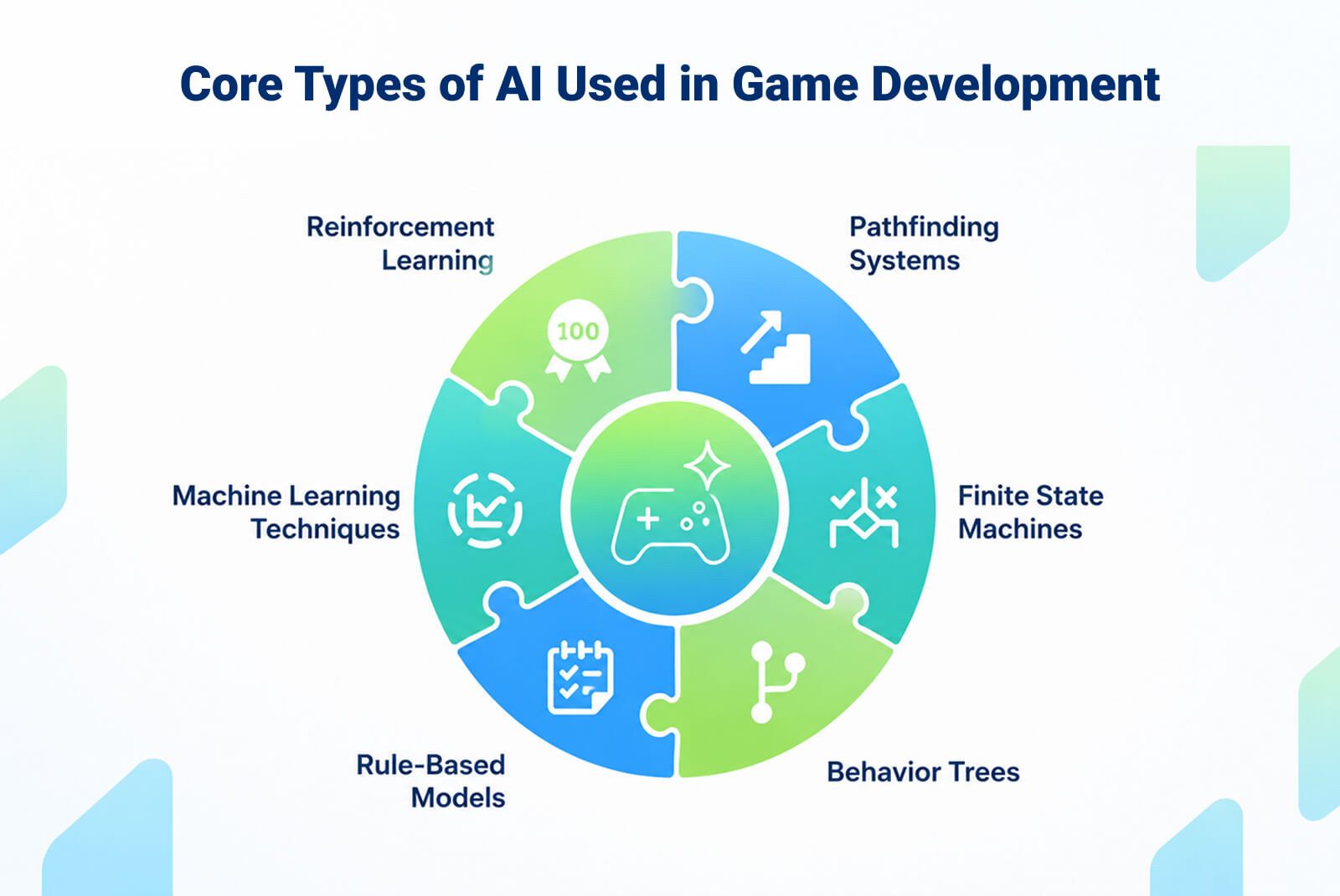
Real-time decision models. Modern AI moves well beyond simple if-then logic. Current systems combine behavior trees with machine learning, evaluate multiple possible actions at once, and react to gameplay variables instantly. Probabilistic decision models mean NPCs don’t always do the predictable thing. They weigh options and respond to context.
AI Tools for Pathfinding and Navigation
If you have been related to game development for some time, you know well that getting NPCs to move and behave convincingly is one of the oldest unsolved problems in game development. Well, not anymore.
Instead of scripting every possible response, you can train agents to figure out how to navigate and react on their own. Surprisingly, the results tend to be more natural than anything written by hand. Here are a few tools that can make that possible:
- Unity ML-Agents: Open-source toolkit that brings reinforcement learning and machine learning into Unity. Lets developers train agents and simulate complex behaviors. The time of hand-scripting every response is gone. It supports everything from basic navigation to complex multiagent simulations. The tool is open-sourced, so it has a large community and a wealth of documentation behind it.
- Unreal Engine AI Framework: Built-in suite covering Behavior Trees, NavMesh, and environment queries. Handles advanced NPC decision-making as well as pathfinding and doesn’t require third-party tools. Because it’s native to Unreal, it integrates very well with the rest of the engine without third-party tools. It’s capable enough to handle sophisticated NPC behavior out of the box.
NPC Behavior Configuration with AI
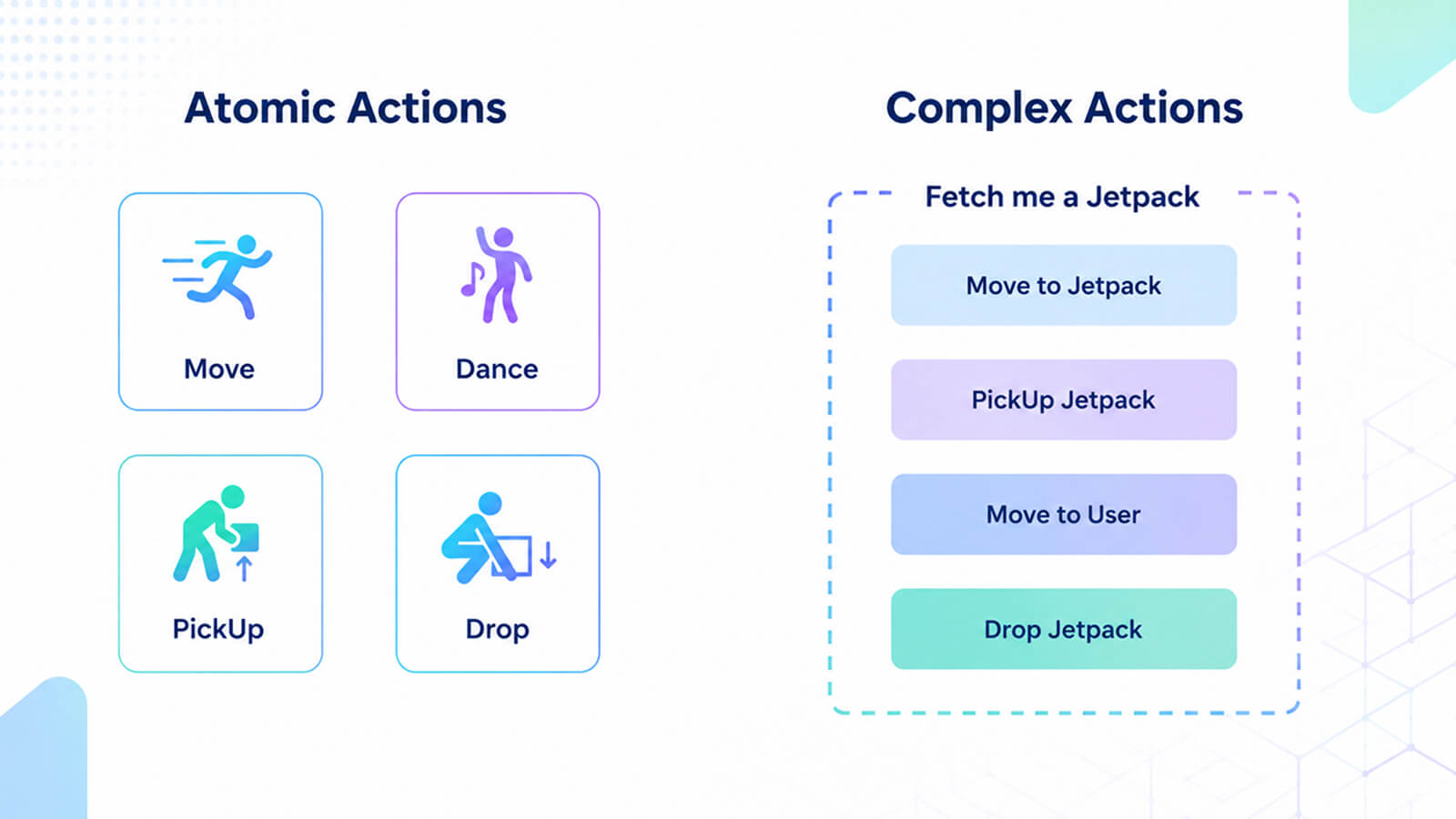
Scripted NPCs have a ceiling. Players find the pattern, exploit it, and then… the illusion breaks. AI-driven behavior systems allow overcoming that ceiling. They bring characters that observe, adapt, and respond in genuine ways.
Adaptive AI. NPCs can track how a player tends to approach situations and adjust accordingly. For example, it can shift aggression levels or change tactics. That results in a gameplay that stays less predictable the longer you play.
Reinforcement learning. It lets AI agents learn through trial and error which means it doesn’t get much now through programming. They receive feedback on outcomes and improve over time. It is probably most effective for combat AI and strategy opponents where behavior complexity matters.
Dialogue and emotional modeling. AI tools for game developers allow for conversations that branch based on what the player has actually done. Just to compare, in the past, it was more about the option they selected. Characters can carry emotional states, and they change based on player behavior.
AI Tools for NPC Behavior
NPC dialogue and behavior have been a design compromise for as long as games have had them. The traditional approach works, but it has a ceiling. AI-driven NPC systems are starting to push past that ceiling by making characters responsive to context, giving them memory, personality, and the ability to hold a conversation. Here are some tools useful for that:
- Inworld AI: is one of the more fully realized platforms in this space. Builds NPCs with dialogues that are not pre-written and change according to the context. There’s also persistent memory. Characters maintain context and conversations and behave according to defined personality systems. The character still feels like a character, not just a language model wearing a costume. It’s particularly well-suited to RPGs and open-world games.
- Charisma AI: focuses specifically on interactive storytelling, which gives it a slightly different orientation than the other tools here. Handles branching dialogue and emotional modeling for characters that respond meaningfully to player input. For story-driven games where character arcs matter, that emotional layer is significant. A character who responds differently because they’re angry, grieving, or suspicious of the player creates a fundamentally different kind of storytelling experience.
- Convai: Real-time conversational NPCs for Unity and Unreal, with voice input support. Players can speak directly to NPCs and get contextually appropriate spoken responses back. For developers building immersive first-person experiences or VR titles where voice interaction is part of the core loop, it’s one of the more practical implementations available.
AI Assistance in Project Management
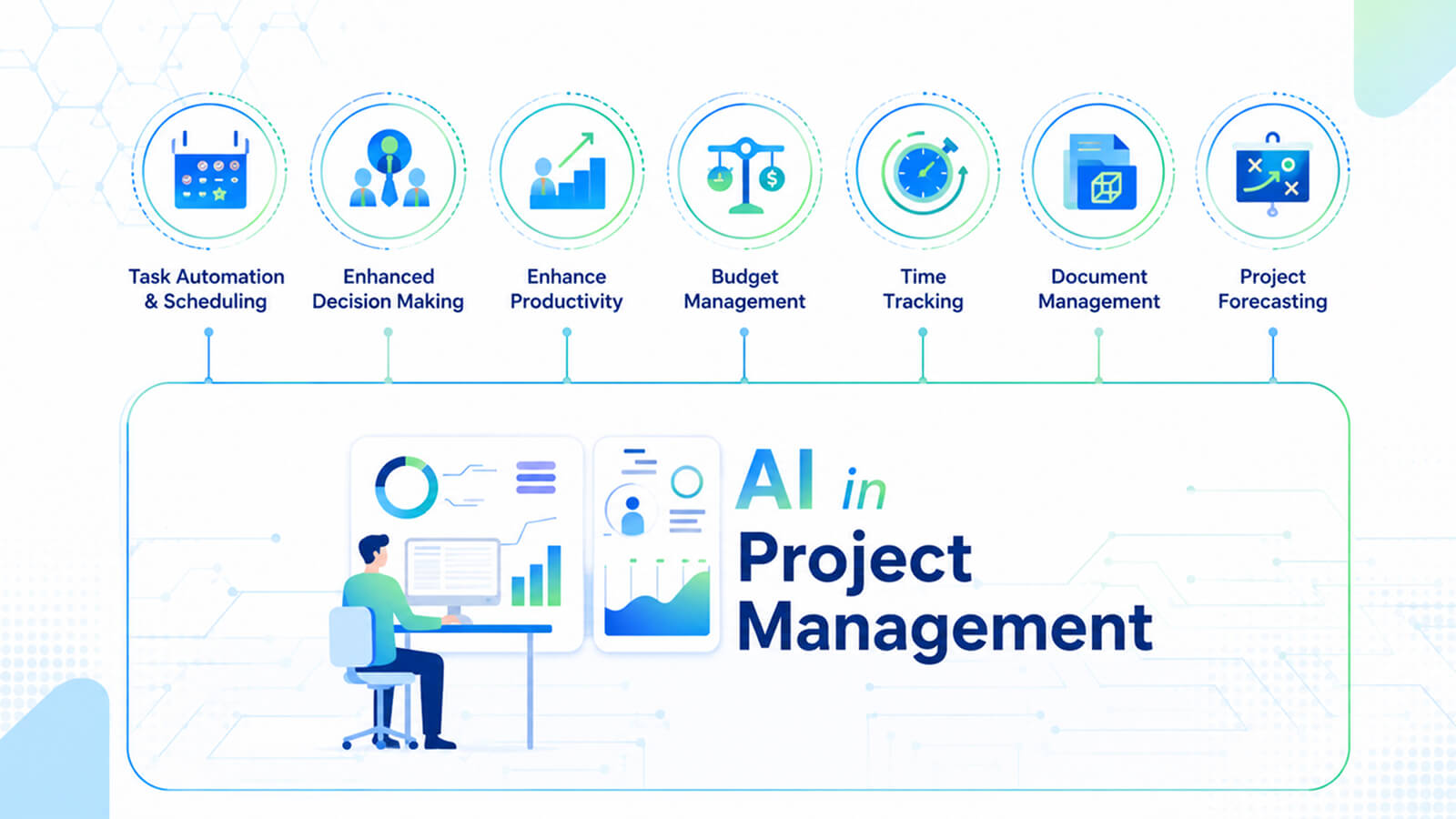
The creative side of game development gets most of the attention, but production management is where projects actually succeed or fall apart.
Task automation. AI can take a design document and generate a task breakdown from it, assign work based on team skill sets, not to mention summarize standups. The administrative load that typically falls on producers simply gets handled faster.
Sprint optimization. Rather than estimating sprint capacity from intuition, AI tools can analyze velocity data from previous sprints.
Resource forecasting and risk prediction. For live-service games, predicting staffing needs and modeling timelines is extremely important. AI can run those projections continuously and flag when something looks like it’s drifting off track.
AI Tools for Project Management
Game development projects are notoriously difficult to manage. The gap between what’s planned and what’s actually happening on the ground is usually only widening. Most studios have some version of project management tooling already in place. But it is usually that the tools require too much manual upkeep to stay accurate. AI features built into project management platforms are starting to address that by doing more of the maintenance work automatically and flagging issues earlier.
- Jira with AI: doesn’t need much introduction as a platform. It’s been the industry-standard project management tool for game studios for years, which is partly what makes its AI features worth paying attention to. AI features covering backlog prioritization, ticket summarization, makes it even more useful. AI makes the existing workflow less manually intensive for teams who are already living in Jira.
- ClickUp AI: It handles task generation from briefs or meeting notes, drafts project plans, writes update summaries, and helps with workload distribution across the team. Good for teams that want AI assistance built into their day-to-day workflow. It’s a good fit for mid-sized teams that want AI embedded in how they actually work.
- Asana Intelligence: is oriented toward the forward-looking side of project management. AI features focused on risk detection, deadline prediction, and task automation based on actual project data. It is useful for spotting which deadlines are quietly at risk before they’re officially missed. The automation features also reduce the administrative overhead of keeping the tracker current.
Conclusion
Game development AI tools are a legitimate part of the production pipeline across the entire lifecycle now, and it’s hard to imagine otherwise. It is useful from the first research question to the last regression test.
AI for game development increases iteration speed, reduces time spent on repetitive work, and enables smaller teams to produce more and better gaming experiences with fewer resources. Studios that integrate it thoughtfully redirect human attention toward the work that requires it.
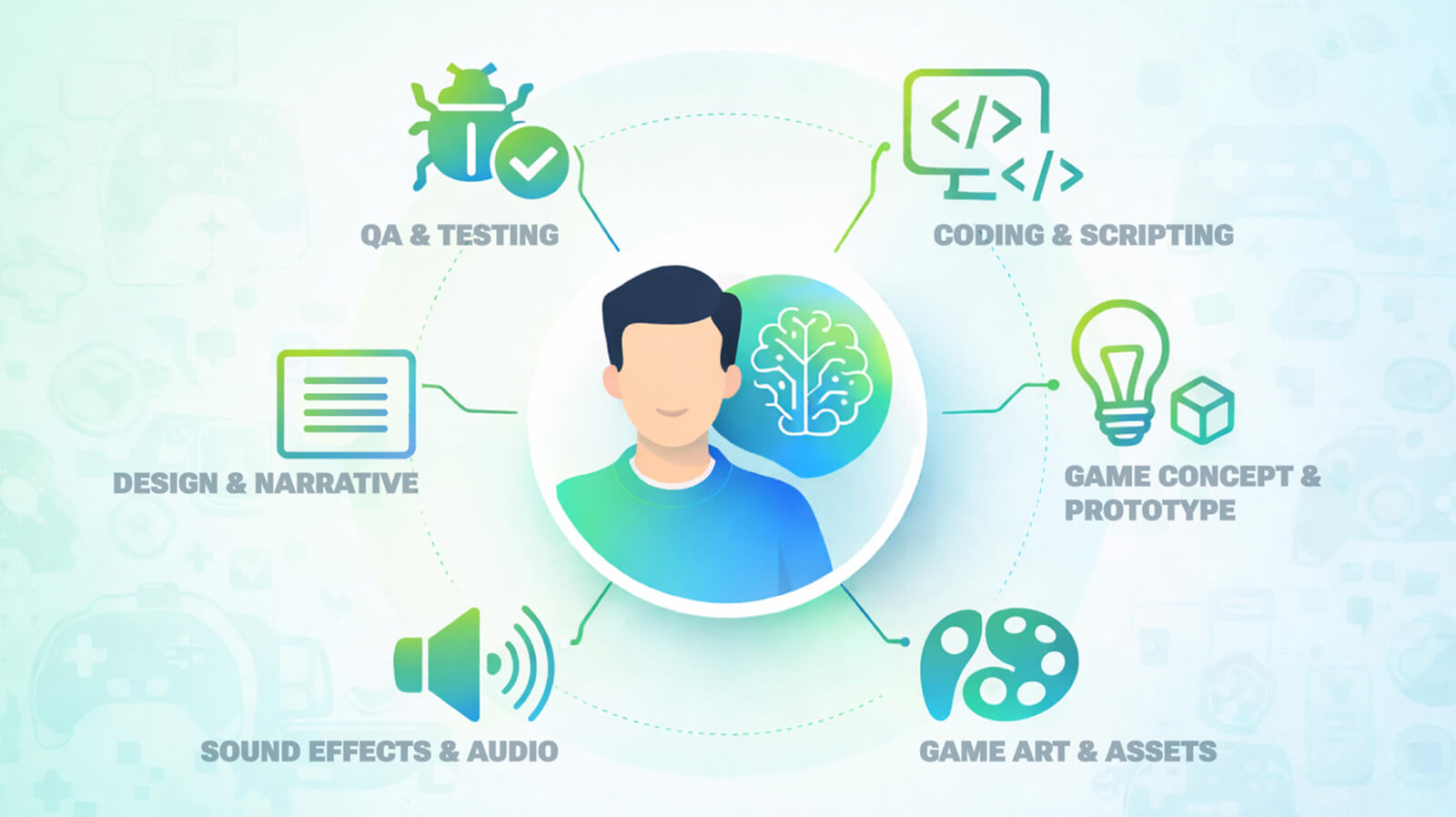
But one thing remains the same. Game development AI tools do not replace human judgment. And that makes games worth playing. Artistic direction, engineering expertise, narrative craft, and design intuition can not be automated. AI tools for game developers work best as a layer underneath those capabilities, so that the creative and technical leads can focus on quality.
At Fgfactory, we are using all AI tools for game development into our production workflows. That means more efficient pipelines, reduced development time, more cost-effective production, and game experiences that are built to be competitive and scalable. We use AI for game development at every stage where it provides genuine leverage, and we maintain the human oversight that every serious project requires.
If you are working on a game and want to understand how AI-enhanced workflows could accelerate your production goals, get in touch with Fgfactory. We can walk through your pipeline and identify where the highest-impact changes are. Drop us a message!

 Loading...