Building a Game Checklist
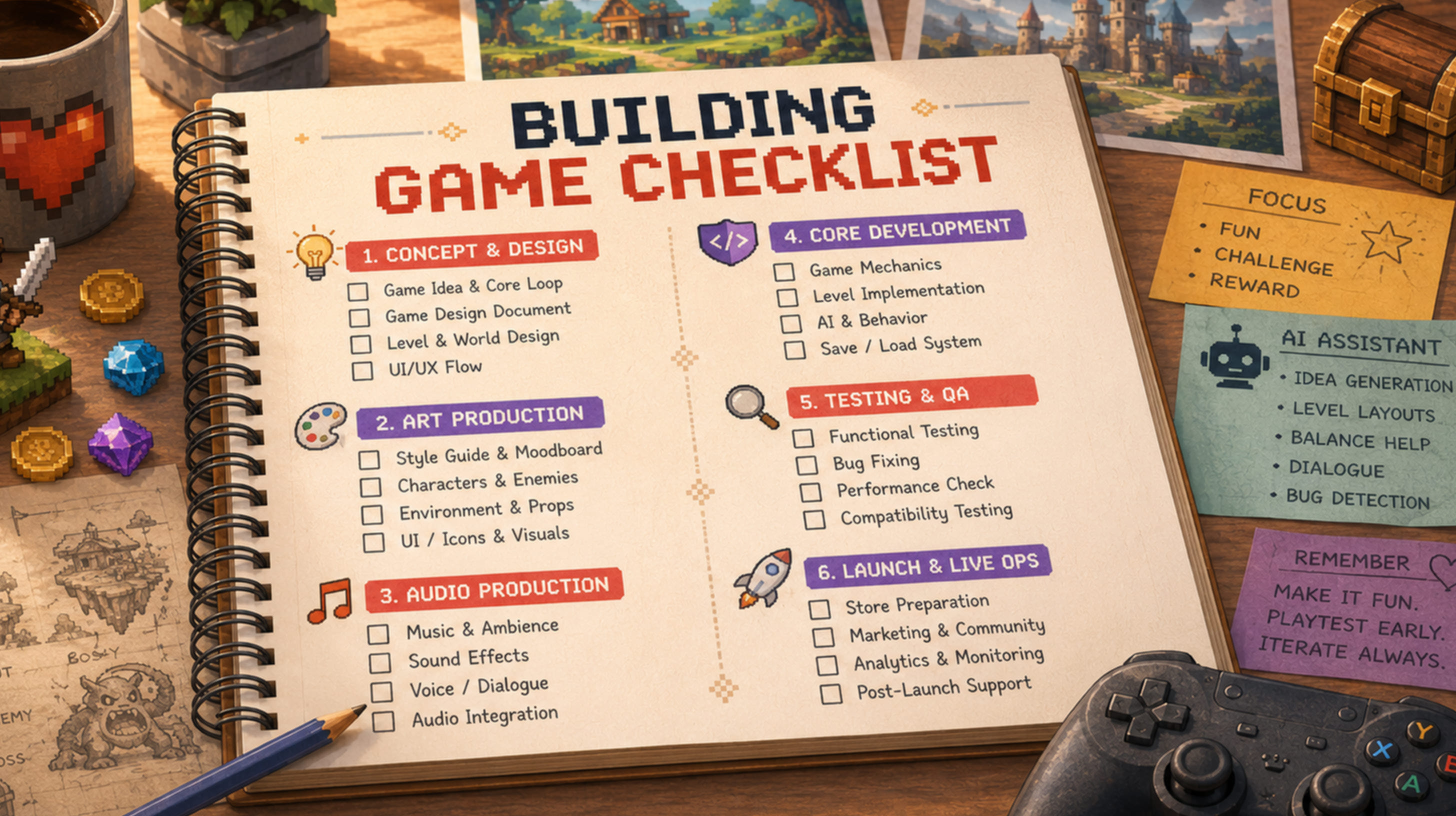
Building a video game is as much a creative task as it is technical. You have a huge team of professionals that need to be organised and work in sync-in phases to achieve the vision your product has.
Only one misstep can postpone deadlines and cause a bunch of rework. So how to make sure your whole team is moving through the right phrases at the right pace?
What can help you follow the same route as a team is a game dev checklist. You can track where you are in a production, and how you should move further.
A phase-by-phase to-do list for game development helps designers, artists, engineers, producers and anyone in the team working from one point of view and one vision. You can trace everything all the way to post-launch, the whole team will be checking with just one question: is everything this build needs actually in place yet?
It is common to think that the checklist is the same as a game design document. Even though it is an honest mistake, they are not remotely close!
The GDD describes what you are building and that includes the mechanics, the world, the systems etc. The checklist tracks if every element that needs to be built is in progress.
The framework can be changed and you can apply it as many times as you need to different games. If you are developing on your own, indie game development checklist for a small mobile title can be extremely helpful. But the same goes for a 60-person studio.
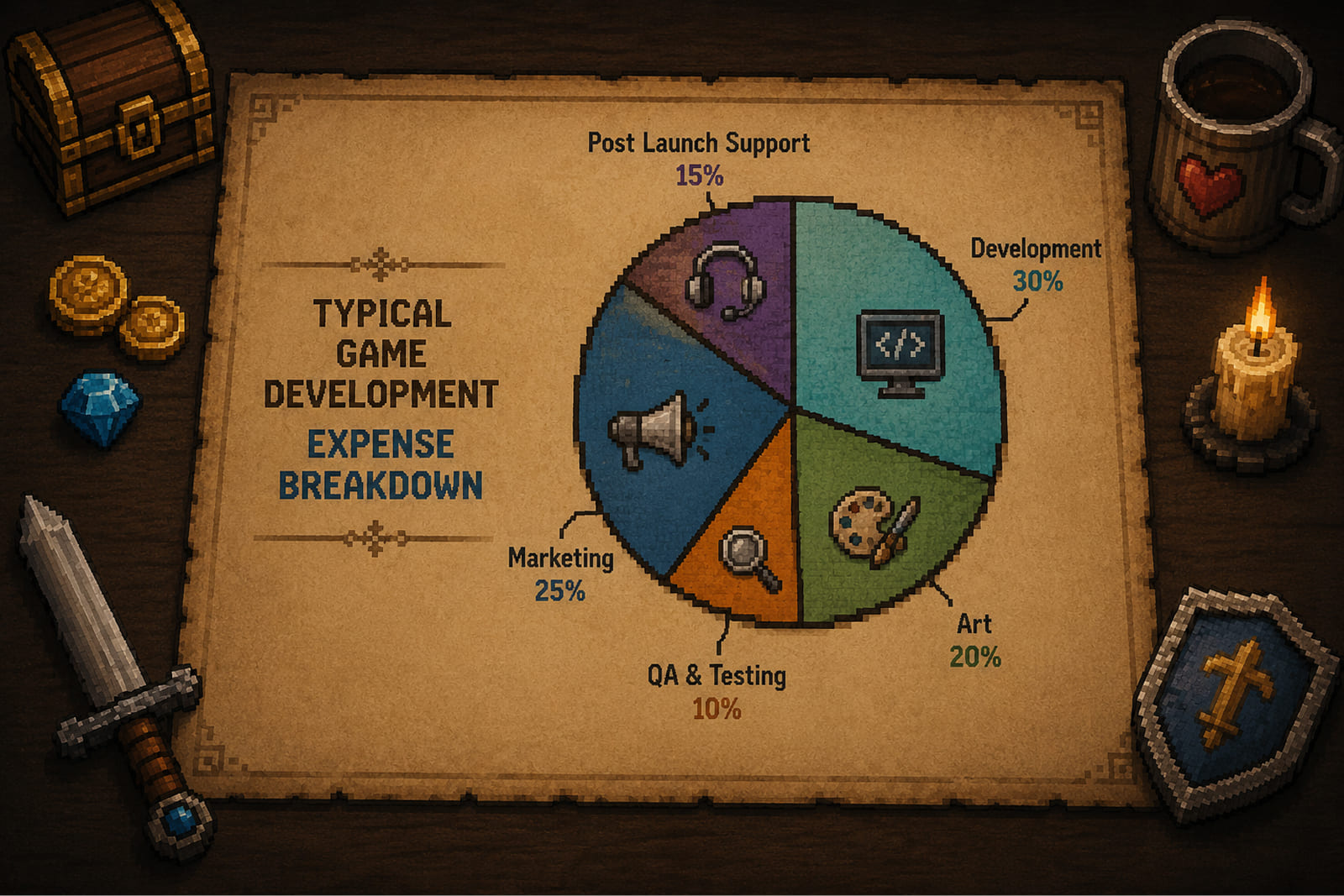
Hidden costs nobody planned for most often add 20–40% to a budget and are a leading cause of projects getting shelved. A well-designed game development checklist will not make those risks disappear in a second, but it makes them visible early, while you can still do something about them.
In this article, we will explore the checklist you can actually use. You can treat this building a game checklist as a flexible foundation you adapt to your genre, platform, and scope. Read on!
Key takeaways:
- A game development checklist divided into 8 phases that are crucial and can’t be missed.
- The game design document is a deliverable for a pre-production stage, that’s why it has to be finished before production starts.
- AI tools now are used at every phase of development to speed things up. AI can’t replace human judgement and expertise.
- The studio and the client benefit from a shared game dev checklist, since it allows them to stay on the same page.
- Launch is a milestone, but once you achieve that, you move to the next stage. Monetization and live operations after release are what sustain players and revenue.
- Not every line applies to your project. Read each section of this video game checklist against your own game type and scope.
Phase 1: Pre-Production Stage
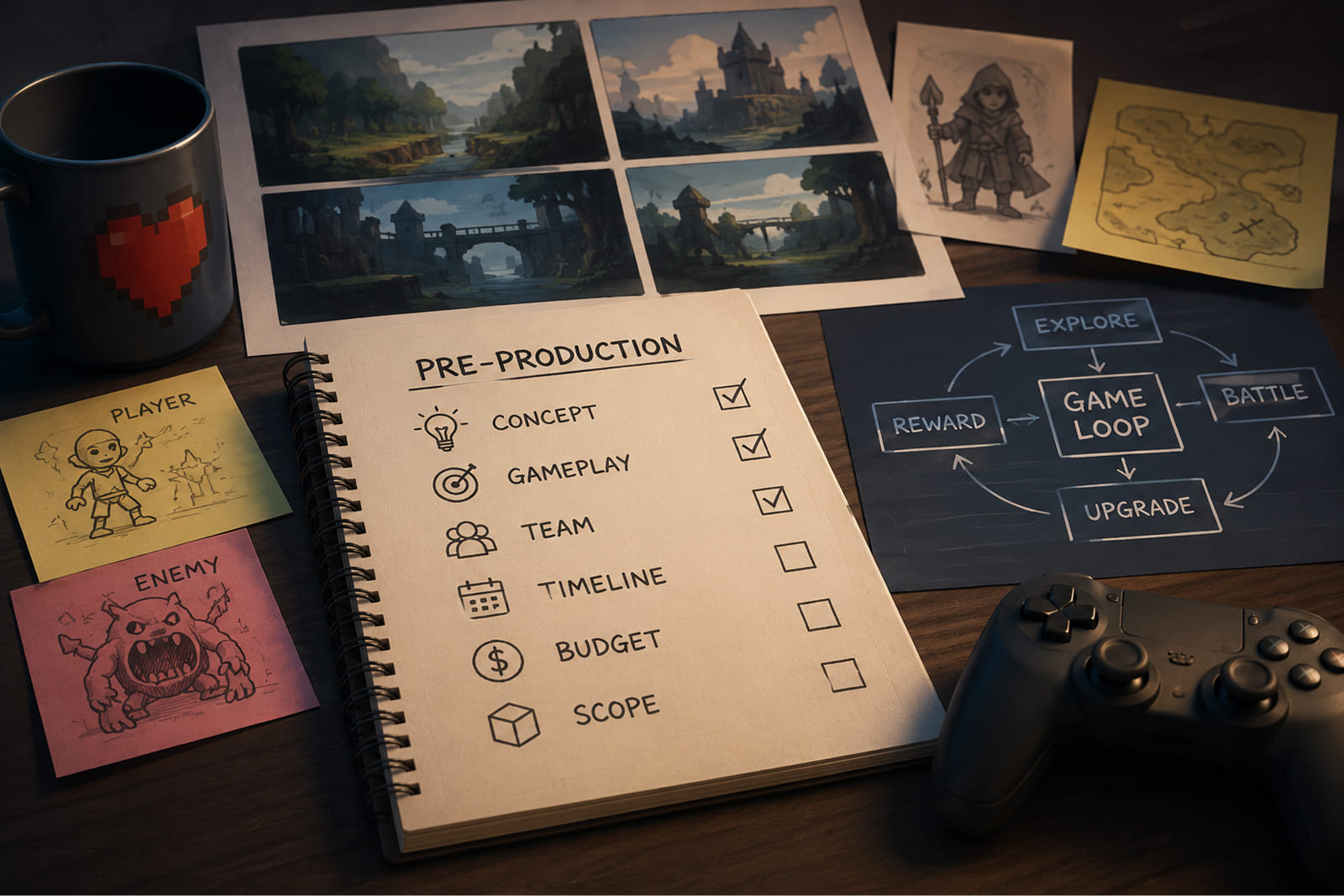
This is a natural starting point for building a game checklist. Pre-production allows for a lot of changes, and you can experiment as much as you like here. But you have to know that once everything is decided, this state will affect your budget, timeline, scope, and the shape of your team.
When the work of building a video game runs over budget or, worse, never gets released, the cause usually goes back to this phase. If you are relying on a badly made game pre-production checklist, there are big chances you will fail.
Concept and Vision
Concept and vision is the first entry on the game pre-production checklist. This is a point where you develop the same idea of what is going to happen and who is your target audience.
| # | Checklist item | What it means and why it matters |
|---|---|---|
| 1 | Objective of the game | The reason the game exists: entertain, monetize, educate, or train. This one answer steers genre, budget, and scope. |
| 2 | Description of a game | A short, plain-language summary anyone on the team can repeat back. If it takes a paragraph to explain the game, the concept is not clear yet. |
| 3 | Type of game | The genre: action, adventure, RPG, simulation, strategy, sports, cards, or educational. Each carries its own production cost, audience, and technical demands. |
| 4 | Target audience and demographics | Age, gender, income, lifestyle, and region of your intended players. A planning input, not a marketing afterthought — it shapes difficulty, art style, monetization, and platform. |
| 5 | Core gameplay loop | The short action sequence players repeat which is the thing they actually do. It has to be fun in isolation and validated before production money is spent. |
| 6 | Unique selling point | The reason a player picks your game over the ten others in the same genre. Skip this and you build straight into an overcrowded market. |
Genre should not be picked at the end, like some label. For example, RPG and a hyper-casual puzzler created for the same audience are still not the same thing. They will need different teams, budgets, engines, and they will never have the same release strategy. Pinning the type of game down early will help you to make every next decision confidently, because you’ll know and just follow the big idea for the product.
Did You Know? The core loop of a match-three hit like Candy Crush (match, clear, advance) takes seconds to learn but was perfected and changed across hundreds of iterations before launch. Now, if you are building a game checklist early for the same type of game, you can finish the product quickly.
Project Planning
Project planning allows you to take the game design document and not just follow it, but based on it create an execution roadmap. How, exactly? Every deliverable gets an owner and a deadline, so everyone knows what their responsibilities are. Then, there is a budget line, so the team is working from a shared point all the time.
| # | Checklist item | What it means and why it matters |
|---|---|---|
| 7 | Budget and resource allocation | Total budget broken down by phase, plus how people, tools, and infrastructure are spread across the project. |
| 8 | Team composition | Which roles sit in-house and which are outsourced; whether a dedicated team, co-development, or fixed-price model fits the work. |
| 9 | Schedule and milestones | A timeline with delivery gates and a clear definition of “done” for each milestone. |
| 10 | Work breakdown structure (WBS) | The master to do list for game development: every deliverable split into tasks with owners and time estimates. |
| 11 | Platform selection | iOS, Android, PC, console, web, or cross-platform. Each choice changes the engine, build pipeline, and compliance work ahead. |
| 12 | Engine and tech stack | Unity, Unreal, Godot, or proprietary. The pick affects hiring, licensing cost, tooling, and what you can render. |
AI in this phase: Game development projects are twice as hard to manage than anything beyond the industry. What you have planned and what’s actually happening on the ground is rarely the same. AI features built into .
- Jira with AI: It is the industry-standard project management tool for game studios for years, which is why its AI features are so good. You can use here backlog prioritization, ticket summarization, and make your workflows less manually intensive, especially if you have been using Jira for some time already.
- ClickUp AI: You can delegate to this tool generation of tasks or meeting notes. It also excels at drafting project plans, and distributing workload to relevant people in a team.
- Asana Intelligence: AI features help to spot risk detection, deadline prediction, and task automation based on project data. Automation is also helpful for reducing need in manual work.
Phase 2: Game Design
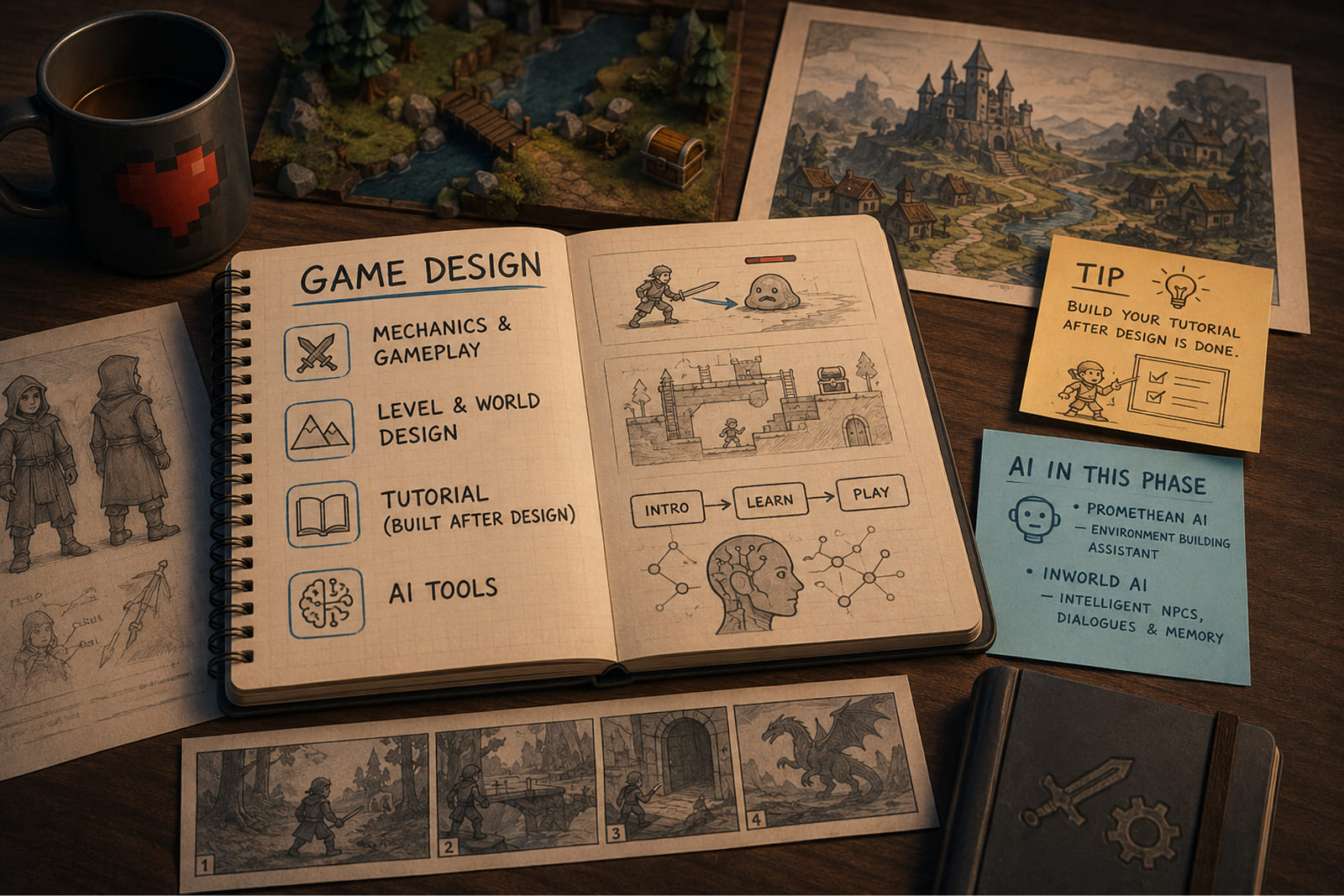
The game design checklist is what you need when your team has the vision locked in and ready for the actual work of production. Here every mechanic needs to be specified and every player-facing system described in enough detail. You don’t want an artist or engineer constantly stopping to ask questions and looking for more information.
Mechanics and Gameplay
This part of the game design checklist essentially uses the document’s high-level descriptions to create functional requirements. A system is specified properly when an engineer can build it without booking a meeting. If you make everything clear enough and resolve the ambiguity now, on paper, nothing will require extra time later.
| # | Checklist item | What it means and why it matters |
|---|---|---|
| 13 | Core mechanics overview | The complete ruleset for how the game actually works; what the player can do, how the world responds, and how those pieces fit together. |
| 14 | Controls and input schemes | Every input mapped to every supported platform, including the edge cases. |
| 15 | Player movements and physics | Movement logic, gravity, collision response, and how it all feels in the hand. |
| 16 | Combat mechanics (if applicable) | Damage models, hit detection, cooldowns, and feedback on every hit. |
| 17 | Progression systems | How players advance and grow over time |
| 18 | Inventory management | How players collect, sort, equip, and store what they earn. |
| 19 | Reward systems | What players earn, when they earn it, and how difficulty scales alongside. |
| 20 | Difficulty levels | How the game adjusts challenges to match player skill. |
| 21 | Pause and resume | Minor on the surface, but a real functional requirement that has to be specified. |
Level and World Design
The game design checklist should not be covering solely mechanics. The full experience has to include level and world design which gives spatial and narrative depth to the game. These are all the core things any game consists of. You can’t have a game without the spaces players move through, the missions they take on, and the rules of the world itself. All of it has to be specified in detail, before environment artists start building.
| # | Checklist item | What it means and why it matters |
|---|---|---|
| 22 | Game Setting and world-building | The fictional environment, tone, and lore rules everything else obeys. |
| 23 | Level structure and mission flow | How levels are ordered and what gates progress from one to the next. |
| 24 | Tutorial design | How a first-time player learns the game with no manual, in the opening session. |
| 25 | NPC behavior and game AI | The decision logic that governs non-player characters. |
| 26 | Dialogue and conversation systems | How the story reaches the player through in-game talk. |
| 27 | Gameplay balance | Tuning every element so the experience stays fair and stays fun. |
| 28 | Achievements and rewards | Unlockable goals and the reward logic attached to them. |
Tip: Build your tutorial after design is done. You can only teach a game whose final mechanics you actually know. Teams that script the tutorial early almost always rewrite it once the design settles.
AI in this phase: Building game environments is slow work, because you need to place a lot of objects, and obviously doing it by hand is a little bit of time wasting. Promethean AI helps here.
As you build a scene, it suggests where assets should go, and it pays attention to how you work, so the suggestions get only better the longer you use it. That’s the pattern with most current design tools: they pick up your habits and adapt. Day to day, it handles asset placement, takes care of scene composition, and slots into the major engines.
Another tool you can use at this stage is Inworld AI for intelligent NPC systems. It helps to create characters and make dialogues dynamic, memory, and personality traits deep enough. Ideally, use it for story-driven games or immersive RPGs requiring believable NPC interaction.
Phase 3: Art & Audio Production
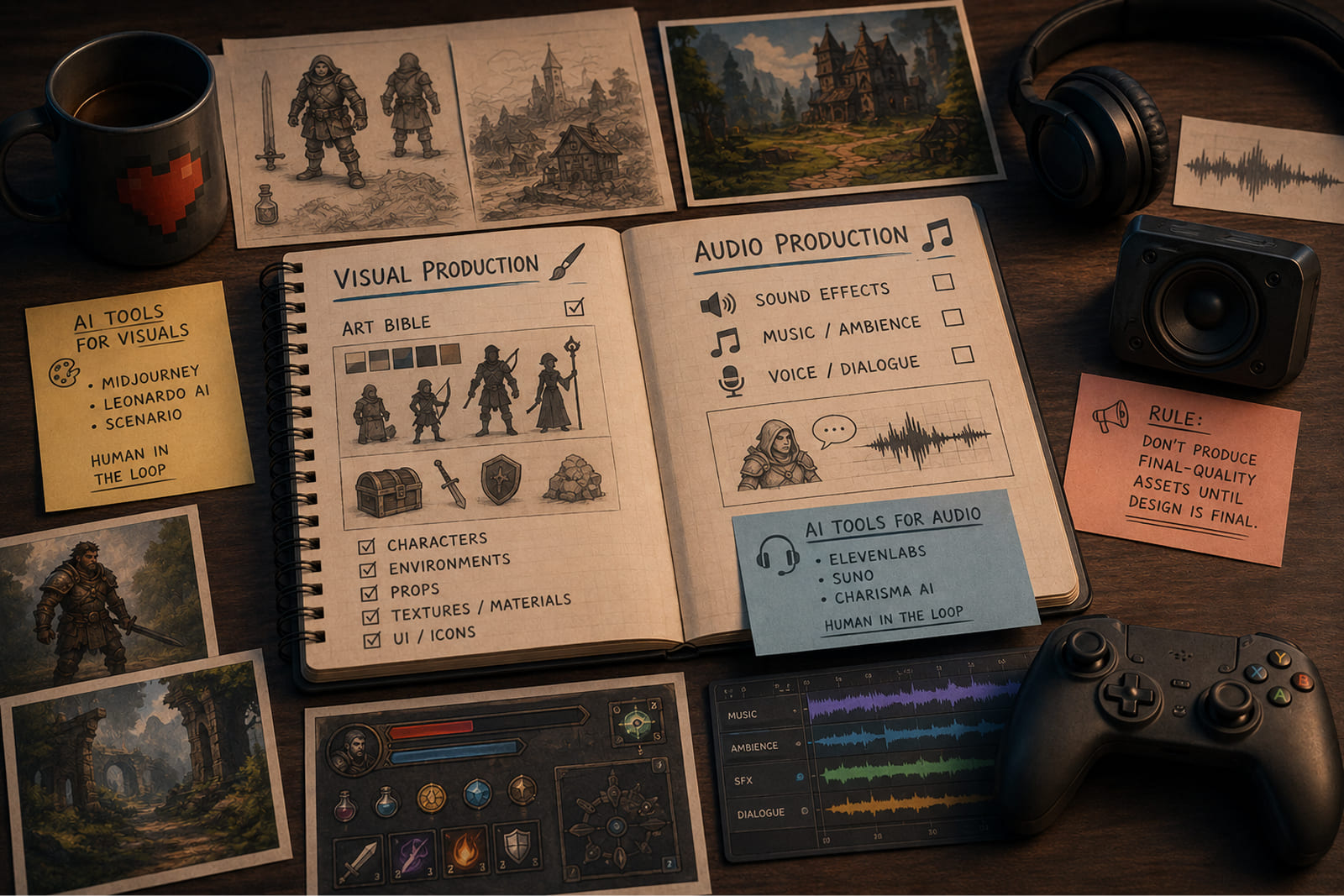
At this point, your team will start embodying the idea of the game. It becomes more and more real, because now you can see it and hear it. Art and audio are the one of the largest line items that will affect your budget, maybe only engineering is more expensive. What you will do at this stage will impact file size, performance, accessibility, and how players judge the game the first time they see it. In a way, it is one of the core phases of a proper video game checklist.
One rule is important to follow through this whole phase: don’t produce final-quality assets until the design details are not specified and finalised. Art made before the design is final usually needs to be remade. That is an example of time wasting that a game dev checklist is built to spot and remove.
Visual Production
Visual production is another important phase of game creations, and it has to be a part of your game development checklist. All in-game assets are agreed at this point of development, and every deliverable trace back to the approved art bible before anyone produces it at full quality.
| # | Checklist item | What it means and why it matters |
|---|---|---|
| 29 | Visual style and art direction | The foundational art bible governing all downstream production. Lock it before full production starts. |
| 30 | Character design and animation | Character sheets, rigging specs, and the full animation state machine for every playable and key NPC character. |
| 31 | Environment design and animation | Tile sets, background layers, environmental effects, and any animated environment elements. |
| 32 | UI/UX design | All interface screens, HUD elements, menus, and user flows, validated against each platform’s UX guidelines. |
| 33 | VFX and shaders | Particle systems, post-processing, and custom shader requirements for polish and performance. |
| 34 | Cutscenes and key artwork | Pre-rendered or in-engine cinematics, plus marketing key art for store pages and press. |
AI in this phase: The slow part of visual production is volume, because you need a lot of assets, and exploring directions by hand eats up the budget. These tools mostly speed up that early stage.
- Midjourney: The best-known image generator, and the one that is reasonable to reach for first. Good for sketching out characters and environments and testing a visual style.
- Leonardo AI: Better when you need consistency in your assets. It handles character and texture ideation, does high-res textures and environment work, and gives you enough control to suit indie teams and AAA studios.
- Scenario: Trains on your own studio’s art style so generated assets stay on-brand. Keep a human in the loop here, and better, do it with every AI tool you happened to add to your base.
Audio Production
Is it even possible to imagine a true gaming experience without sound? The answer would be “no”. The demands modern gaming audiences have are very high, and sound itself, no matter how big or small your project is, has to be top-notch. It is recommended to get specified all the game sounds as closely and in detail as the visuals, and you will save a lot of time for this stage. This is also an important part of the game production checklist.
| # | Checklist item | What it means and why it matters |
|---|---|---|
| 35 | SFX (sound effects) | Every in-game action that needs audio feedback, from UI taps to combat impacts to ambient sound. |
| 36 | Background music and score | Looping ambient tracks, combat music, and cutscene scoring. Decide early: original composition or licensed. |
| 37 | Voice-over and dialogue | Script lock, casting, recording sessions, and the localization implications for every supported language. |
| 38 | Audio integration and mixing | In-engine implementation, volume balancing, spatial audio, and the final mix across all target devices. |
AI in this phase: Audio is the discipline that gets under-resourced most, so a working draft you can react to early is worth a lot. Here are some tools you can use:
- ElevenLabs: Prototype NPC voices before you spend on casting, and generate sound effects from a text prompt (footsteps, UI blips, ambient hits) without booking a session.
- Suno: Drafts background music and ambient tracks fast, so you can test how a scene is looking and sounds.
- Charisma AI: Runs voiced, interactive dialogue for story characters. Useful when NPC conversation is a core part of the game.
None of it replaces an audio lead. It gets you to a rough mix quickly; a person still looks at the casting direction, consistency, and the final balance.
Phase 4: Technical Development
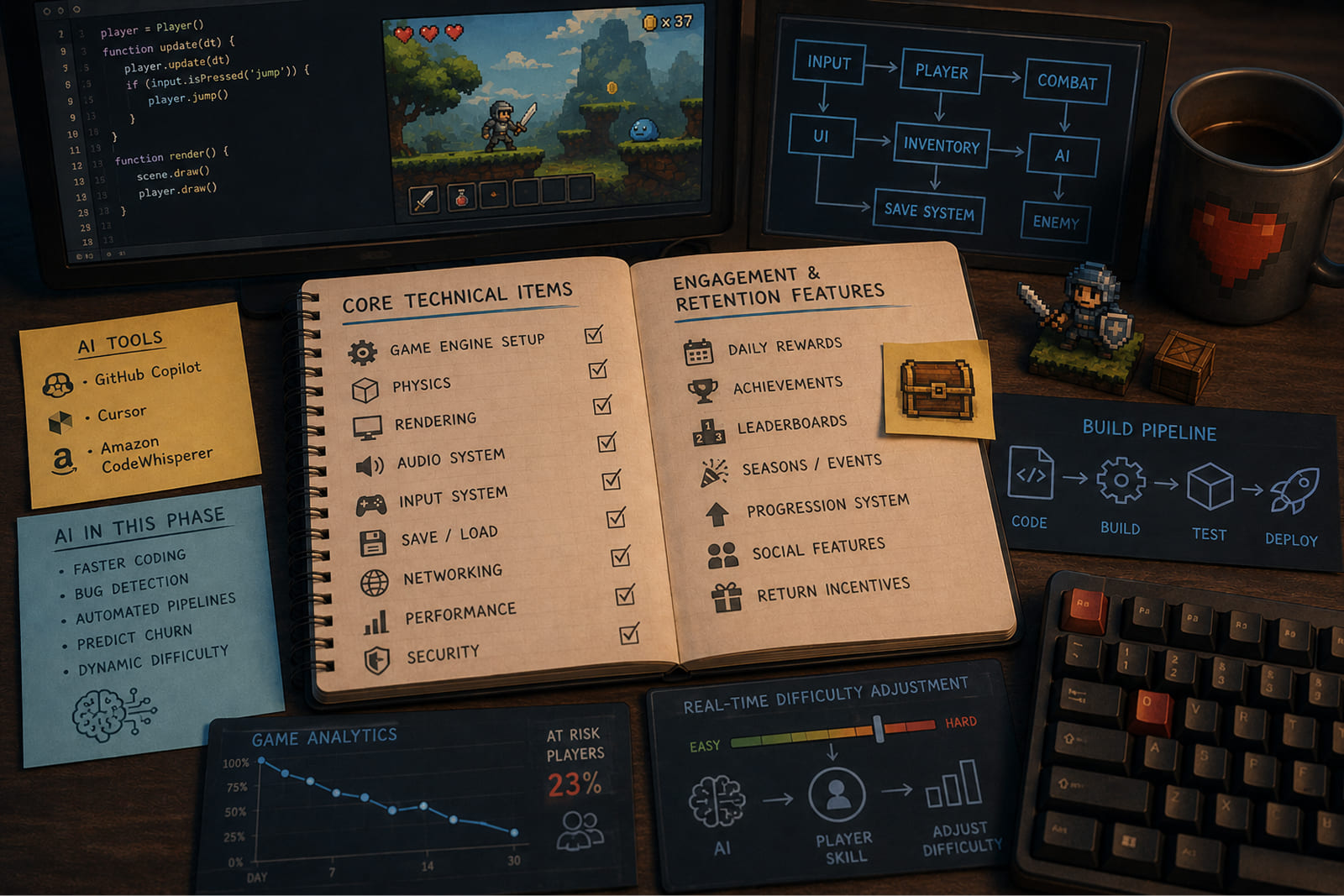
This is the heart of the whole development process, and also the very center of our game production checklist. It is also usually the longest phase of the project. Here from the design you get to code, integrate assets and connect systems. Building a video game no longer means filling in a document with extensive details.
Work moves in iterative build cycles, with each one getting more features.
Core Technical Items
Core technical items are the backbone of the game, and non-negotiable plumbing every game needs, whatever the genre or business model. It is highly important to resolve all of them before you go with the build into the QA.
| # | Checklist item | What it means and why it matters |
|---|---|---|
| 39 | Compatibility of platform and device | The full matrix of target hardware the build must run on. |
| 40 | Performance requirements | FPS targets, load times, and memory ceilings, set as hard benchmarks. |
| 41 | Backend and server infrastructure | The servers, hosting, and services that everything online depends on. |
| 42 | Database architecture | How player data, progress, and economy state are stored and queried. |
| 43 | Client-server data sync | Keeping the player’s device and the server in agreement under poor connections. |
| 44 | User authentication | Sign-up, login, and password reset, built securely from the start. |
| 45 | Auto update system | How patches and content reach players after release. |
| 46 | Localization support | Multi-language text handling baked into the architecture, not added later. |
| 47 | Analytics and tracking | The instrumentation that tells you what players actually do. |
| 48 | Security and anti-cheat | Server-side validation and protection against exploits and tampering. |
Engagement and Retention Features
Retention features are designed to make players stay or return to play more. Any video game checklist should include those, as well as strategies relevant to the genre and customized to fit the psychology of the players.
Retention features are a part of business strategy that affects lifetime value. It is very important to specify them in pre-production and put as much time into them as possible to make them first-class level.
| # | Checklist item | What it means and why it matters |
|---|---|---|
| 49 | Push and local notifications | The hook that pulls a lapsed player back without feeling like spam. |
| 50 | Daily reward | A reason to open the app today instead of next week. |
| 51 | Social sharing | Built-in routes for players to bring other players in. |
| 52 | Referral system | Tracked incentives for the invites that convert. |
| 53 | Setting system | Audio, controls, accessibility, and account options players expect to find. |
AI in this phase: GitHub Copilot, Cursor, and Amazon CodeWhisperer makes code writing much faster and catches bugs in the process. Automated pipelines will cover every build. GameAnalytics allows players to flag players likely to leave, and real-time ML can tune difficulty in the process. Across this whole game production checklist, AI shortens the loop but leaves the engineer doing the job.
Phase 5: Monetization Strategy
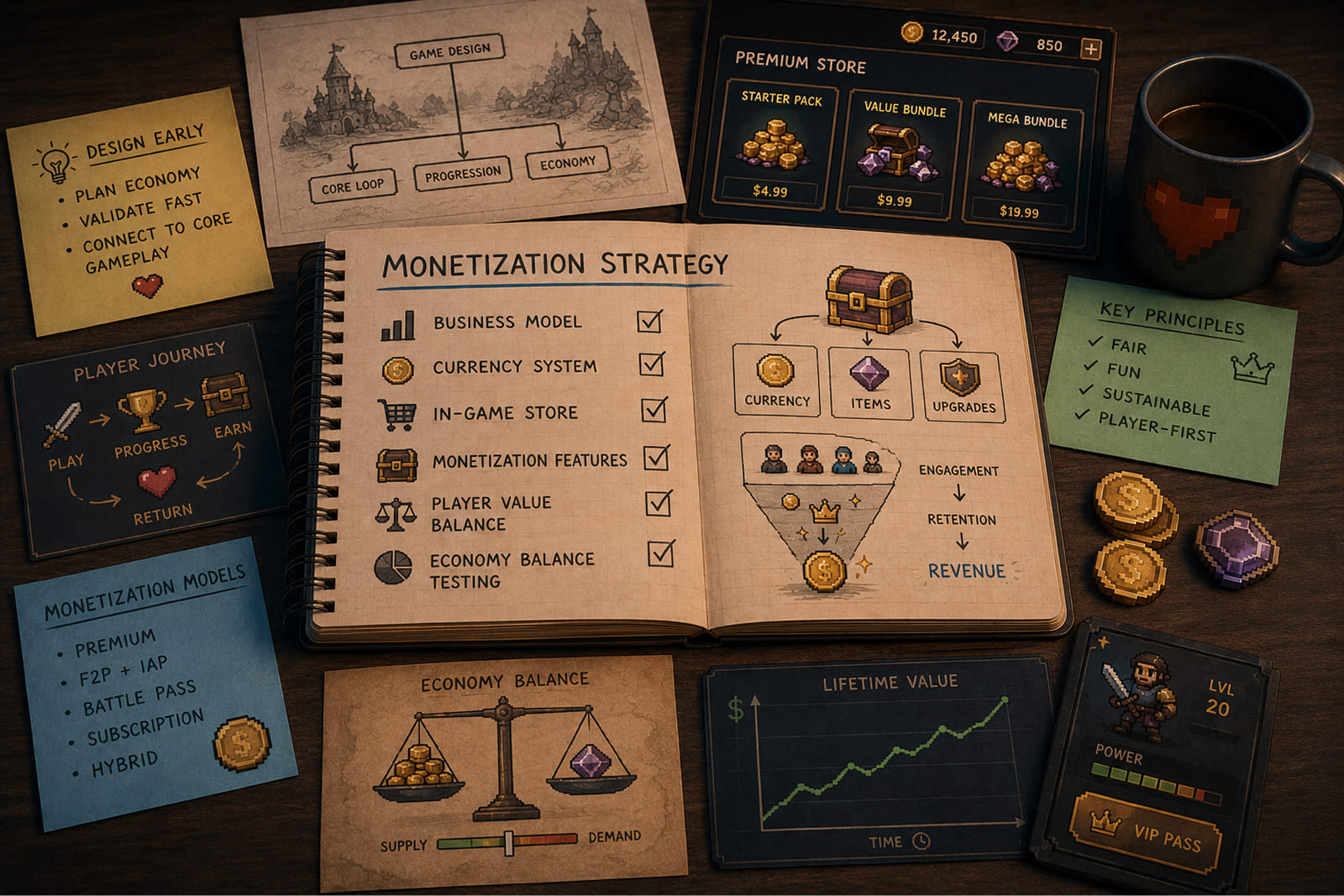
Monetization is a vital business part that has to be designed in… pre-production. Yes, you can’t validate it very late, and the perfect time would be during game design. So put it on your video game checklist.
Games that add revenue after the product is ready essentially make a big mistake, because the economy will not be connected to the main players. The items we describe below sit on the game dev checklist as design decisions that happen to make money.
| # | Checklist item | What it means and why it matters |
|---|---|---|
| 54 | Virtual currency economy | In-game currency design, exchange rates, and the soft-versus-hard currency split. |
| 55 | In-app purchases | Item and bundle purchase flows and the pricing-tier structure behind them. |
| 56 | Loot boxes | Randomized reward mechanics, with probability disclosure where the market requires it. |
| 57 | Ad integration | Video, interstitial, and rewarded placements, with frequency caps that protect the session. |
| 58 | Premium/paid version | A one-time purchase model, or DLC and expansion packs. |
| 59 | Season passes | Time-limited content on a Battle Pass format, with a planned reward cadence. |
| 60 | Limited-time offers | Scarcity and urgency mechanics, promotional windows, and the triggers that convert. |
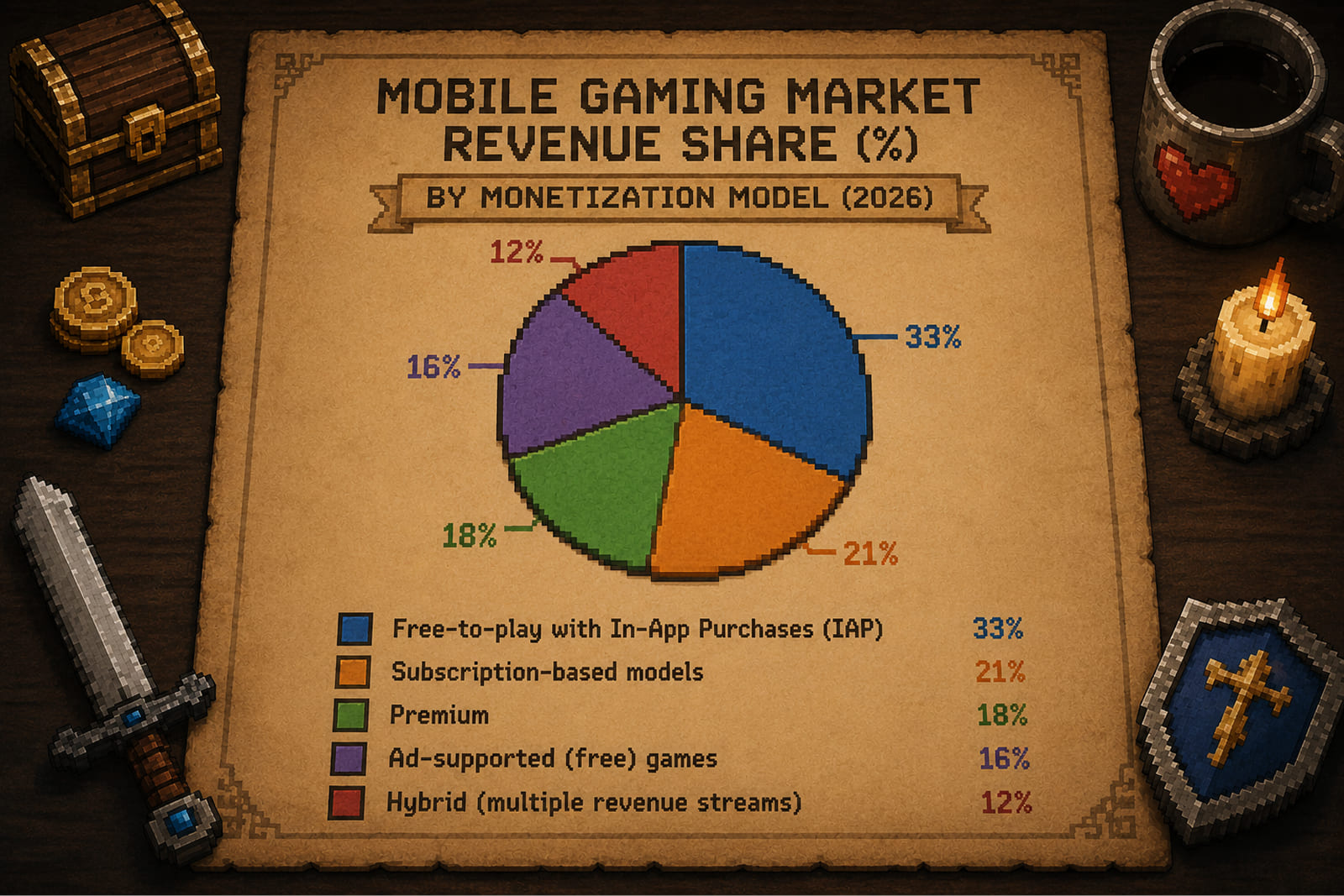
Mobile gaming Market Revenue Share by Monetization Model
Did You Know? In many free-to-play titles, a small share of players (often called “whales”) generates the majority of revenue. One of the hardest tasks in terms of balance for any game is designing an economy that serves free players and high spenders at the same time.
Phase 6: QA and Testing
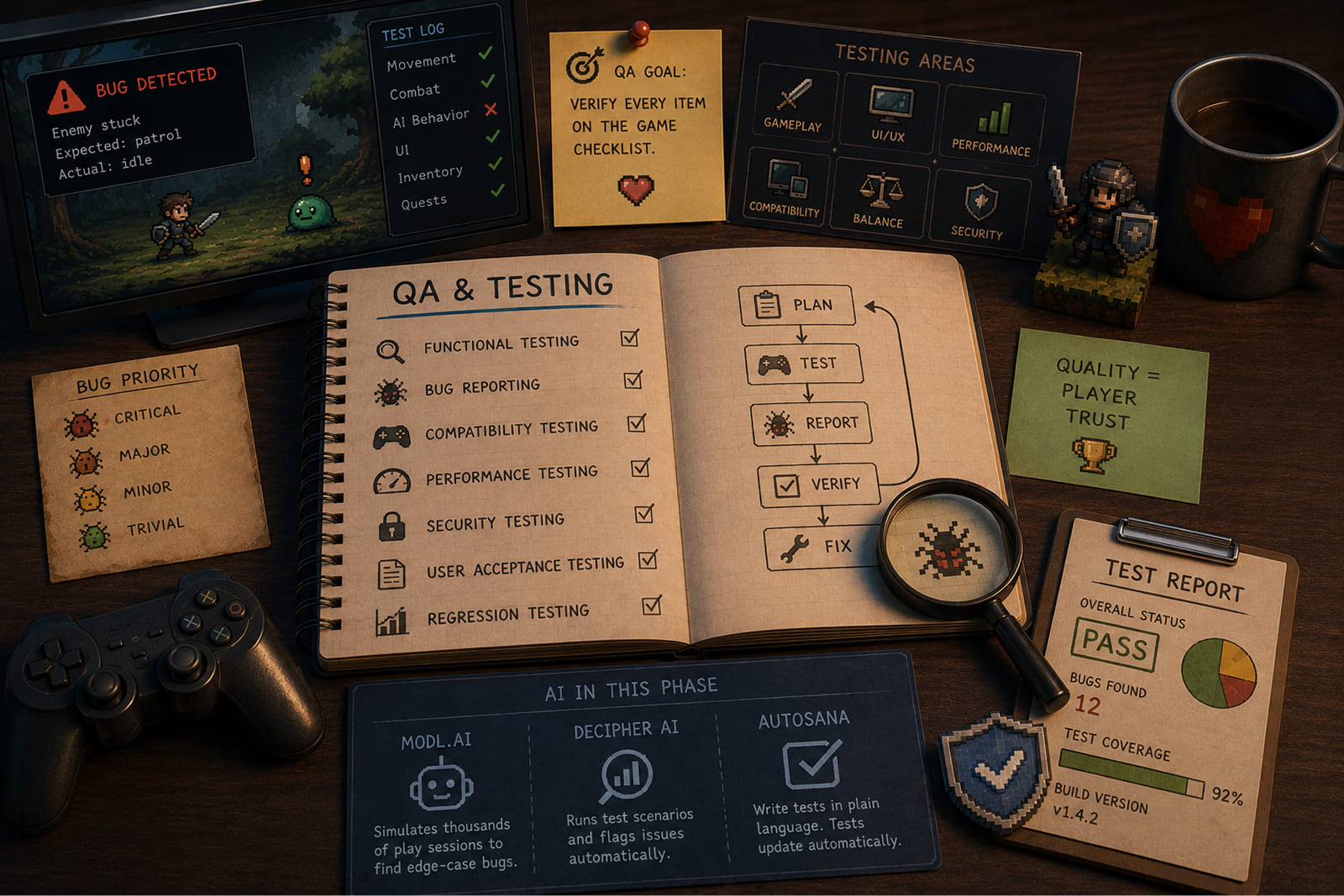
QA is usually looked at as bug hunting, but in fact it is more than that — the systematic check that every item on the game development checklist was built correctly. It helps you to verify that every experience delivered is as it should be. Treat it as verification of the whole game dev checklist.
| # | Checklist item | What it means and why it matters |
|---|---|---|
| 61 | Functional testing | Confirmation that every mechanic, system, and feature behaves exactly as the GDD specified. |
| 62 | Performance testing | FPS stability, load times, memory, and battery use validated on minimum-spec devices. |
| 63 | Compatibility testing | Every supported OS version, form factor, and screen resolution is verified. |
| 64 | Regression testing | Each patch checked against the full feature set to confirm nothing that worked has broken. |
| 65 | Beta testing | Structured external testing with real players, plus a system to collect and prioritize feedback. |
| 66 | Localization testing | Text rendering, string truncation, RTL layout, and cultural fit across every locale. |
AI in this phase:
- Modl.ai: Built specifically for games. It simulates thousands of play sessions to surface edge-case bugs a manual pass can easily miss, which makes it most useful in the run-up to a big release.
- Decipher AI: Runs through test scenarios and flags issues on its own. A good fit when you need broad coverage but don’t have a large dedicated QA team.
- Autosana: Lets you write end-to-end tests in plain language instead of code, you describe what to test, it handles the rest. The tests update as the app changes, so you’re not rewriting them every time something changes.
None of this replaces a human tester, but makes everything easier and faster.
Phase 7: Game Launch
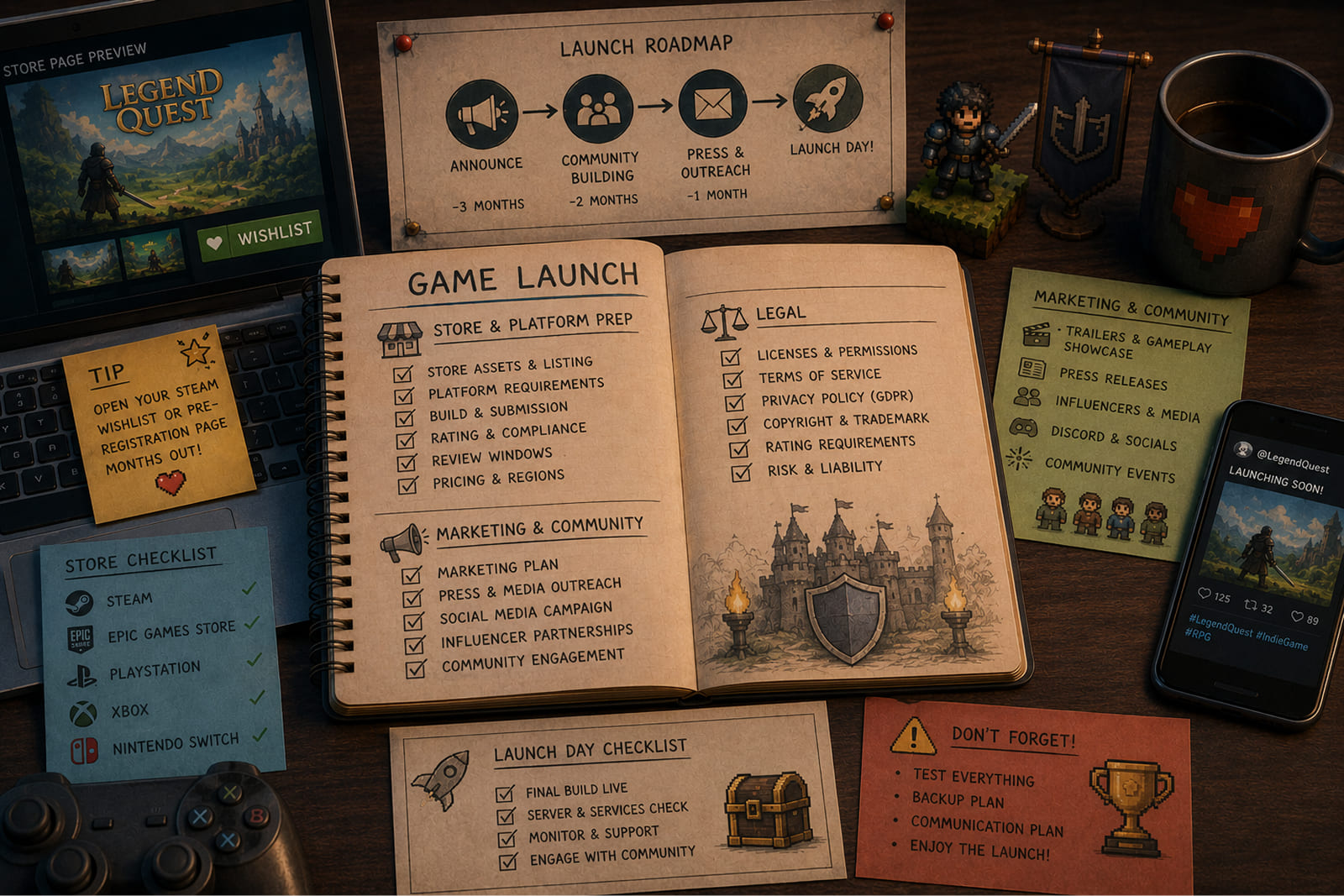
The game launch checklist is the sequence you finish before and on release day. Launch, even though it sounds like one action, is actually a campaign running at the same time in store platforms, press, community, and legal compliance.
Store and Platform Preparation
Store and platform preparation is the first block of the game launch checklist. Here you need to get ready the commercial and technical base of launch. Every platform has its own submission rules, review windows, and compliance requirements, and all of them need to be understood before the launch.
Again, the more detailed game launch checklist is, the better for your final product.
| # | Checklist item | What it means and why it matters |
|---|---|---|
| 67 | Developer account and compliance | App Store, Google Play, and/or Steam developer accounts verified and in good standing. |
| 68 | Store page copy | Title, short description, and full description written and optimized for app store search. |
| 69 | Screenshots and preview video | Store assets that meet each platform’s size and content rules. |
| 70 | Age rating | Certificate obtained from IARC, ESRB, or PEGI for each target market. |
| 71 | Privacy policy and Terms of Service | Published pages, linked from the store listing and inside the game. |
| 72 | Regional compliance | GDPR and other regional data rules confirmed for every market you ship to. |
Marketing and Community
Your game design checklist can be exhaustive and deliver a great outcome, but if you don’t think about marketing and community work before a launch day, you will undermine a lot of work that your team did.
People have to be able to find out about the game organically, maybe through relevant press releases or thanks to specific news channels for the gaming community. The community should know about your release long before the launch. All these things should start months before the release, because it is impossible to put them into a 24-hour window.
Tip: Open your Steam wishlist or pre-registration page months out. Wishlists give your game day-one visibility in store algorithms, and they work only if the page has been live long enough.
| # | Checklist item | What it means and why it matters |
|---|---|---|
| 73 | Game website or landing page | Live, with store links, the trailer, and a feature overview. |
| 74 | Social media channels | Active across the platforms that fit your audience, with a pre-launch content cadence. |
| 75 | Video trailer | On YouTube and embedded on the store page, meeting platform preview specs. |
| 76 | Press kit | Screenshots, description, key art, developer bio, and a press contact, ready to send. |
| 77 | Press and influencer outreach | Done, with embargoed reviews arranged where it applies. |
| 78 | Wishlist or pre-registration | Steam Next Fest participation or Google Play pre-registration running ahead of launch. |
Legal
Legal oversights are the most expensive out of all proportion to the effort of avoiding them. One simple mistake like a missing license, or a GDPR gap found after release can lead to a lot of troubles. You can get fines or other more heavy legal consequences.
| # | Checklist item | What it means and why it matters |
|---|---|---|
| 79 | Trademark registration | Game name and logo confirmed clear and registered in your primary markets. |
| 80 | GDPR compliance audit | Data-processing agreements with every third-party SDK reviewed and signed. |
| 81 | Third-party asset licenses | All fonts, music, middleware, and licensed IP verified for commercial use. |
Phase 8: Post-Launch & LiveOps
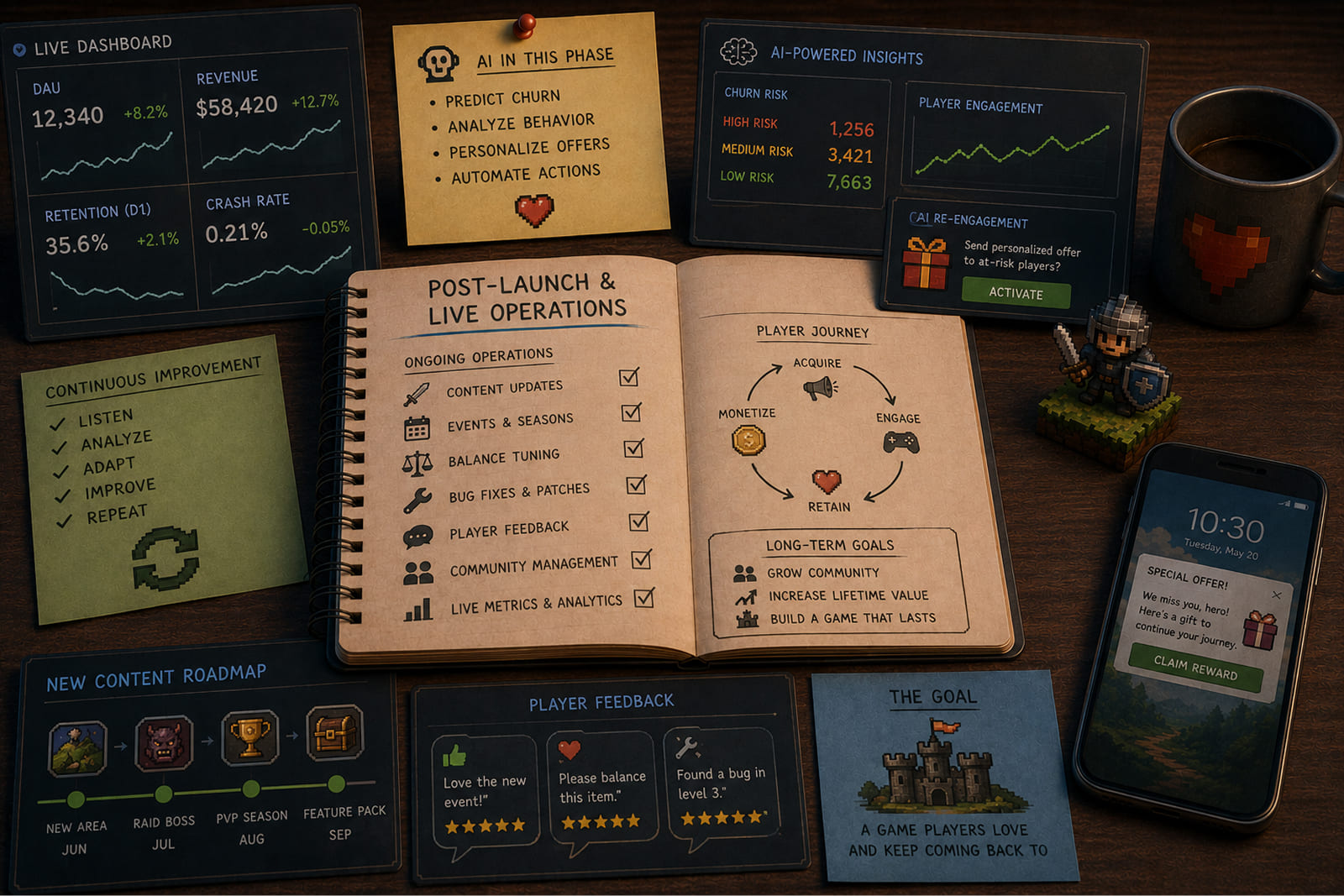
For most games, and without doubt for all free-to-play titles, the biggest share of lifetime revenue arrives after launch. Post-launch live operations are incredibly important and you can’t rule them off. The game development checklist can not end at release.
AI in this phase: Some models can precinct churn by reading behavioral signals in real time and flag at-risk players. To prevent that from happening, you can fire off personalized re-engagement offers or change something without big announcements automatically.
For more on where the tooling is heading, our breakdown of AI in game development goes deeper on each phase, and our guide to game art outsourcing covers the production side in detail.
| # | Checklist item | What it means and why it matters |
|---|---|---|
| 82 | Player feedback monitoring | A structured system to collect, sort, and prioritize reviews, tickets, and community sentiment. |
| 83 | Bug fix and patch pipeline | A rapid response path for critical bugs and a steady cadence for the rest. |
| 84 | Content update schedule | Planned feature drops, new levels, seasonal content, and balance patches at set intervals. |
| 85 | Community management | An active presence on Discord, Reddit, and social, with an escalation path for issues. |
| 86 | Seasonal and themed events | Time-limited events tied to holidays or cultural moments to spike DAU and revenue. |
| 87 | Performance analytics review | A regular look at the KPIs: DAU, ARPU, retention curves, funnel conversion, and crash rates. |
Build Your Game the Right Way with Fgfactory
A well-structured game development checklist is, in the end, what decides and affects the fate of your project. All the eight stages are highly important and you can not miss any of them, because it will backfire. They are the full arc of building a video game, no less.
And while it does a lot, it can not replace the judgment of people who have shipped games before. Don’t ever use it as a substitute for expertise.
Running every phase well takes the right team, where every single player knows what to do and how to check the whole thing.
Fgfactory is a full-cycle game development studio with experience across all eight phases (full to do list for game development), from concept and game design document creation, through the game design checklist and production, to QA and a live launch. If you are trying to build your first indie game development checklist we can help you.
What we do:
- Full-cycle game development, concept to release
- Co-development and dedicated team models
- Game art and animation production
- AI-integrated game development
Ready to bring your game to life? Get a free consultation with Fgfactory’s game development team.

 Loading...