Game Project Documentation Development and Enhancement with AI
Modern games are overthrowing all the expectations: they are getting more real and, consequently, way more complex than developers expected a decade ago. There are more teams involved when it comes to a little bit more sophisticated titles, and that is what creates new demands. One of those is to keep all the teams involved in game development aligned.
There’s nothing more efficient than keeping documentation diligently. It gets easier and less time-consuming with AI now, especially given the fact that project documentation is an evolving thing.
It is a common mistake to think that game project documentation is just one document that never changes. It is quite the opposite to that: it changes all the time, because requirements and research through design are always changing. The same goes for development planning, production and later iterations.
Game production documentation does not necessarily start from the game itself. It can begin with business objectives, product requirements, or current market research. Many studios kick it off with user feedback and technical constraints before they decide to go to design and production documentation.
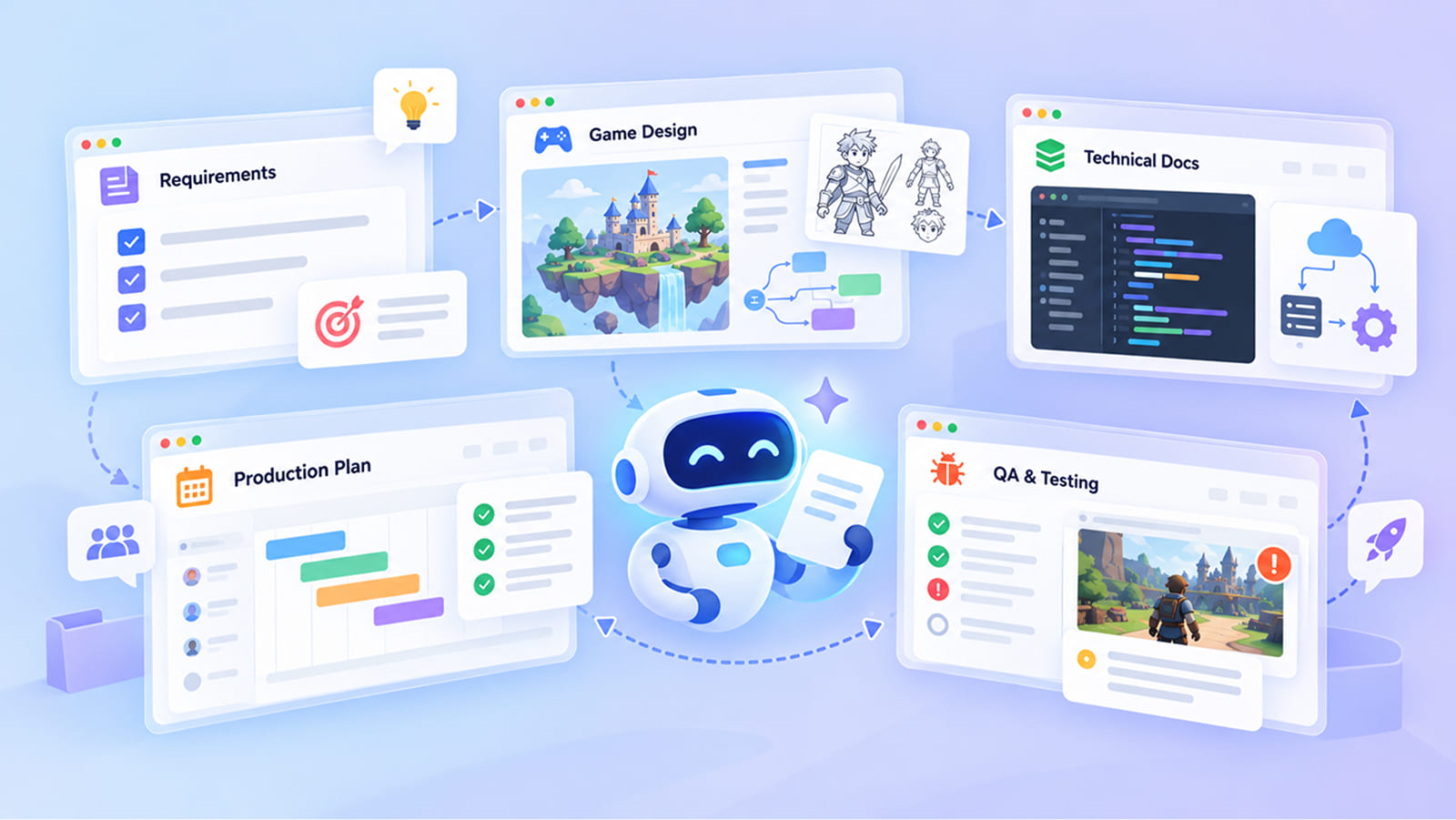
This is a bulky, time-consuming process that includes a lot of challenges. Large amounts of information and changing requirements are the main ones. Feedback, multiple stakeholders, and the need to evaluate alternatives quickly are among other factors that you can’t leave out but they always slow things down. The documentation that is supposed to prevent chaos might as well be generating it.
AI can take some of that weight off. It does not mean it can replace the thinking, nor decisions the experts make. However, drafting, reorganizing, pulling together what changed and where, comparing options side by side is where AI has proven to be at its best. As a result, any development team will avoid time losses and confusion.
In this article we will talk about the full documentation lifecycle, and where AI actually helps at each stage.
What Is Project Documentation in Game Development?
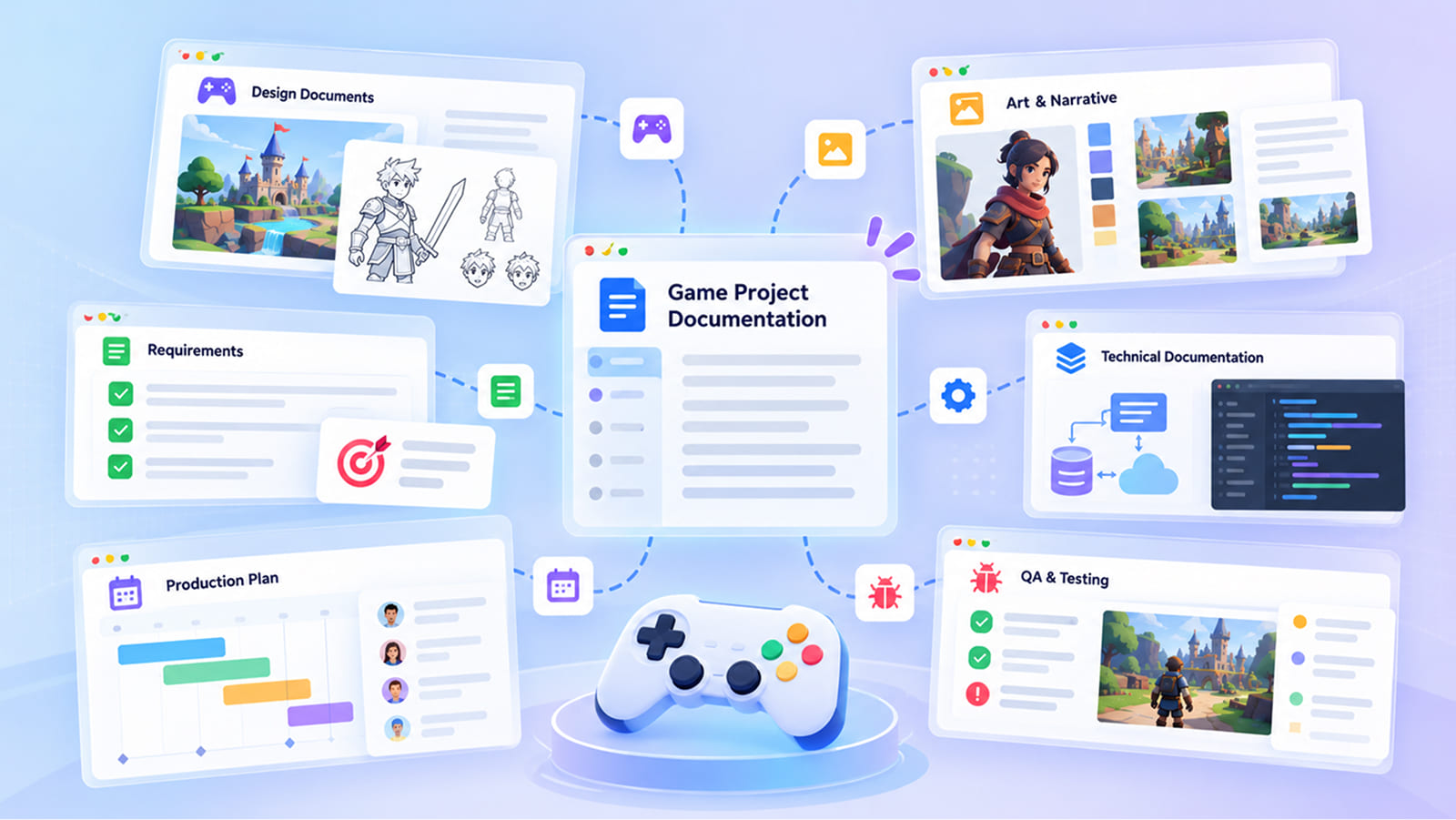
Project documentation is the collection of information a team uses to define, communicate, plan, build, and maintain a project. It might sound like something too broad to be a definition, but it is actually true. Game development documentation touches every single step, including even actions after the launch, sometimes at the stretch of several years.
As we already said, documentation is always changing. If it stops changing over the game development process, then it stops being useful. Artists would simply get lost because hundreds of assets they will have to create require consistency that is hard to follow without a document.
Games make all of this harder than any average software project, because in game creation there are more sides involved. If you change design, it will affect animation, and without documentation it will harm performance.
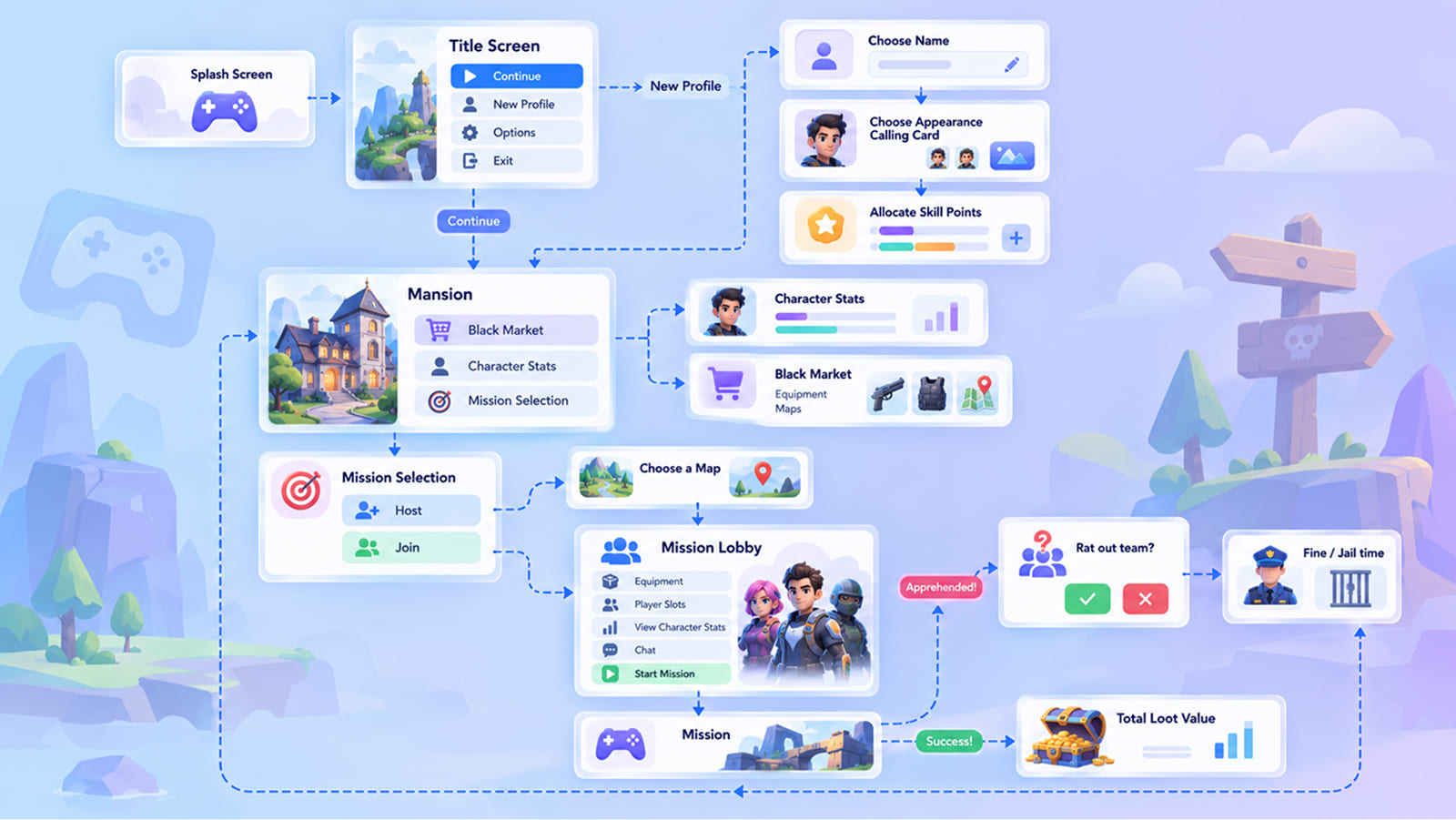
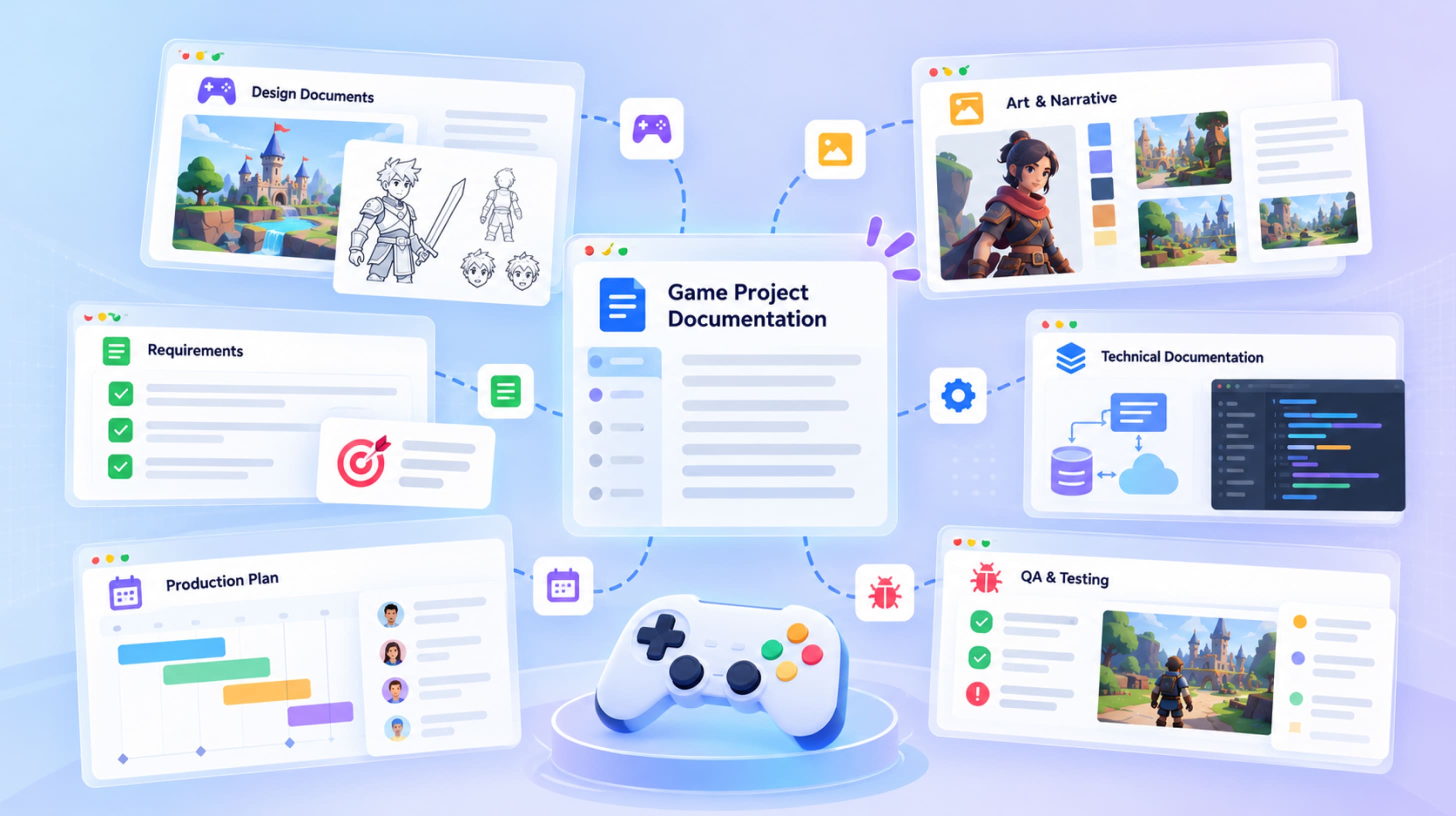
An example of user interface in game development documentation
Game production is full of various content types: thousands of assets, hundreds of quests or levels, and every one of them carries design intent. Obviously, it is very easy to lose something unless it is documented.
A lot of this is the same as in general software documentation. Requirements, technical specs, architecture diagrams, test plans, just like all of that exists in games too. However, games have design intent docs, content bibles, art style guides, narrative scripts, and many other things that complicate the entire process in comparison to software creation.
What Does Game Project Documentation Include?
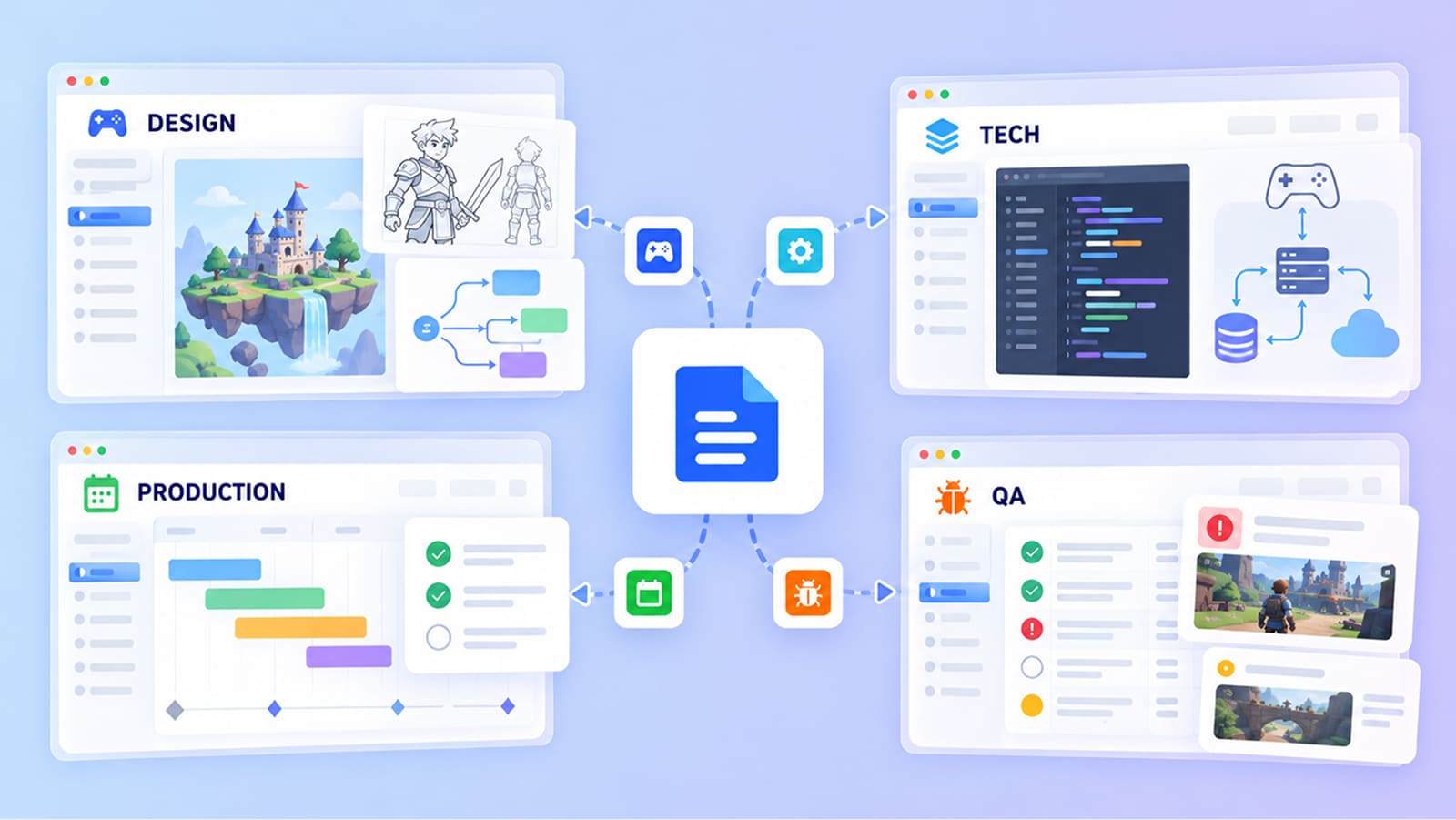
Let’s explore what a typical video game project documentation set normally contains. None of the documents exist on their own; rather, they are linked to each other and determine what comes next. For example, the GDD relies on requirements, and the production plan relies on the GDD, while QA depends on pretty much everything. The logic is quite simple and works like a domino effect: if you change something you have to update everything.
| Document | Main Purpose | Main Audience | When It Changes |
|---|---|---|---|
| Requirements documentation | Records goals, features, platforms and constraints | Client, leads | During discovery and at every scope change |
| Product or project specification | Describes what will be built and the agreed scope | Client, leads | After discovery, then at milestones |
| Game Design Document (GDD) | Explains the concept, mechanics, systems and progression | Designers, developers, artists | Constantly in pre-production and production |
| Technical documentation | Architecture, engine, backend, tools, performance budgets | Developers | When tech decisions change |
| Production documentation | Schedules, task breakdowns, asset lists, pipelines | All leads | Every sprint |
| Development plans and roadmaps | Milestones, phases and priorities over time | Stakeholders, leads | At milestones and when scope moves |
| User stories and feature specs | Feature behavior from the player’s side | Developers, QA | Before and during each feature |
| Art and narrative documentation | Style guides, lore, character references | Artists, writers, designers | In pre-production, then with new content |
| QA and testing documentation | Test plans, test cases, bug reports | QA, developers | With every build |
| Documentation for live products | Patch notes, live event specs, live ops calendars | Players, support, QA | With every update |
All these documents form the game development project documentation. Depending on the team, different numbers of people are needed to handle everything. Let’s say you have a small team, so one person may own three of them at once. That makes it easy to update all of them.
The Project Documentation Lifecycle
Documentation always follows the project, so it has a lifecycle of its own. Some companies call the process and each step they go through differently, but essentially they are all the same:
- Requirements. All the main goals and constraints are collected and described.
- Research. Information about the market should be gathered at this point, as well as about genre and competitors.
- Analysis. A process of getting insights that will dictate further work.
- Documentation. All the insights are written into structured documents.
- Options. Or in what different ways teams can solve certain problems that appeared.
- Decisions. A person in charge chooses an option and records the reason why the team should use it.
- Development planning. These include milestones, tasks and estimates.
- Iteration. Builds, playtests and player feedback send new information back to the start.
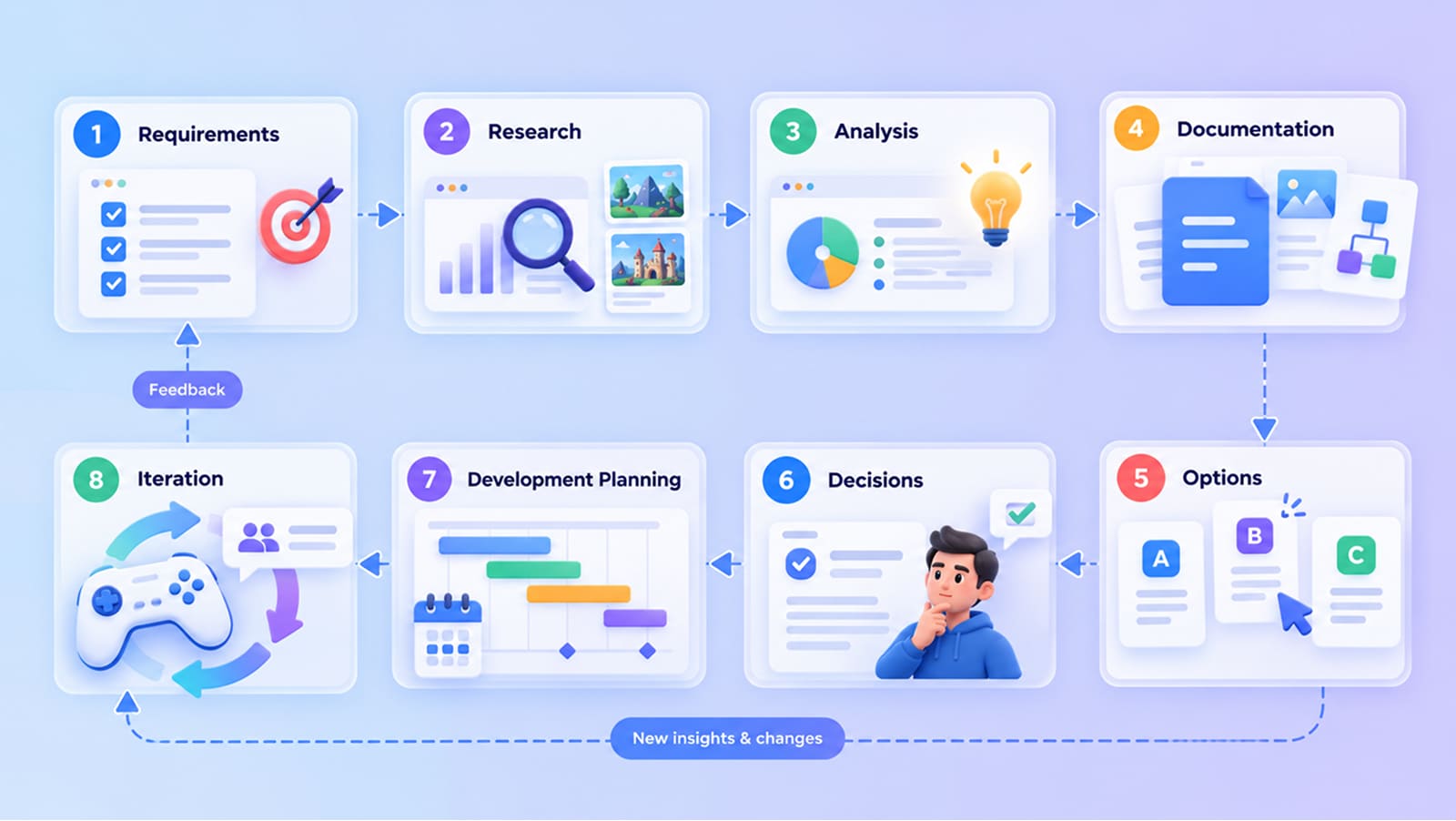
All the work is going as a loop, because if you change something in one phase, you might need to go back to a previous one to alter the related process.
AI has different roles in this process, and they usually are no less than three. It makes sense to name them now, because we will come back to them in every stage:
- It accelerates the slow work and is very good with anything repetitive.
- It gives you more alternatives.
- It supports decisions you make by analyzing the whole document.
These three things are basically the essence of AI project documentation, but it also requires people to keep working with it. The same loop we mentioned applies to all game development documentation, no matter what type of game, or what scale of the game you are about to create.
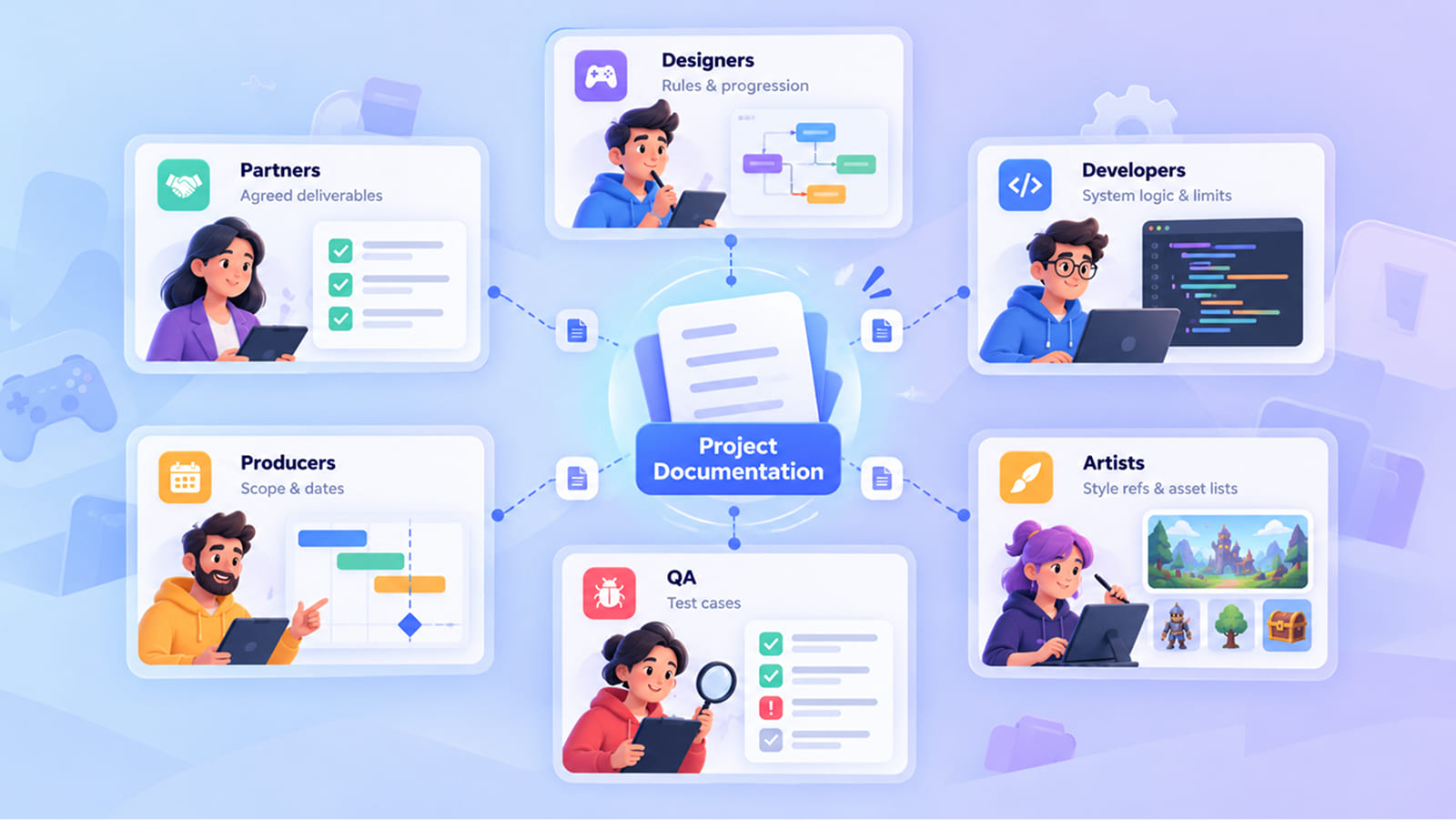
We will go through each stage in detail, explaining how it works and where it is feasible to use AI. We will not cover iteration, because it is an endless process that keeps repeating on every stage.
Final decisions are up to professionals, and we will emphasize it where it matters.
Did You Know? AI has been widely used in documentation for the last few years. In the GDC 2026 State of the Game Industry survey, 36% said they use generative AI tools in their job. Among those users, 81% named research and brainstorming, while only about 5% use AI for player-facing features.
Stage 1: Requirements Gathering and Project Discovery
You start documentation before you do anything else, when you are still in the discovery phase. It is equally important for outsourcing and co-development, because the client might know the business and the vision, but the studio knows production. At Fgfactory, we see requirements discovery as the moment when all the sides involved should come to a single vision and continue from there.
Collecting Project Requirements
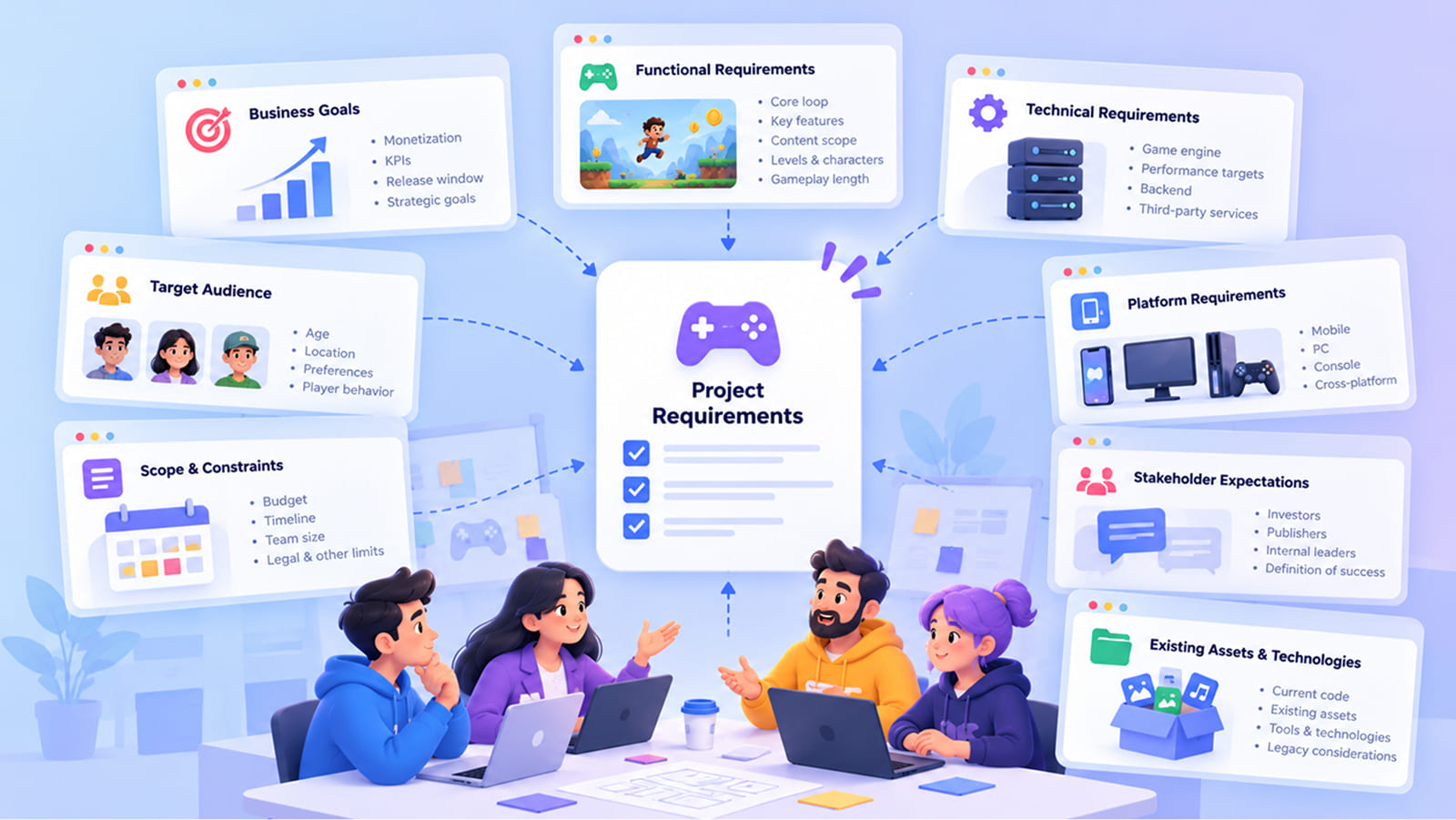
Requirements come in different forms, but for each of them, there are a few questions the team should ask early:
Business and product objectives. What should the game achieve for the business? Here, you should determine what will be the monetization model and the main KPIs. It is also vital to establish the dates of the release window and strategic goals. Looking at this more tangibly, if we are talking about free-to-play puzzle games, you might want to have strong day-7 retention and ad revenue. Of course, a premium PC title needs to get into wishlists and launch-week sales.
- Functional requirements. What does the player do? Here you need to describe core loop, key features and content scope. It has to be precise and have dialogue systems, numbers of levels and characters described, and even hours of gameplay.
- Technical requirements. Which engine, what performance targets, what backend? Those all work outside of the player’s device. Check our article on choosing a game development engine.
- Platform requirements. This is the eternal question, as it always is about mobile, PC, console or all of them. It is important to study what suits your audience the best, and what other similar titles use.
- Target audience. Any product development depends on the audience you create it for. It is no different for games, as you have to know age, geo, and preferences of your target players.
- Scope and constraints. Budget, timeline, the number of people involved in the project are the main info, but you also want to know what limits you need to be careful with, for example, in the legal area.
- Stakeholder expectations. Everyone involved in the game creation and publishing does not always share the same view on how things should go, so make sure to clear that up. Make sure to ask investors, publishers, internal leaders about how they define success before you keep going.
- Existing assets and technologies. Check your current technologies and code. Starting from what exists saves time and money, but you also need to know if legacy tech will create problems later.
So what does a good result look like? Everyone should be on the same page and know what is merely nice-to-have and what is of utter importance. Traceable, meaning each one has a source and an owner. Stakeholders should also confirm everything in writing. This is the base of any software project documentation, but it also covers games.
How AI Can Accelerate Requirements Gathering
Discovery gives you a lot of raw material that needs further work. Chat and calls can provide endless materials, and that’s where you can use AI to start with AI project documentation. Here is what it can do, and what a person still has to check.
- Structure unorganized notes by simply giving them order through AI.
- Summarize interviews. Calls can contain a lot of unnecessary information and AI is good at spotting what really matters.
- Identify recurring requirements. The same thing might be said by a few people out of 10 and it is important to spot it.
- Categorize requirements. They could be technical or business-related, but it is important to put them into the right category.
- Identify missing information. Because something important can be overlooked.
- Add follow-up questions. AI can create a list of questions to stakeholders.
- Spot conflicts. Also inconsistencies that might lead to conflict.
The three roles we mentioned earlier are here. Acceleration is the essence, as AI saves a lot of time by doing tidy notes. Widening the options is more interesting: ask for a couple of scope variants and it will put a one-mode MVP with 60 levels next to a bigger version with two modes and 150 levels. You can compare both and choose the most suitable version. And for the deciding part, it can solve the conflict by showing what is better or more important.
That said, AI knows only what was said or written. It has no idea about the off-the-record constraint or the platform deal that isn’t signed, so stakeholders have to confirm everything. And be careful what you upload, because client materials are usually under NDA (more on that in the challenges section).
Tip: Start a project glossary and paste it at the beginning of every AI session. AI tends to mix terms stakeholders use, especially if they are not common.
AI Tools to Accelerate Requirements Gathering and Project Discovery
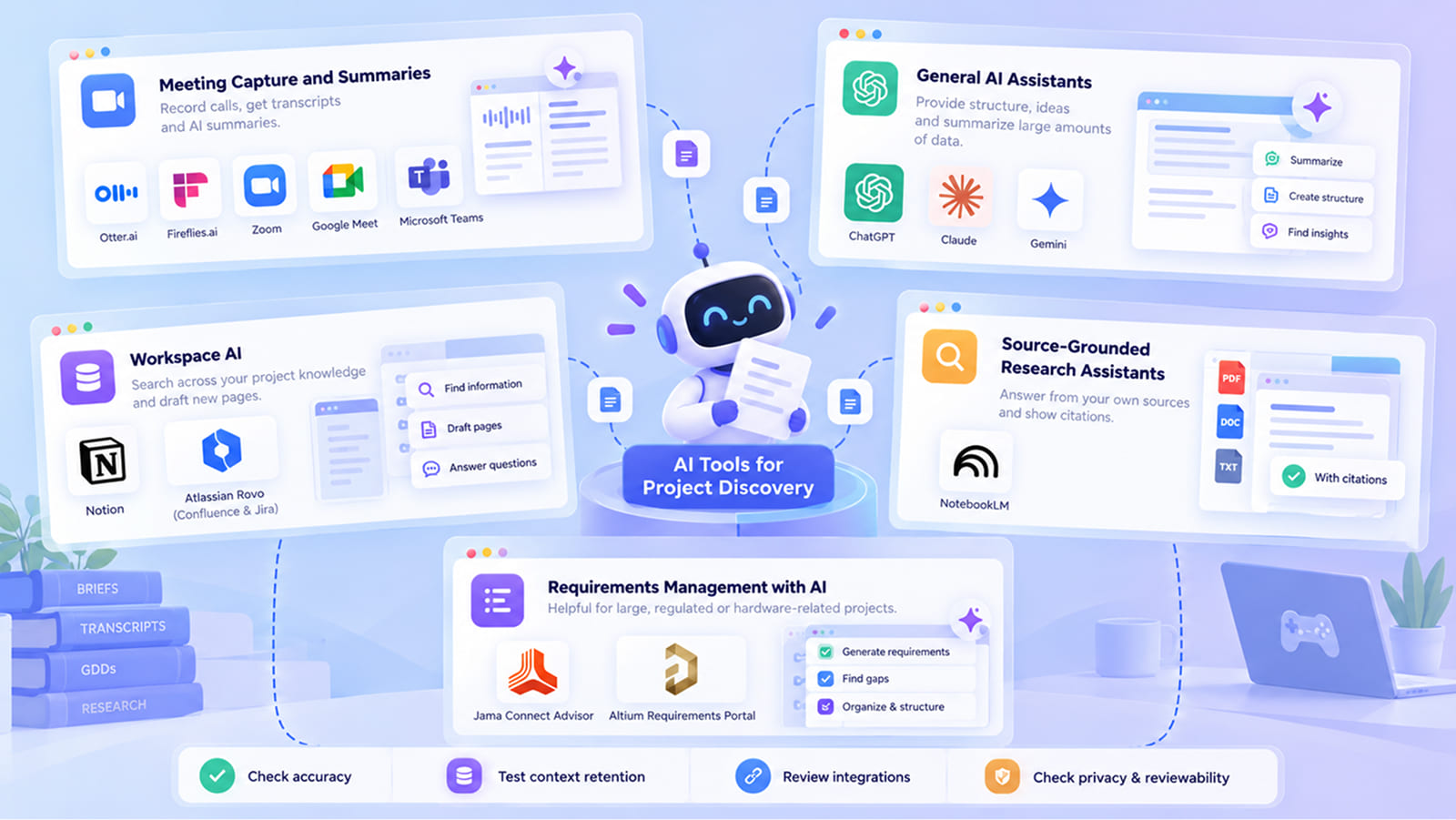
Most teams combine a few categories of project documentation tools, and each one covers its own part of the work.
Meeting Capture and Summaries
Otter.ai, Fireflies.ai, or the built-in summaries in Zoom, Google Meet and Recap in Microsoft Teams are the best options, especially since some of them are widespread and you might already be using them. They don’t only record calls and give you transcripts, but also provide summaries you might need. It is good for producers and account managers who have to attend to a lot, if not all, of stakeholder calls. Even though you need everyone’s consent to get recorded, it is so common now that it shouldn’t be an issue.
General AI Assistants
ChatGPT, Claude and Gemini are among the most common ones, and they are all good for the same things, like providing structure or summarizing large amounts of data. In any case, test them and see what suits you.
Workspace AI
Notion or Atlassian Rovo inside Confluence and Jira. They are all knowledge bases, so they “know” your projects quite well to answer questions across the project knowledge and draft new pages right in the wiki. Make sure your workspace is tidy to make them work better.
Source-Grounded Research Assistants
Google NotebookLM answers only from the sources you upload (briefs, transcripts, old GDDs) and shows the citations. So, if you have a lot of client materials, you can use it to navigate easier and quicker large amounts of data.
Requirements Management with AI
Jama Connect Advisor and Altium Requirements Portal are good for large or regulated projects, or hardware-related products like arcade cabinets or VR devices.
Before you start using these, check something first. Assess accuracy and just run a few tests. Make sure there is context retention, meaning whether the tool remembers the glossary and earlier decisions or you have to repeat them every time. Look at integrations with your wiki, tracker and calendar. Check privacy and reviewability.
Stage 2: Market and User Feedback Analysis
Here, you are literally gathering and getting info to create a backbone of the documentation. You have to understand the landscape before you commit to anything, and it is useful to know your competitors and how the balance of favorable mechanics and narratives is shaped in the space you want to enter.
Analyzing Market and Competitor Information
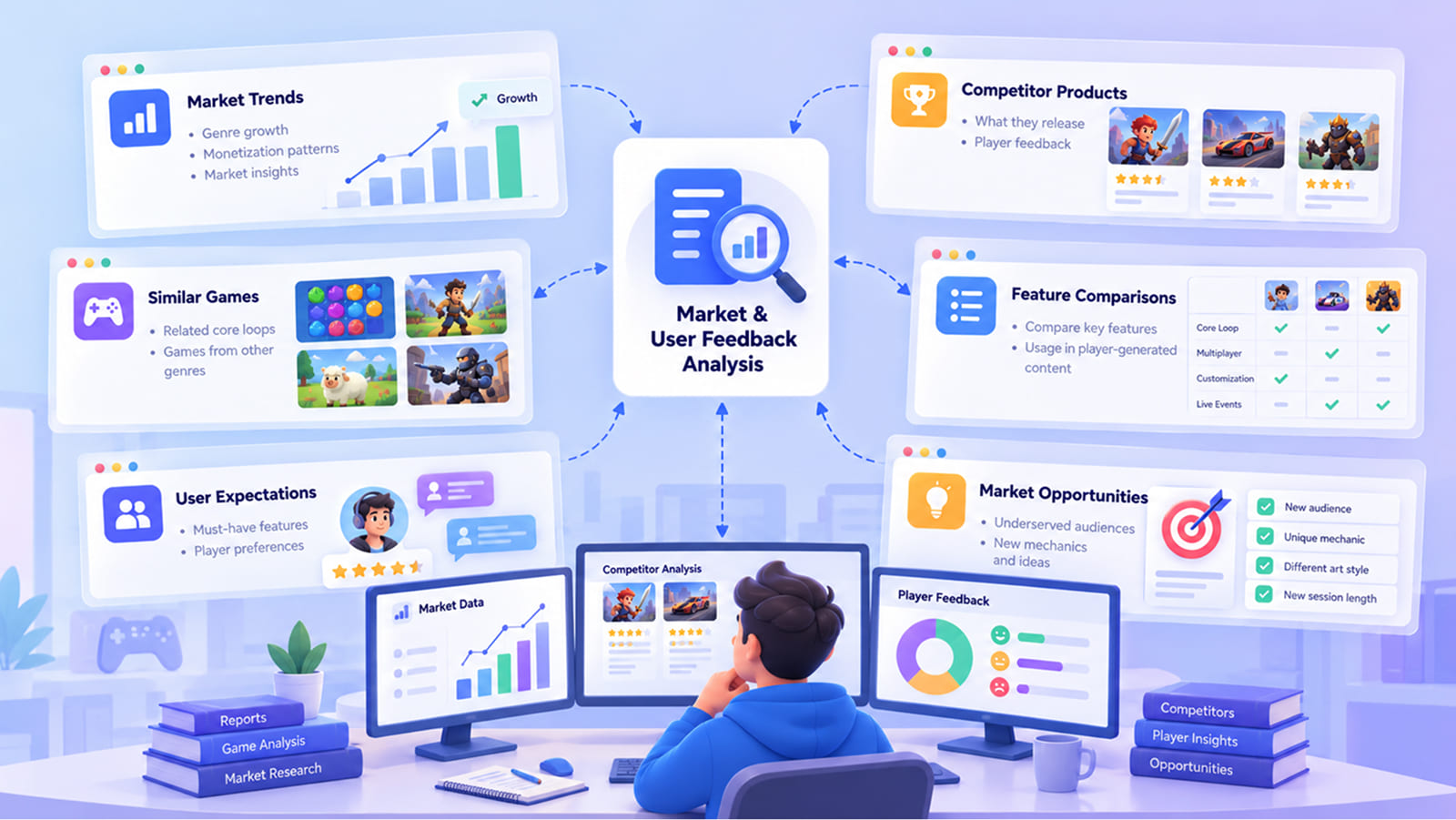
Here is what teams usually look at, and why each part matters for the documents:
- Market trends. You need to know how the genre you picked grows, study monetization patterns, and other market info.
- Competitor products. What your competitors release, and what feedback they get.
- Similar games. Those might be games with related core loops, even from other genres.
- Feature comparisons. Check the specific features you are planning on adding, and how they are used in user-generated content, as it often becomes a table in the GDD or pitch.
- User expectations. Features players take for granted in the genre.
- Market opportunities. Underserved audiences or mechanics that feed new options into the design.
AI helps accelerate by breaking competitor features into clusters and making a comparison table. It widens the options by suggesting ways to stand out: a different session length, or a different art style for the same mechanic. Some AI tools for game design can give you quick concept sketches.
However, AI tools invent market figures, so make sure to get a verified source and a date.
If you follow these steps, you will have game development documentation that stays tied to the real market.
Analyzing Player and User Feedback
Feedback comes from many places, and each source has its own bias:
| Source | Good At | Weak At |
|---|---|---|
| Store reviews (Steam, App Store, Google Play) | Showing what made players happy or angry enough to write | Leaning toward extremes; open to review bombing |
| Surveys | Asking specific questions to a chosen group | Only as good as the questions; low response rates |
| Support requests | Exposing bugs, payment issues and confusing UX | Mostly negative by nature; rarely about what works |
| Community discussions (Discord, Reddit, forums) | Deep, detailed feedback from engaged players | The most active players are not typical players |
| Social media | Catching trends and mood quickly | Noisy, short, full of memes and sarcasm |
| Analytics data | Showing what players actually do | Doesn’t explain why they do it |
| Internal feedback (QA, playtests, the team) | Catching problems before release | Teams get used to their own game’s problems |
Once you get feedback from the channels, make sure to structure it properly, ranking the issues that appeared. Some of them might appear more often than others, so it is important to deal with that.
AI can save you some time here, with suggestions and structure building.
For example, if two months after launching your mobile game strategy your review analysis shows that you had some bad reviews about the tutorial, your team has to react to that. What they can do is change the idea of onboarding to make it understandable quicker. You might want to change the format of the tutorial, give it a more precise version, but in any case you have to make it shorter. Test the new version and then update.
AI might not be too helpful here, unless you introduce it to slang people use and explain what players are looking for in different platforms, because Steam players are not looking for the same things as mobile players.
AI Tools for Market and Competitor Research
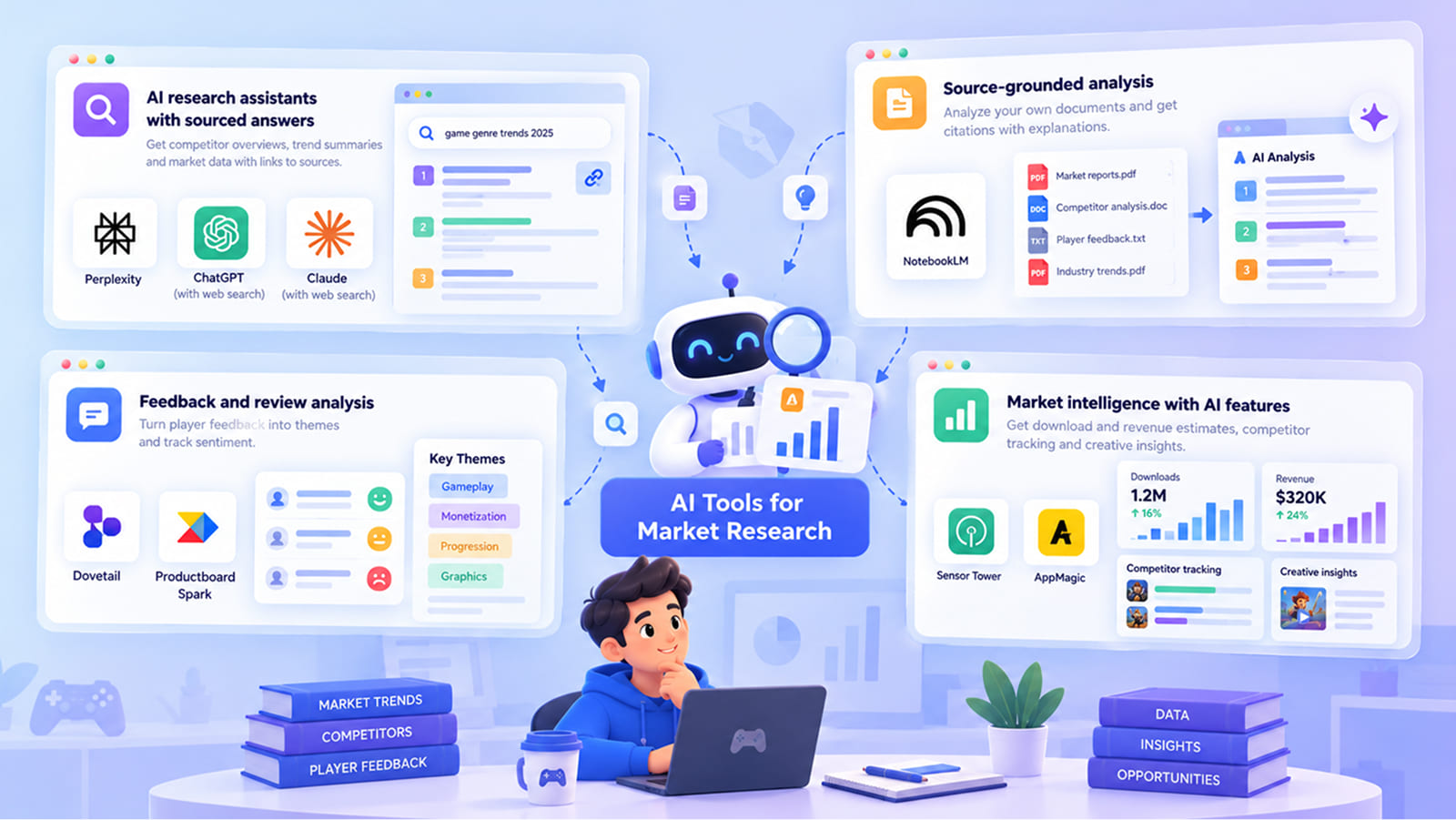
Keep in mind that AI-generated analysis is something that requires human analysis, because AI cannot replace a person who understands the market and knows the psychology of players.
AI Research Assistants with Sourced Answers
Perplexity, or ChatGPT and Claude with web search can give you a lot of data on competitor overviews and trend summaries, and you can check all the sources yourself.
Source-Grounded Analysis
Google NotebookLM can give you a proper analysis of the report and give you citations with explanations to each. If you have a set of documents to work with, this is a great tool. If you add bad or wrong sources, do not expect it to work magic.
Feedback and Review Analysis
Dovetail and Productboard Spark put feedback into themes, and track sentiments of the players. It is a vital one, because it can help you enrich your game later.
Market Intelligence with AI Features
Sensor Tower and AppMagic give you download and revenue estimates, competitor tracking and even insights into your creatives for ads. If you are planning features and monetization, this is the stage for you to use this tool.
Stage 3: Documentation Drafting and Development
With requirements, research and analysis in hand, it is time to put all the data into the documents. But before anyone starts typing the GDD, it is important to decide on the structure. You need a document that is easy to check with later, and it should be understandable and easy to use for anyone in the team. When the documentation is planned well from the start, it will be easy to update later too.
Creating the Initial Documentation Structure
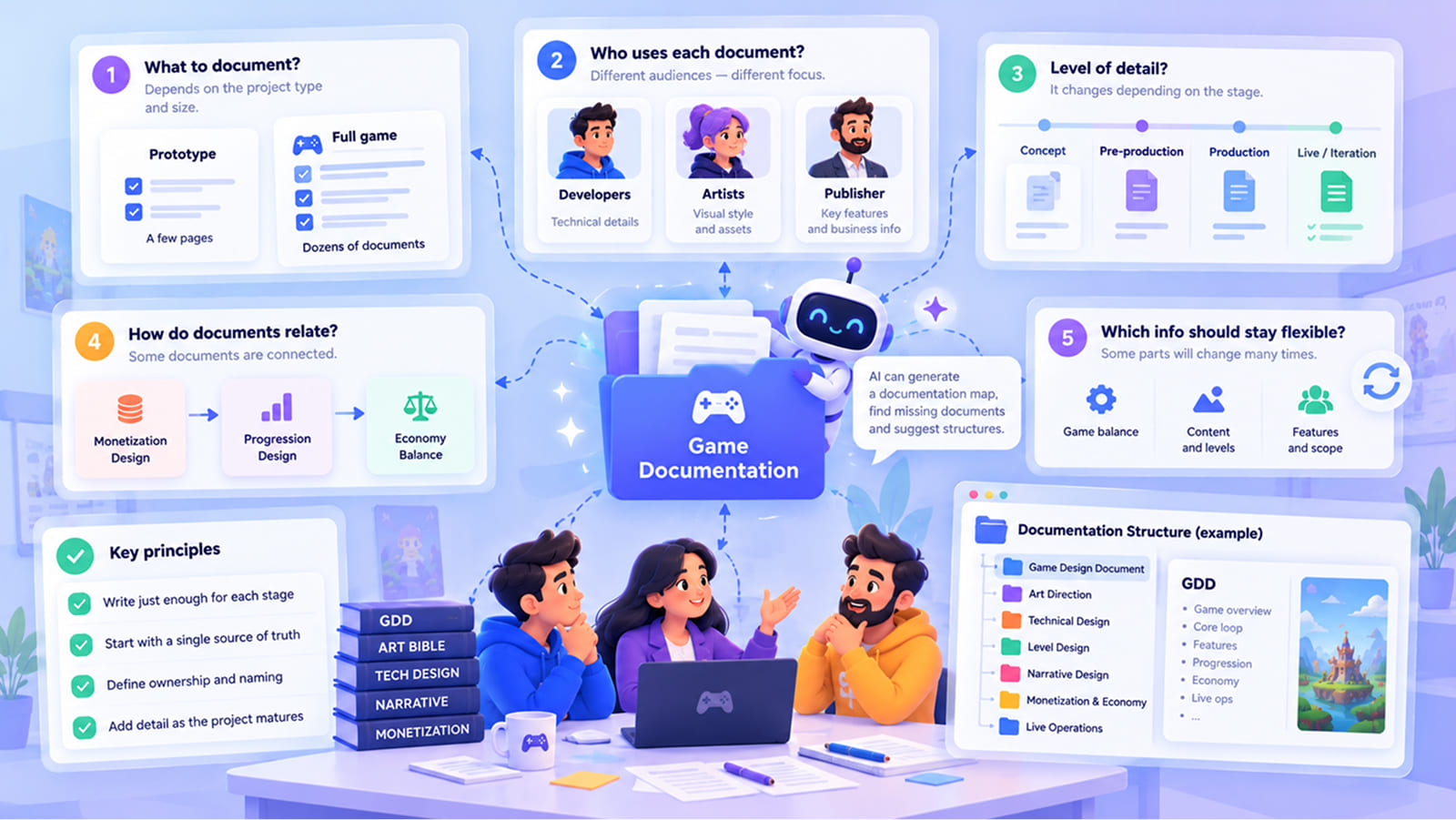
Before writing anything, the team makes a few decisions:
- What needs to be documented at all? Not everything does. A prototype may need two pages, but dozens for a real game.
- Who uses each document? A doc for developers and a doc for the publisher are written differently, even when they describe the same feature.
- What level of detail is needed right now? Depending on the stage, the level of scrutiny can be different.
- How do the documents relate? Monetization and progression, for example, can be tied to each other.
- Which information should stay flexible? Some things will change many times, and the structure should allow that without rewriting everything.
You can also follow a few ground principles: write “just enough” for each stage; there is no need to make assumptions or go into obsessive details when you are on the earlier stages of work. Better, add detail as the project matures. Always rely on a single source of truth, with defined ownership and agreed naming to avoid unnecessary confusion and stalling.
AI here can sketch a documentation map for the project type and size, as well as look for missing documents. It can also generate alternative structures, helping decide the right level of detail.
Most importantly, do not aim for templates. Such a plan works for software documentation in non-game projects, only with fewer creative documents, but since every project is unique, you don’t need a template here.
Game Design Documentation
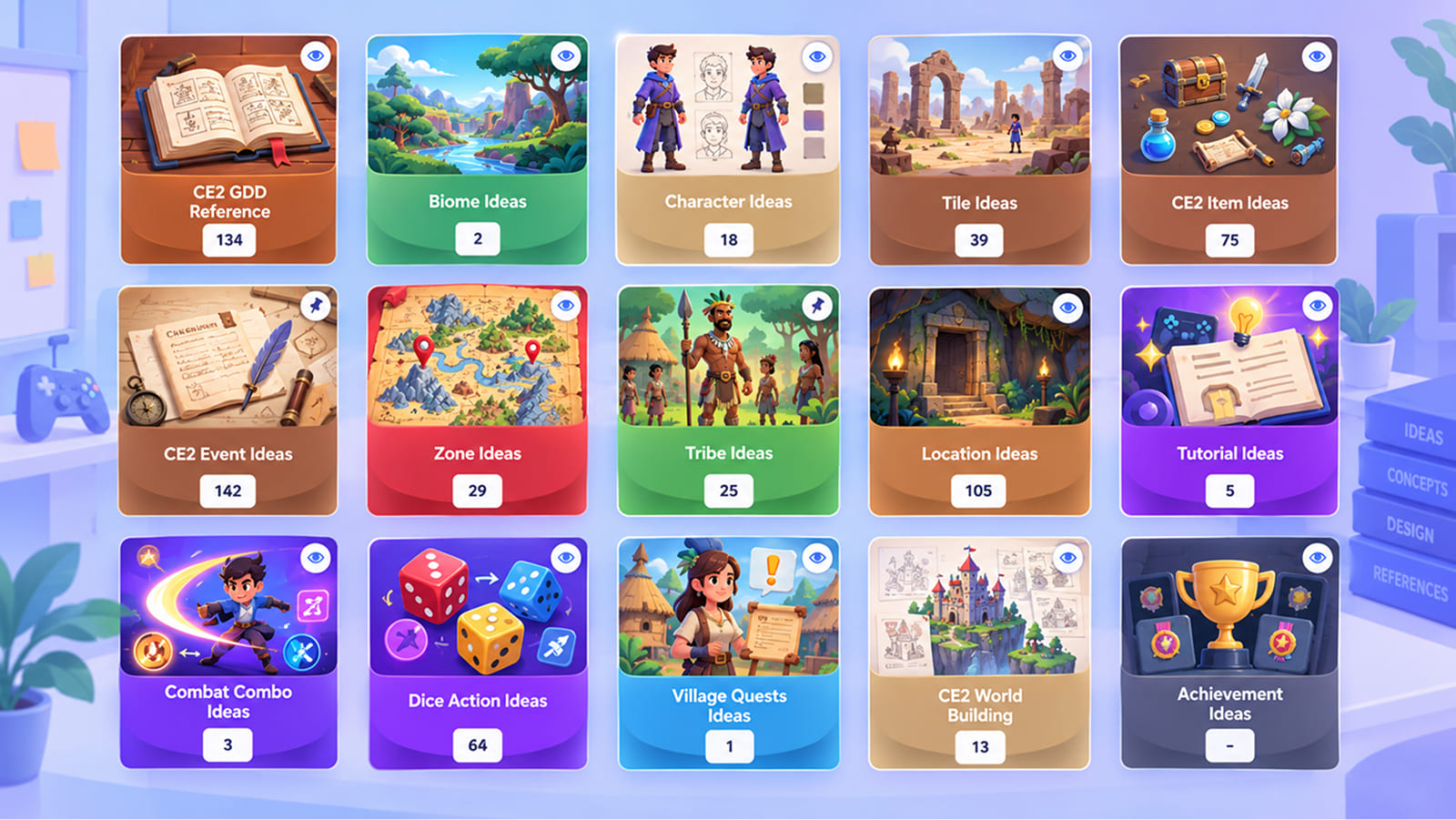
A video game design document is the main design reference, and it says everything about the game, including how it should be played. Designers write and maintain it and it helps to make sure the rest of the team is on the same page.
A typical GDD contains the same stages: game concept, core gameplay, mechanics, player experience, progression, systems, content, and visual direction and narrative.
Your game design documentation has to be useful so the first and probably the best thing you can do for its efficiency is to divide it by systems. Create a separate page for the economy, another one for the combat, and obviously the progression should have its own part. This is a great way to organize an otherwise huge amount of information and ensure everyone can get what they need right away.
This is connected to another rule we strongly advise you to follow: keep it minimal. If something is unnecessary, leave it out.
You have to go into very clear details. If you describe stamina, you have to create a page that answers very concrete things. Your team has to know how much stamina the player has at the start, how much a sprint or a dodge costs, how fast it comes back and after what delay, and finally what happens when it hits zero. When all of this is written, the programmer can build the system easily, without slowing down the work because there are a bunch of specifications he still needs answers for.
The same applies to everything else. The economy page has to give the actual prices and the sources of the currency. There is a simple rule you can add: if you can copy a sentence from your GDD into any other game without changing a word, then your document is not specific enough, it in fact contains that generic message and you can do well without it.
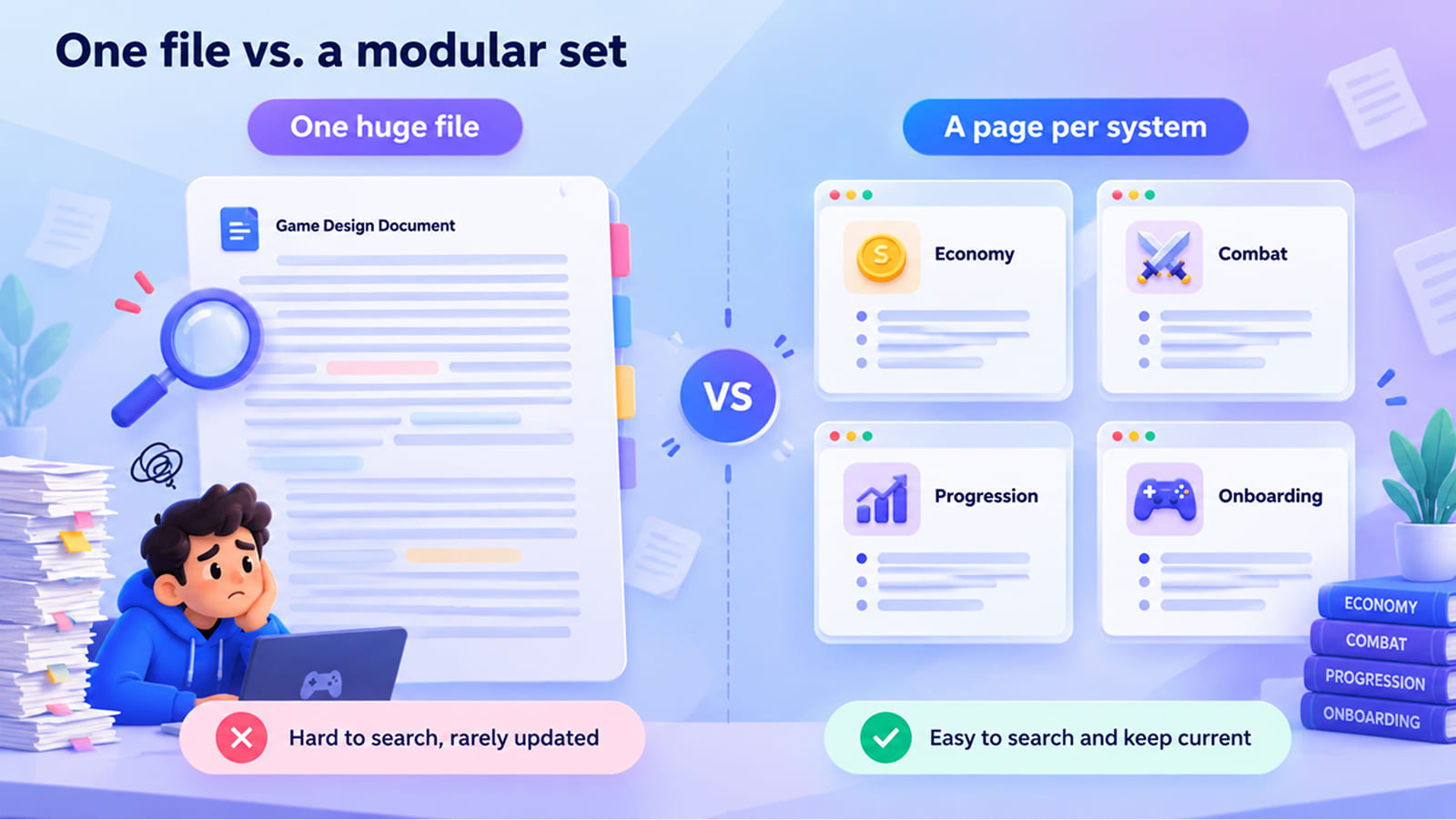
If you have one huge video game design document, it would be much harder to spot a specific problem. The GDD is one component of game project documentation, but the system is bigger.
So where does AI fit into game design documentation?
It can create entire sections from your inputs, expand short notes, write summaries for different readers and work on terminology to make it consistent. Many AI tools for game design also generate alternative mechanics or economy setups that you can put next to each other and compare.
One more thing that might be confusing. The GDD is not the whole game project documentation, it is only about the design part of it. The GDD has to be connected to all the other pages, and you have to connect them meaningfully otherwise it will mess up the whole documentation.
Tip: Ask AI to challenge your proposal. Prompts like “List five ways players could break this system” or “Explain why this feature should be cut” work well. In this way, you will get prepared for possible objections that you may have missed otherwise.
AI Tools for Game Design Documentation Creation
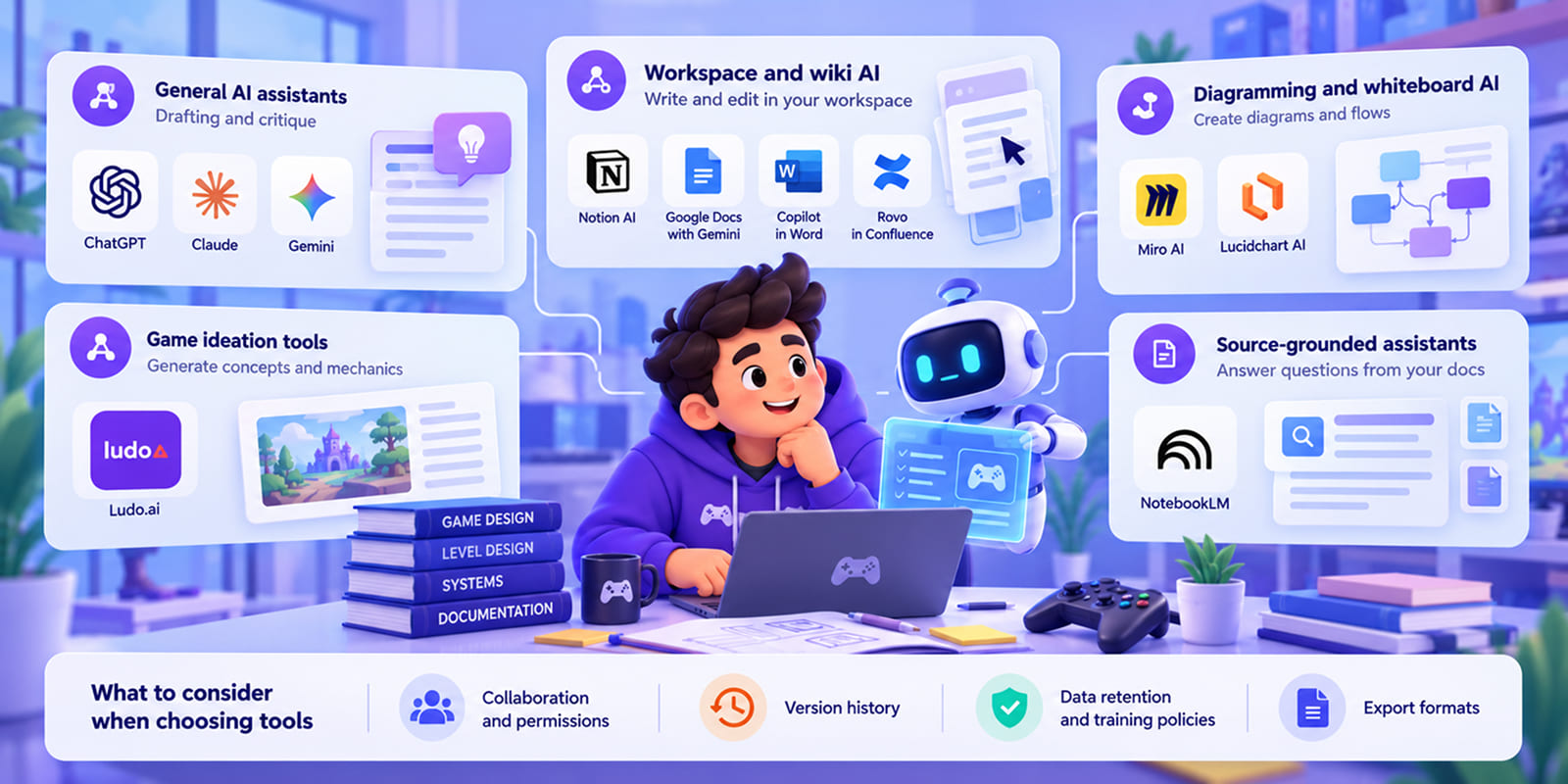
The main categories of AI tools for game design work and documentation have their limitations, and they are often suitable for certain professionals.
General AI Assistants for Drafting and Critique
ChatGPT, Claude and Gemini can help you in drafting the entire sections or expand them if that’s what you need. They are also helpful at comparing mechanics, so it might be beneficial to use if you are a designer or a lead. Make sure to give a proper explanation of the project’s context, otherwise ideas will be generic.
Workspace and Wiki AI
Notion AI, Google Docs with Gemini, Microsoft Copilot in Word and Atlassian Rovo in Confluence. If your team has an established wiki, you can use these tools to write and edit right there. Your workspace has to be consistent to function well with these.
Diagramming and Whiteboard AI
Miro AI and Lucidchart AI. These are your helpers in a visual department, and they can create system diagrams, user flows, and notes. Still, you have to manually double check them.
Game Ideation Tools
Ludo.ai is your tool to generate concepts and ideas for mechanics. It is good for small teams or if you are in the process of preparing a pitch.
Source-Grounded Assistants
Google NotebookLM answers questions from the project’s documentation which might be good for onboarding, so if you add new members to the team, this tool is useful.
When choosing project documentation tools for design work, look at four things:
- Collaboration and permissions or who can see designs that did not go to release
- Version history that you can come back to or even retrieve
- Data retention and training policies or what exactly happens to your file when it is uploaded
- Export formats
Stage 4: Development Planning and Production Documentation
Documentation has only one final goal and it is to support the real work on the game. So when the team knows what to build, the next step is how exactly to do that given all the constraints.
Turning Documentation Into a Development Plan
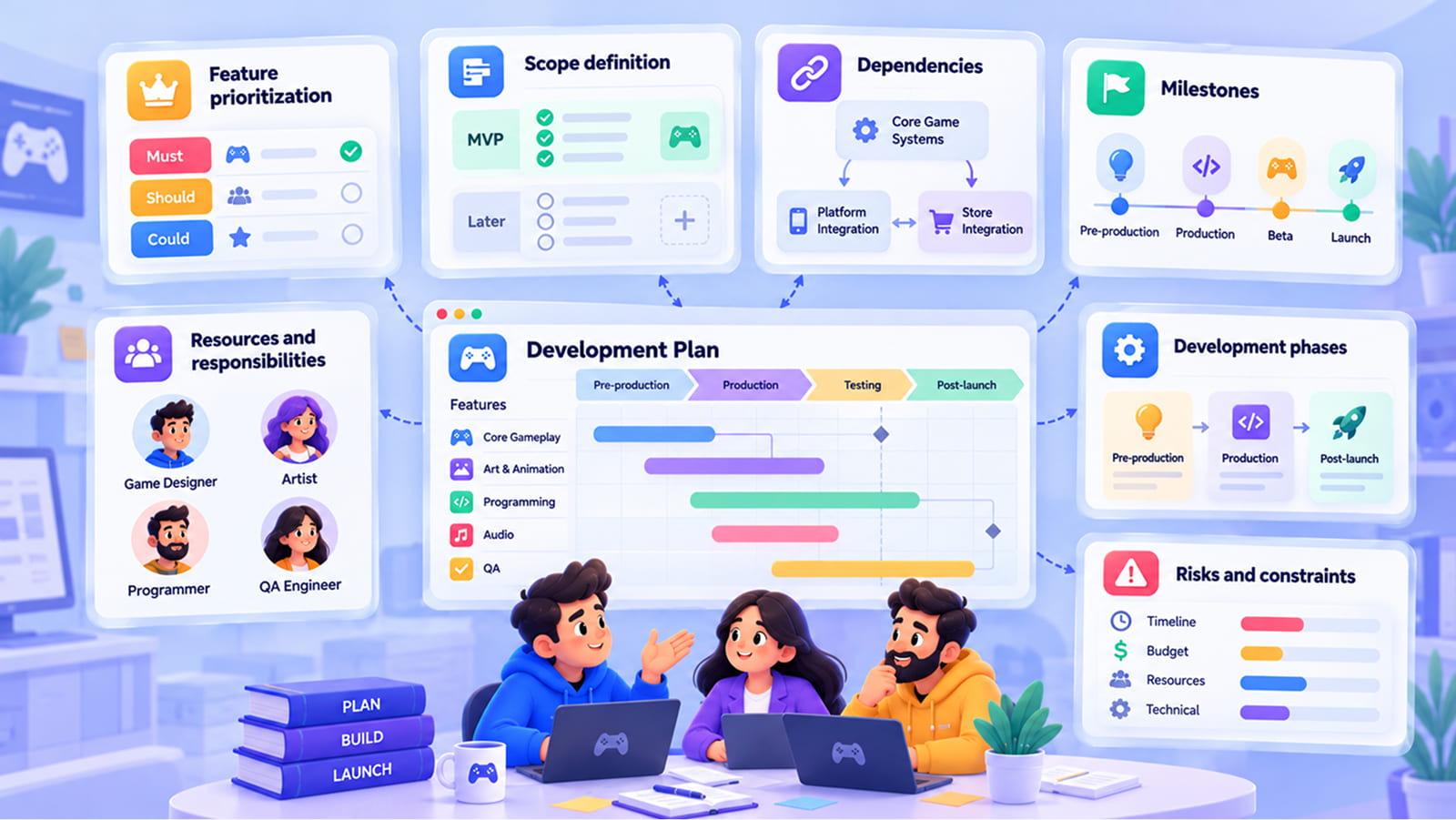
A development plan for a game usually covers these elements:
- Feature prioritization. MoSCoW or value-versus-effort; “must” usually means the core loop and whatever the platform holder requires.
- Scope definition. What goes into the MVP and what has to be proved.
- Dependencies. The store integration might require one thing, the platform – something else.
- Milestones. Here you need the exact criteria for each phase.
- Resources and responsibilities. What people are responsible, and what tools you need to use.
- Development phases. Pre-production, production and post-launch.
- Risks and constraints. It is very important to see what can go wrong.
AI can break features into tasks and propose a first roadmap. It can produce plan variants and dependencies. You can also use it for a “what if we cut this feature” comparison.
AI works with inputs, so it doesn’t know your team’s velocity, your past projects and just the real human situation in your team. So you have to check everything. This is the part of game development documentation where you have to be very aware of AI limitations.
The Role of Game Production Documentation
Game production documentation connects design decisions to everyday work. It includes production plans and schedules, task breakdowns, asset lists and pipelines, build and release processes, QA plans, status reports, and risk and decision logs.
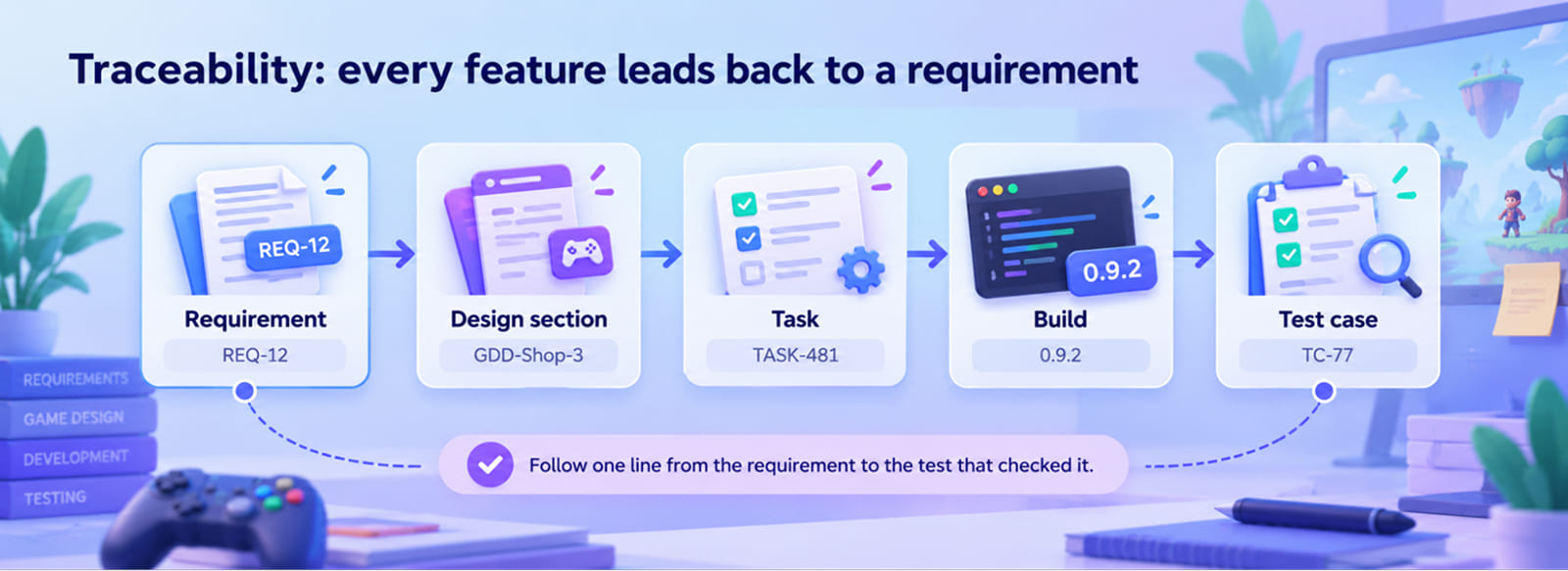
The main thing here is traceability. Because you must understand how a single requirement leads to the design section that answers it, as well as to the task. In real game development project documentation, you must be able to show to stakeholders the chain that leads to a change in a game.
If you have an outsourcing or co-development partner, clear rules written here might help a lot with handover and avoid confusion or misunderstanding.
AI here does what it is inherently good at: summarizing. It can summarize sprint results, generate release notes and changelogs from tracker data, or flag mismatches between the GDD and the backlog. You can ask questions from the project docs and it will provide you with a detailed answer.
For live games, production documentation is always on and it literally never ends. You must be accurate at describing rewards, events and generally how the game evolves.
AI Tools to Support Development Planning
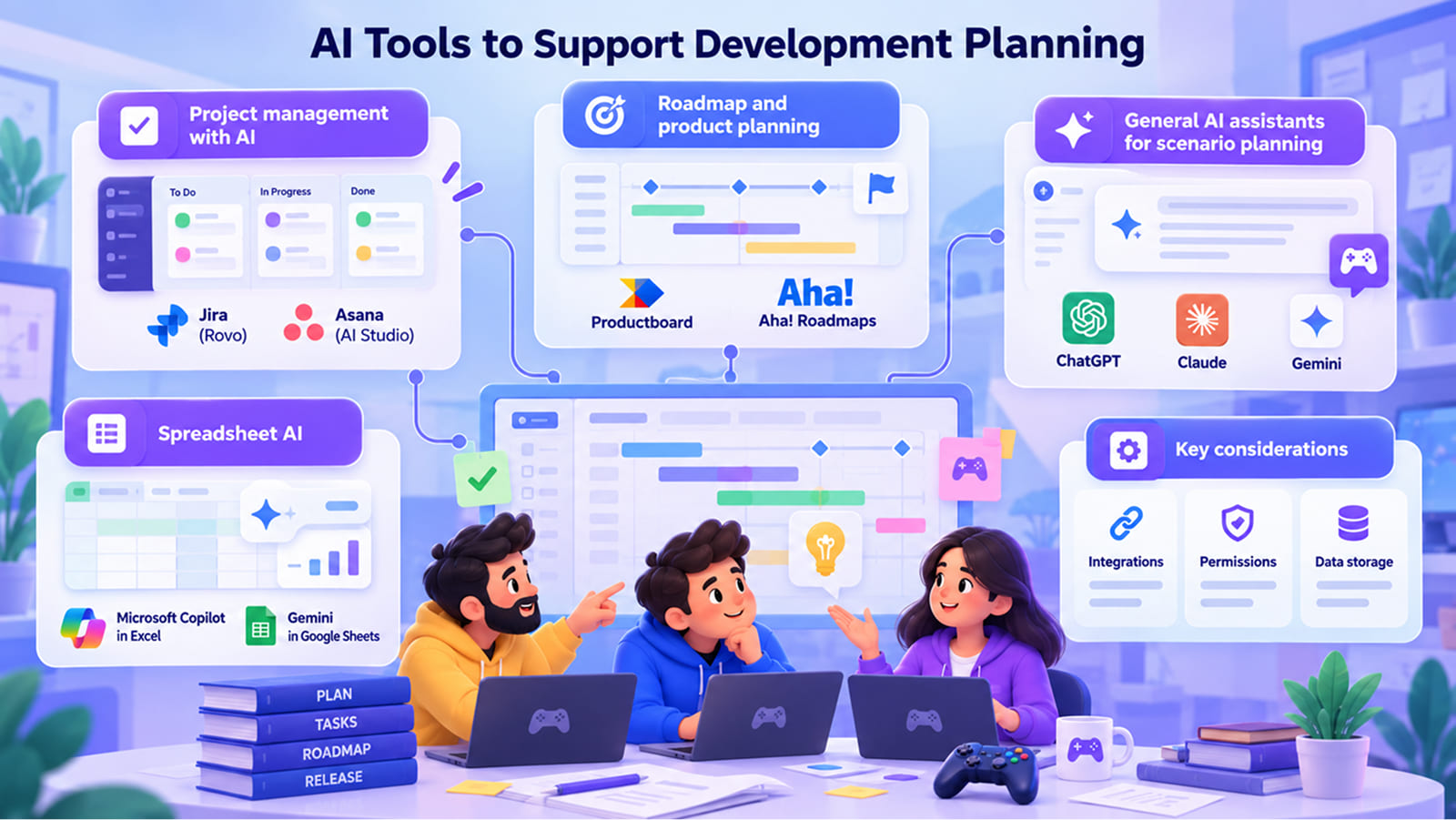
The idea of AI tools in game development planning is to help teams explore more options and plan faster. Still, project managers and development leads remain responsible for making a final decision.
Project Management with AI
Jira with Atlassian Rovo and Asana with AI Studio are good for task creation and keeping track of different projects simultaneously. Both are great for project managers handling a lot of ongoing projects.
Roadmap and Product Planning
Productboard and Aha! Roadmaps link features to goals, and Aha! allows you to roadmap scenarios you want to test. Owners might find it as one of the best tools. However, they are built for software products, so tracking game content needs some extra setup.
General AI Assistants for Scenario Planning
ChatGPT, Claude and Gemini are good for conditional requests. Be careful when feeding them, because the lack of data or the lack of proper data will have a say in the way they respond.
Spreadsheet AI
Microsoft Copilot in Excel and Gemini in Google Sheets are capable of estimating capacity models and explaining the formulas. They are definitely useful if your team plans things in spreadsheets.
When picking these project documentation tools, check how well they connect to the tracker and wiki your team already uses. Look at the permission model too: can an external vendor see only their part of the project? Also, make sure to check how they use storage data before you decide to commit to them.
Challenges and Limitations of AI-Assisted Project Documentation
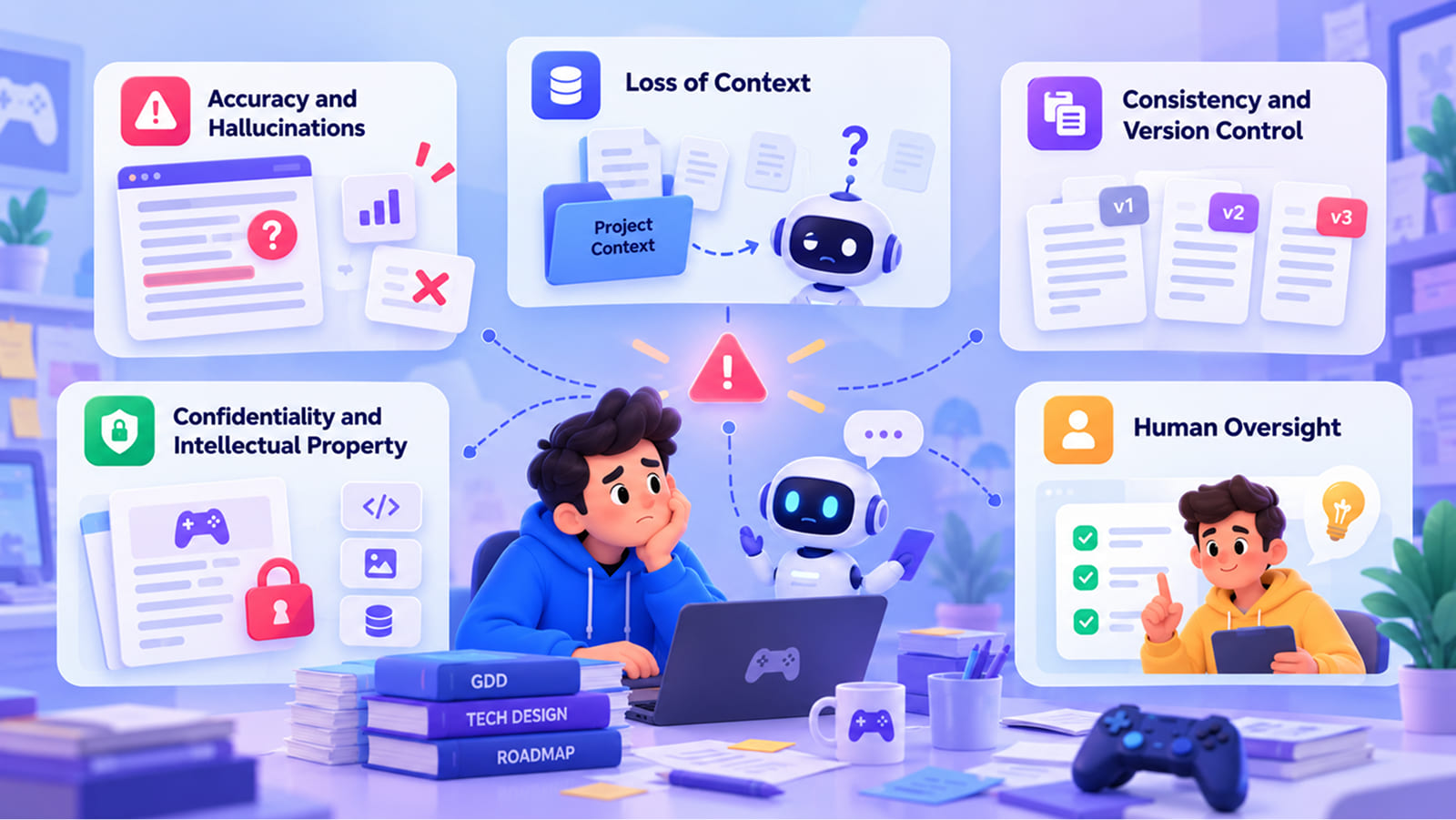
AI brings a lot of advantages, but pretending they don’t have any risks would be completely wrong. These risks are not unique to games: any software project documentation process that adds AI faces them too. Let’s see the main problems and how teams deal with them.
Accuracy and Hallucinations
We all saw that AI can produce content that sounds right but it actually has nothing to do with reality. Numbers can be wrong, or even a simple addition to the rules can change a lot.
To fix those you need to introduce a discipline, and it has to be related to the way you use it. Make your own sources the only backbone for AI, ask for citations and actually open them to check and verify. Make sure to check what it gives you all the time.
Loss of Context
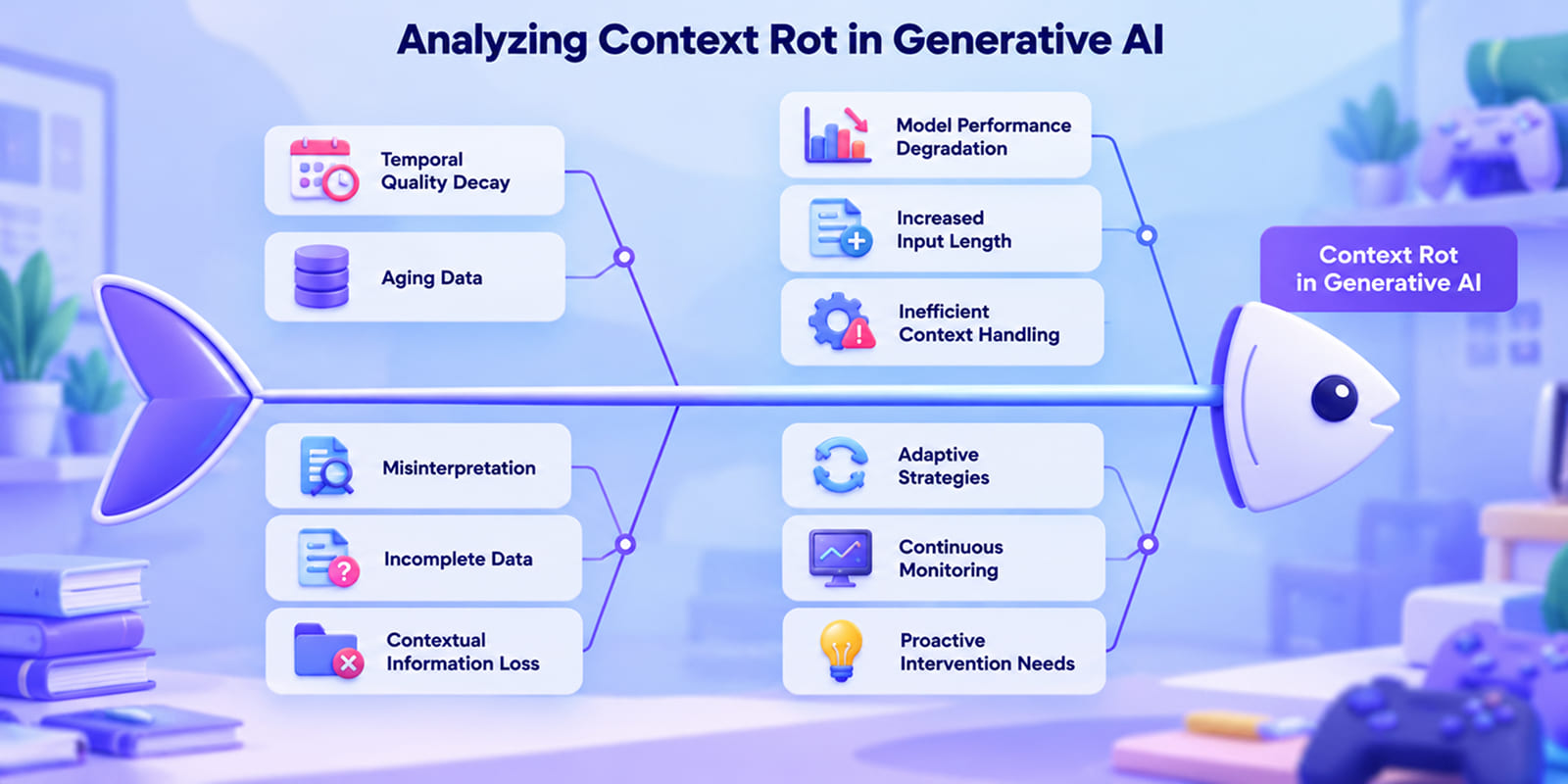
AI doesn’t know your project history, so it’s easy for it to lose touch with your specific context. Many studios use terms that may have their own meaning or mean something specific, and a model treats them loosely.
Introducing a context pack with the project brief, a glossary and a decision log might be helpful. Keep the document as the source of truth.
Consistency and Version Control
When several people produce AI-assisted drafts at the same time, it is easy to confuse your own team, not to mention AI. Avoid having several versions of the same thing in game design documentation.
Again, aim for one source of truth, version history, and go into deep review before anything is merged.
Confidentiality and Intellectual Property
This is the most serious risk for studios and their clients. Unreleased designs, client materials, source code and player data should not end up in a tool that stores them indefinitely or uses them for training. Consumer AI plans and business or enterprise plans can also have very different rules, so make sure to learn them properly.
You are not alone in worrying about this: in the Google Cloud survey, 63% of game developers said they were concerned about data ownership in AI applications.
You can avoid a lot of issues if you introduce an internal AI use policy, and try to delete all the sensitive details before upload.
Human Oversight
A lot has been said about this: AI is a tool and the final decision belongs to people with expertise.
Many things should stay human, including the creative vision, final scope decisions, taste, after all. That’s the core idea of AI project documentation if you want to do it right, and it holds for every part of game project documentation.
Conclusion
The essence of project documentation is to introduce an order that will help everyone involved to create the same game without losing the shared thread. With AI it can be much faster, especially if you delegate repetitive work.
In game development, you can use AI for game design documentation, technical docs, game production documentation and the broader software documentation around the product. Together, they make up the game development project documentation that keeps a project on track.
Treat game project documentation as a loop, because it is definitely not a one-time task. That way, you can make AI a highly useful part of the process.
How Fgfactory Approaches Documentation in Client Projects
When you collaborate with Fgfactory you receive documentation as a part of our services. We have been working for almost two decades as a full-cycle game development and game art outsourcing studio, tackling projects of all kinds of scale and complexity.
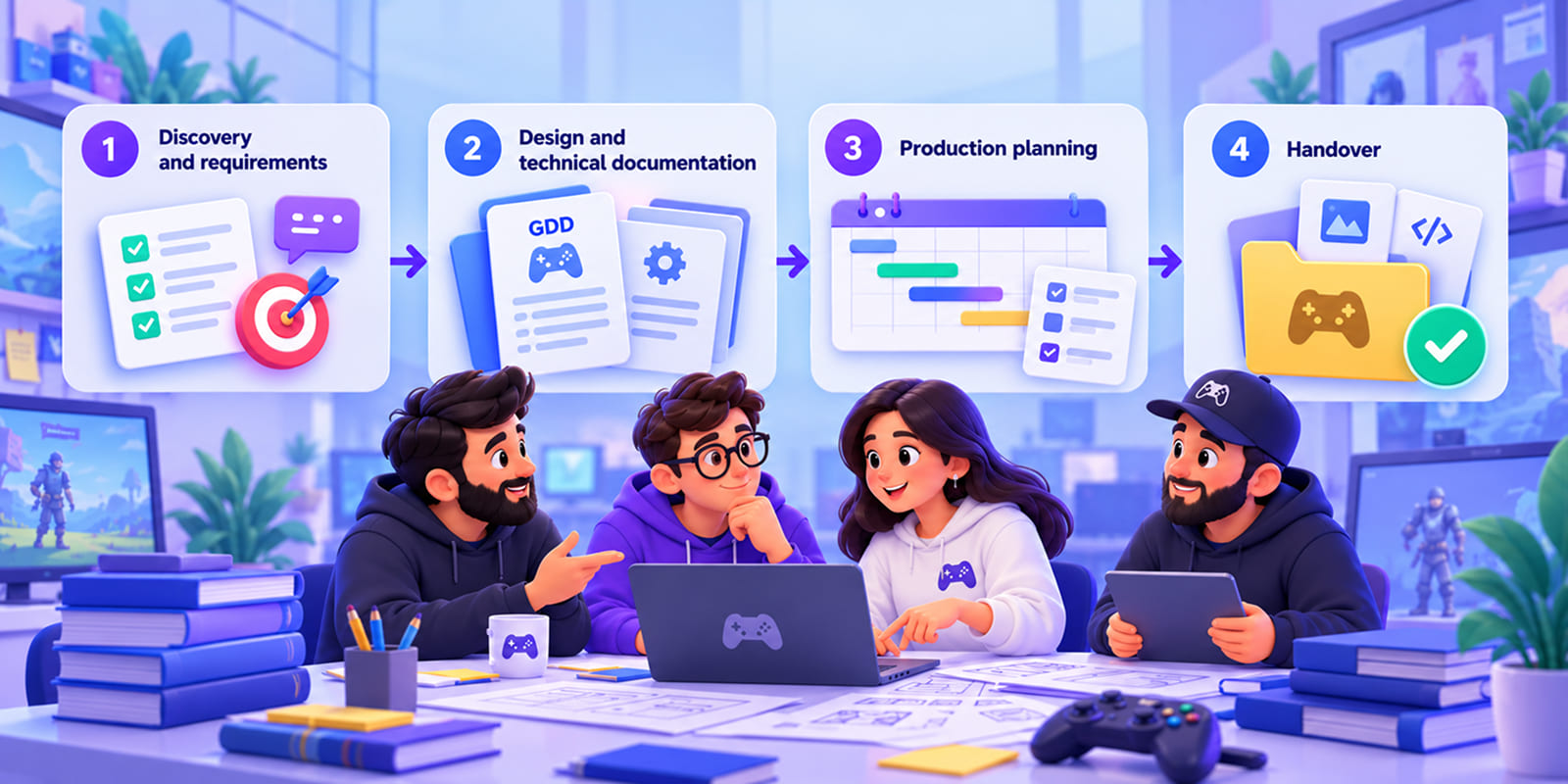
Most of our projects involve clients, publishers or partners who need to be on the same page with many people and large teams, so game project documentation is absolutely necessary.
This is how documentation runs through our work with clients:
- Discovery and requirements. At this stage we agree on goals, scope, platforms and constraints, and we put together all the requirements our client has.
- Design and technical documentation. Our designers and tech leads use those requirements to build a GDD and technical docs to create a base for future work.
- Production planning. We add milestones, task breakdowns and asset lists and link them to design.
- Handover. Builds, source files and documentation come with agreed acceptance criteria, so the video game project documentation we hand over is something the client’s team can keep using.
Our policy around AI is practical and simple, as we use it only where it saves time and keeps game development documentation consistent. But as we said in this article many times, decisions are made by people. You can see what we do in full-cycle game development, game art and animation, software development. If you already have a team and need extra hands, our co-development model is built for that.
Planning a game project and want a clear documentation and development roadmap? Contact Fgfactory for a free consultation.

 Loading...